Aquastorm 200
2-8 System Preparation
6 To exit the Configuration Mode, press and hold the Function F and Raise
Keys simultaneously. This will cause a return to the Operator Mode to be made.
NOTE An automatic exit to Operator Mode will be made if, in Configuration
Mode, there is no front panel key activity for two (2) minutes.
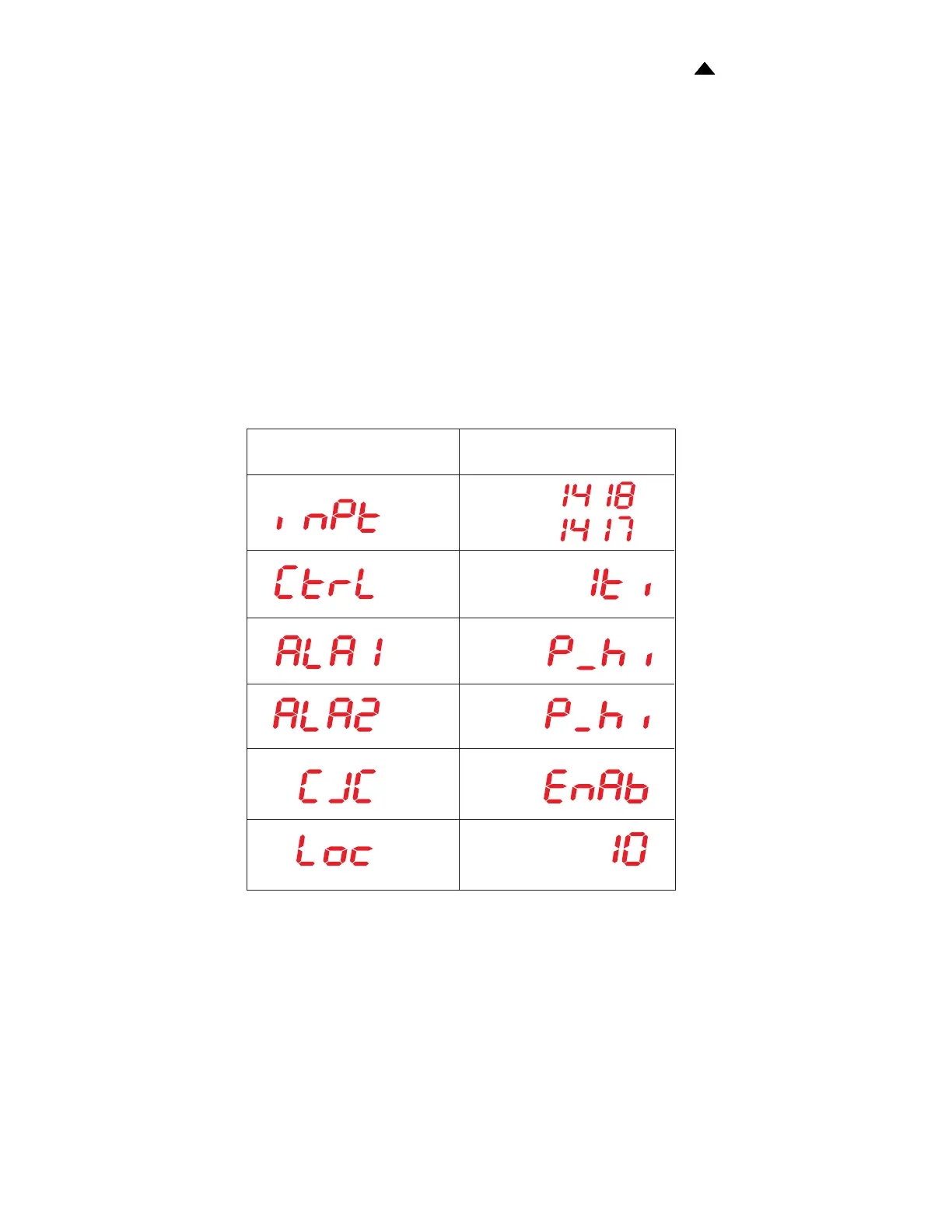
NOTE Refer to the Manufacturers' Data Manual for a description of the
Configuration Mode Parameters for the West 6700 Temperature
controller.
If it is necessary to change the Setup Mode values, go to the Setup Mode procedure on
page
2-9 after setting up and exiting the Configuration Mode.
Configuration Mode
Values
(F)
(C)
Menu Item


 To Next Page