30#
3-30 Start-Up and Operation
Aquastorm 200
FIELDS
The ALARM field represents the section
or component being controlled.
The LIMIT field is configurable, and
represents the deviation level from the set
point. When ACTUAL reaches the set
LIMIT in the + or - direction, the audible
alarm sounds to notify the operator of the
alarm condition (if the Action is set for
Warning or Shutdown).
The ACTION field permits the operator
to select one (1) of three (3) levels of
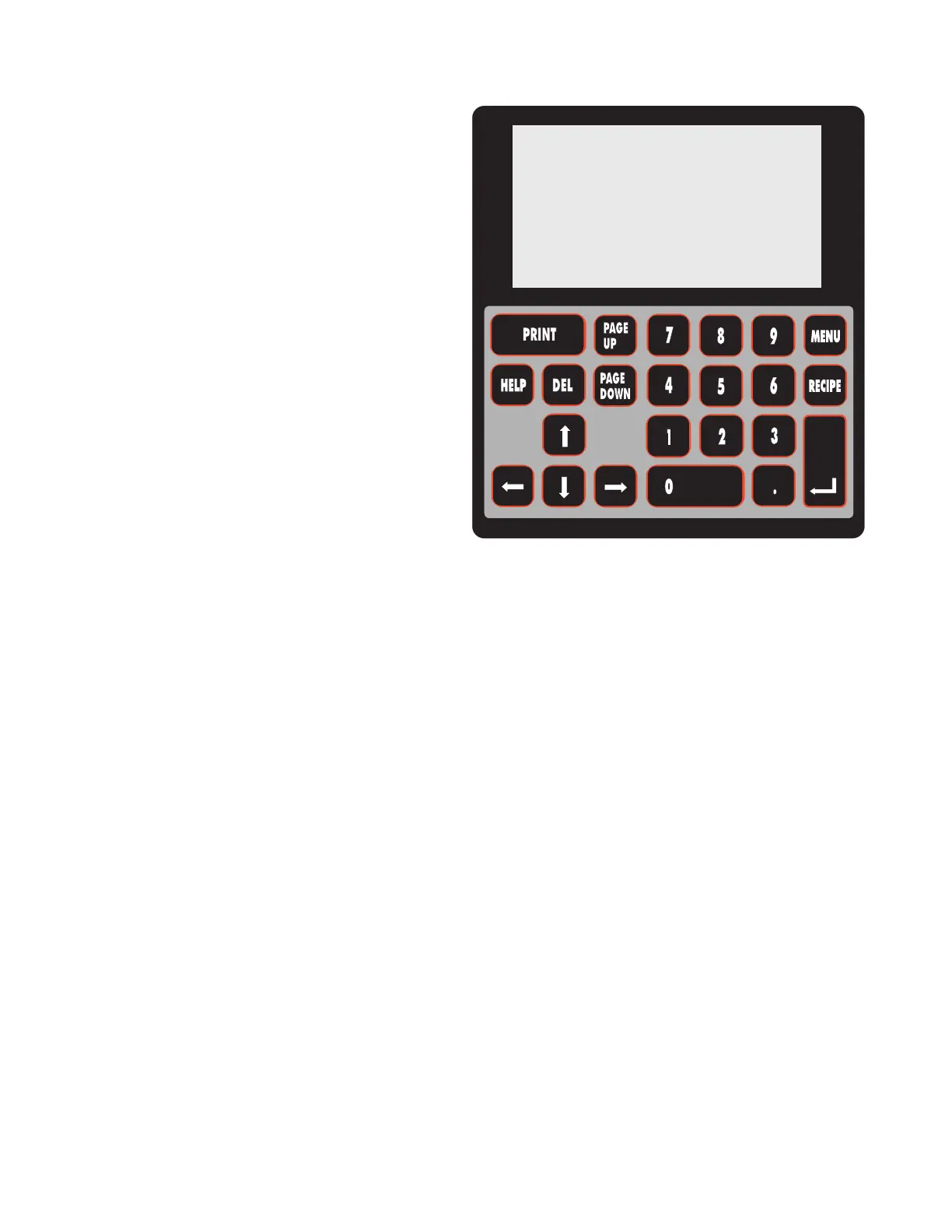
Alarm Conditions. Press the ENTER key
on the LCD interface keypad to toggle
between the three (3) selections.
1. IGNORE - system will not alarm or
display on LCD.
2. WARNING - system sounds the audible
alarm and displays the alarm condition on
the LCD; the system remains operating.
3. SHUT DOWN - system sounds the
audible alarm, displays the alarm
condition on the LCD, and Shuts Down
the system.
The REALARM value is configurable,
and determines when the alarm will occur
again if it is not corrected initially. The
REALARM field can be set to a value from
one (1) to 99 minutes. After the audible
alarm has been acknowledged by pressing
the Alarm Acknowledge key on the LCD
interface keypad, the alarm silences and
the LCD reverts to normal display.
4 The Left and Right Arrow keys move the
cursor between the fields and between the
numeric characters within the LIMIT and
REALARM fields.
5 The Up and Down Arrow keys move the
cursor up or down to the section or
component (ALARM) being adjusted.
6 Press the MENU key twice to return to the
MAIN Screen and save the changes made
to the alarm values.
ALARM LIMIT ACTION REALARM
WASH 10 F SHUTDOWN 05 MIN
CHEM 10 F IGNORE 05 MIN
RINSE 10 F SHUTDOWN 05 MIN
IR 10 F WARNING 05 MIN
CONV 0.5 F WARNING 05 MIN
RESIS > 18 IGNORE 05 MIN
pH < 4.0 IGNORE 05 MIN


 To Next Page