43
English
ADVANCED
OPERATIONS
Changing settings
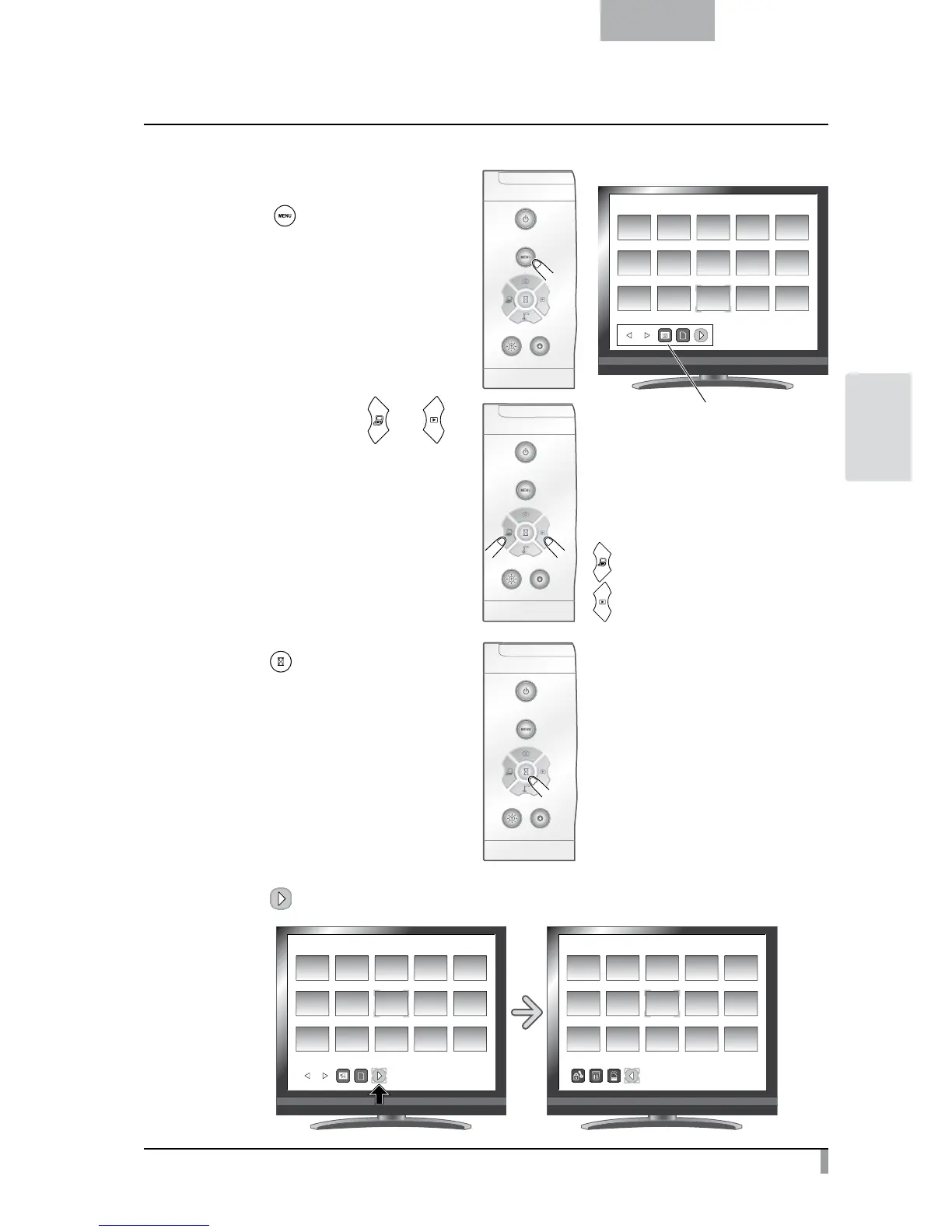
You can display the Thumbnail Menu by
pressing the [
] button on the operating
panel while the thumbnails are displayed on
the screen.
•
Move the cursor using the [
] or [ ]
button on the operating panel.
•
Press the [
] button on the operating
panel to select the menu item.
If you press [
], the next set of menu icons appears.
SD/Picture
001/003
SD/Picture
001/003
SD/Picture
001/003
Thumbnail menu
[ ] button: Moves the cursor left
[
] button: Moves the cursor right



 To Next Page