57
English
ADVANCED
OPERATIONS
Basic operations
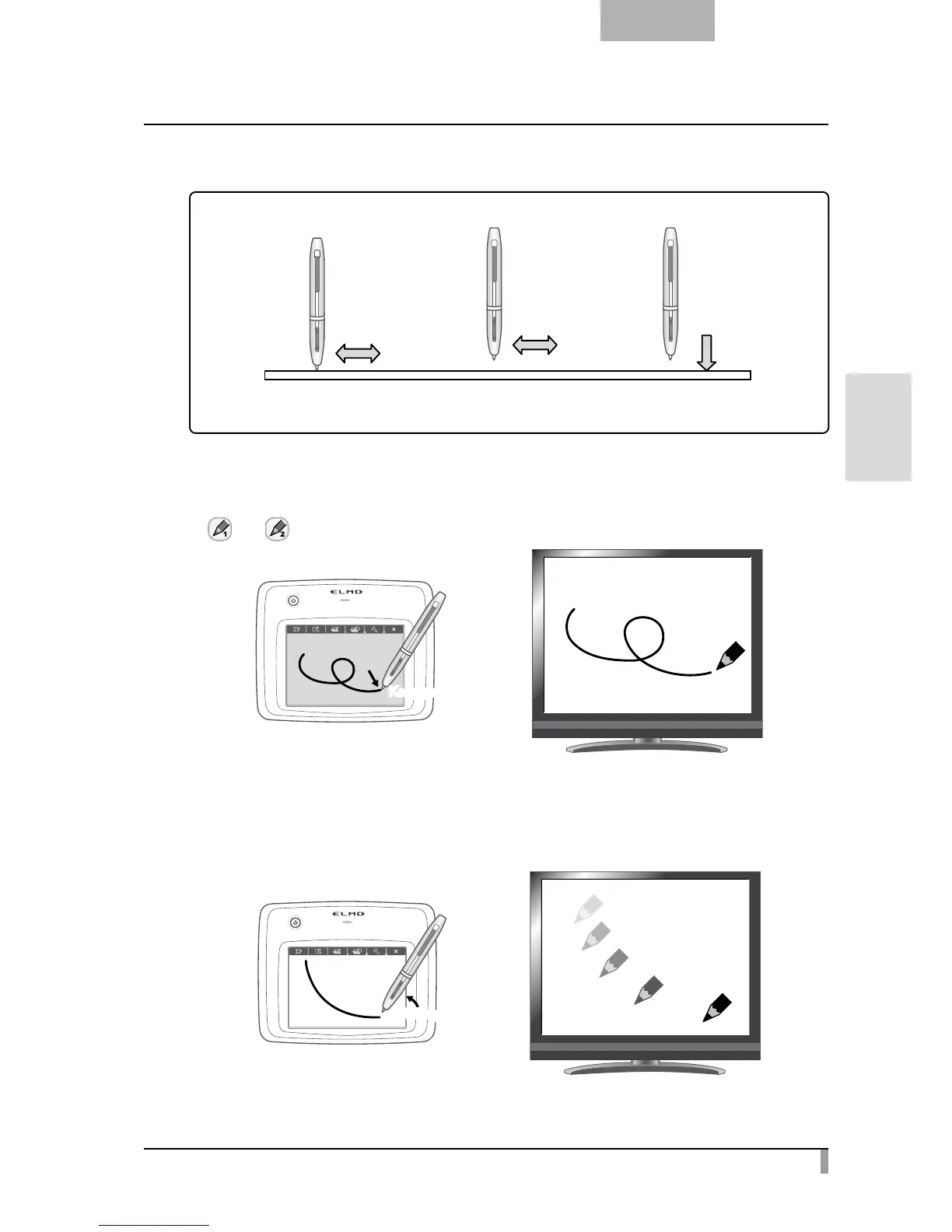
1. Draw
Touch the tablet
and move
Lift from the tablet
and move
Touch the
menu button
2. Move the cursor 3. Select a menu button
●
Drawing lines
Touch the tip of the pen to the surface of the tablet and move the pen.
If [
] or [ ] has been selected, the pen will draw a line. Use this function to draw/erase lines.
Keep pressed downKeep pressed down
●
Moving the cursor
Move the pen slightly above the surface of the tablet.
The cursor on the screen moves as the pen moves. Use this function to move the cursor.
Lift the pen a littleLift the pen a little



 To Next Page