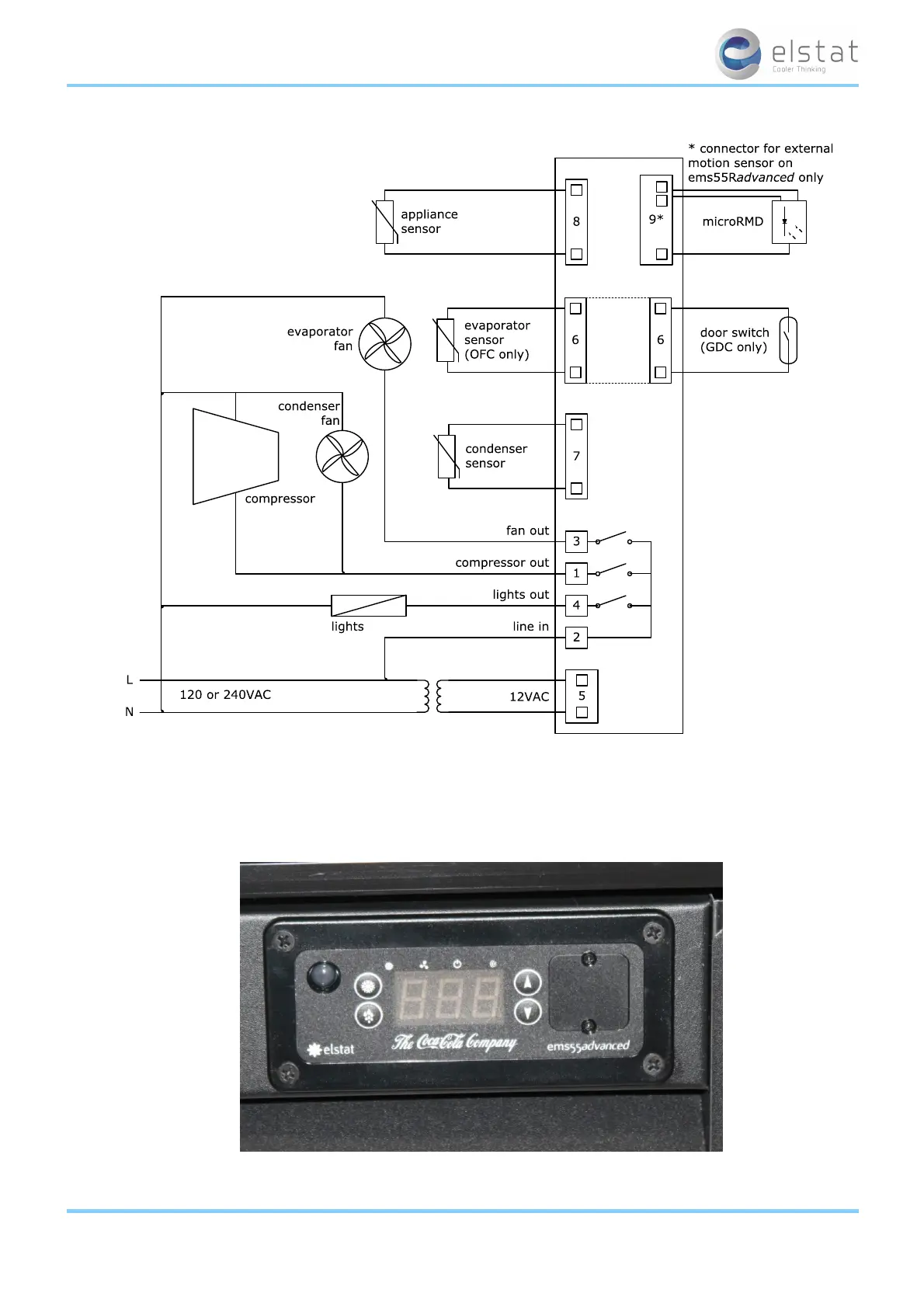
Fit the connector into the port, and the thermal fuse into the aperture, ensuring that it is fully enclosed:
Make sure that the connector has 'clicked' into place and the connection is sound.
Check that the thermal fuse is fully protected within the aperture.
The aperture has been designed specifically for the thermal fuse supplied by elstat.
l Do not use the aperture for any other purpose.
Connect all remaining sensors, door switches (optional) and the microRMD.
All cables must exit vertically, as shown above
Drip loops must be made in all cables
Note:
l For security, once fitted, the rear cover can only be removed using a tool, such as a small, flat bladed
screwdriver.
ems25+ and ems25advanced / General Use
11 of 89



 To Next Page