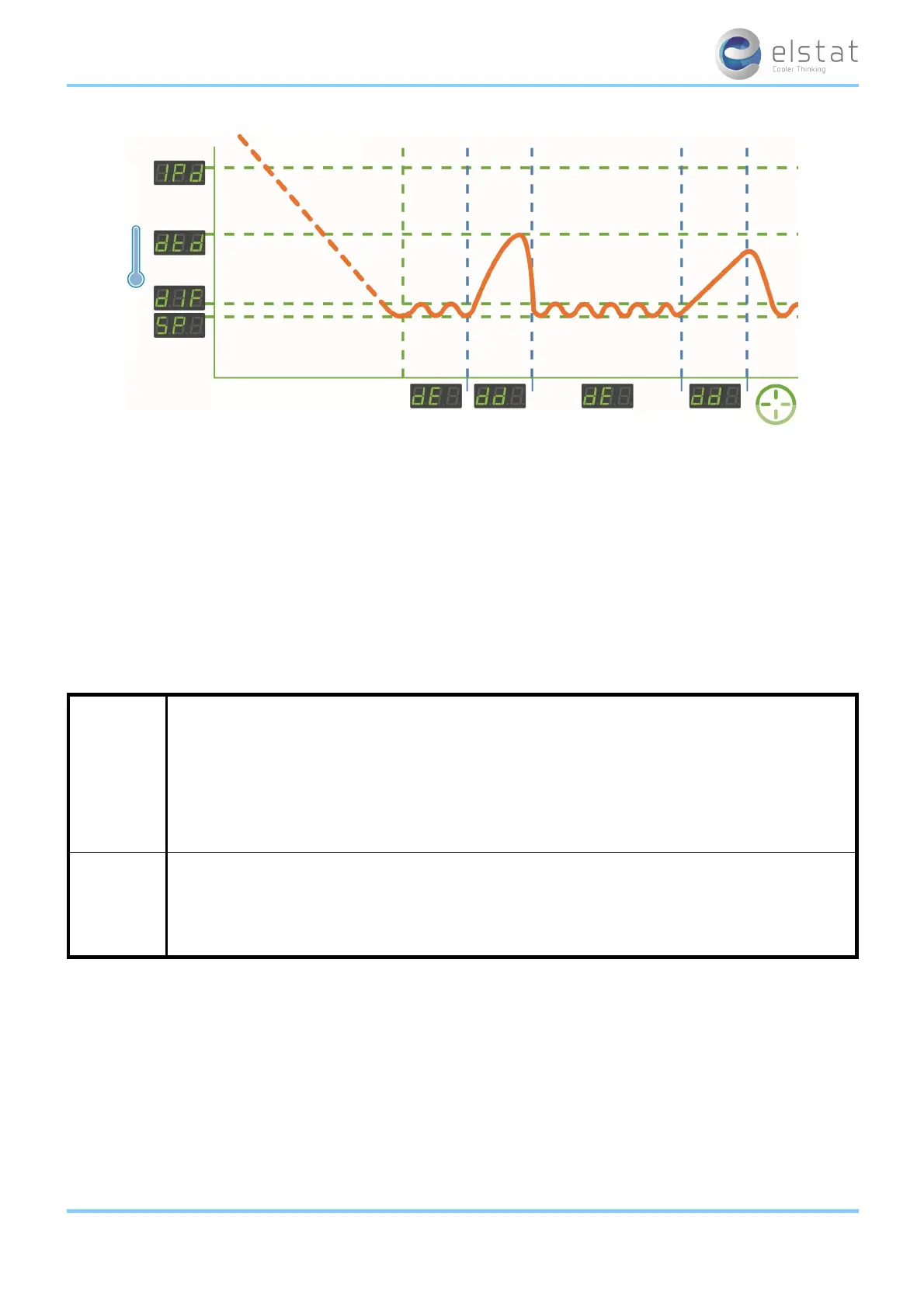
change of the displayed temperature.
For example, to filter short fluctuations in the air temperature due to the door opening, which has no affect on the product
temperature.
At the end of the ready mode, ems controllers switch to the saving mode. However, the delay to saving (dS) parameter can
delay the switch to the saving mode. The delay helps ensure that, for example, the ems controller remains in the ready mode
during periods without activity immediately prior to outlets closing for marketing purposes.
For more information about the parameters used in ready mode:
l See "display stability (d2)" on page 69
l See "differential (dIF)" on page 70
l See "display (dIS)" on page 71
l See "delay to saving (dS)" on page 71
l See "set point (SPC or SPF)" on page 76
5.4 saving mode
ems controllers run in the saving mode when retail outlets are closed.
In the saving mode, the product temperature is allowed to rise to a predefined temperature. The saving mode temperature
range is defined by saving set point (SSP) and the saving differential (Sd).
The compressor runs until the saving set point (SSP) temperature is reached and then stops until the measured tem-
perature reaches the saving set point (SSP) plus saving differential (Sd) temperature.
The saving mode temperature is set to ensure that the cooler has sufficient time to lower the product to the ready mode tem-
perature. The ems controller starts lowering the product temperature by the saving restart period (Sr) before the ready
mode starts ensuring that the cooler has sufficient time to reach the ready mode temperature from the saving mode tem-
perature.
However, the saving temperature disable (PE r) can set ems controllers to maintain the ready mode temperature at all times.
ems25+ and ems25advanced / General Use
23 of 89



 To Next Page