feature description
compressor ems controllers switch the compressor to manage the temperature of the refrigeration compartment.
evaporator fan ems controllers switch the evaporator fan to manage the evaporator fan. ems25advanced only.
lights ems controllers switch the cooler lights to save energy.
2.1 Water ingress – advisory information for FMEA analysis
Elstat products have been designed to minimise any risks associated with water ingress and all controllers are IPX5 certified.
The OEM or installer is responsible to ensure that local/country laws and regulatory requirements are met.
2.2 ems25
+
and ems25advanced user interface
The user interface of the ems25
+
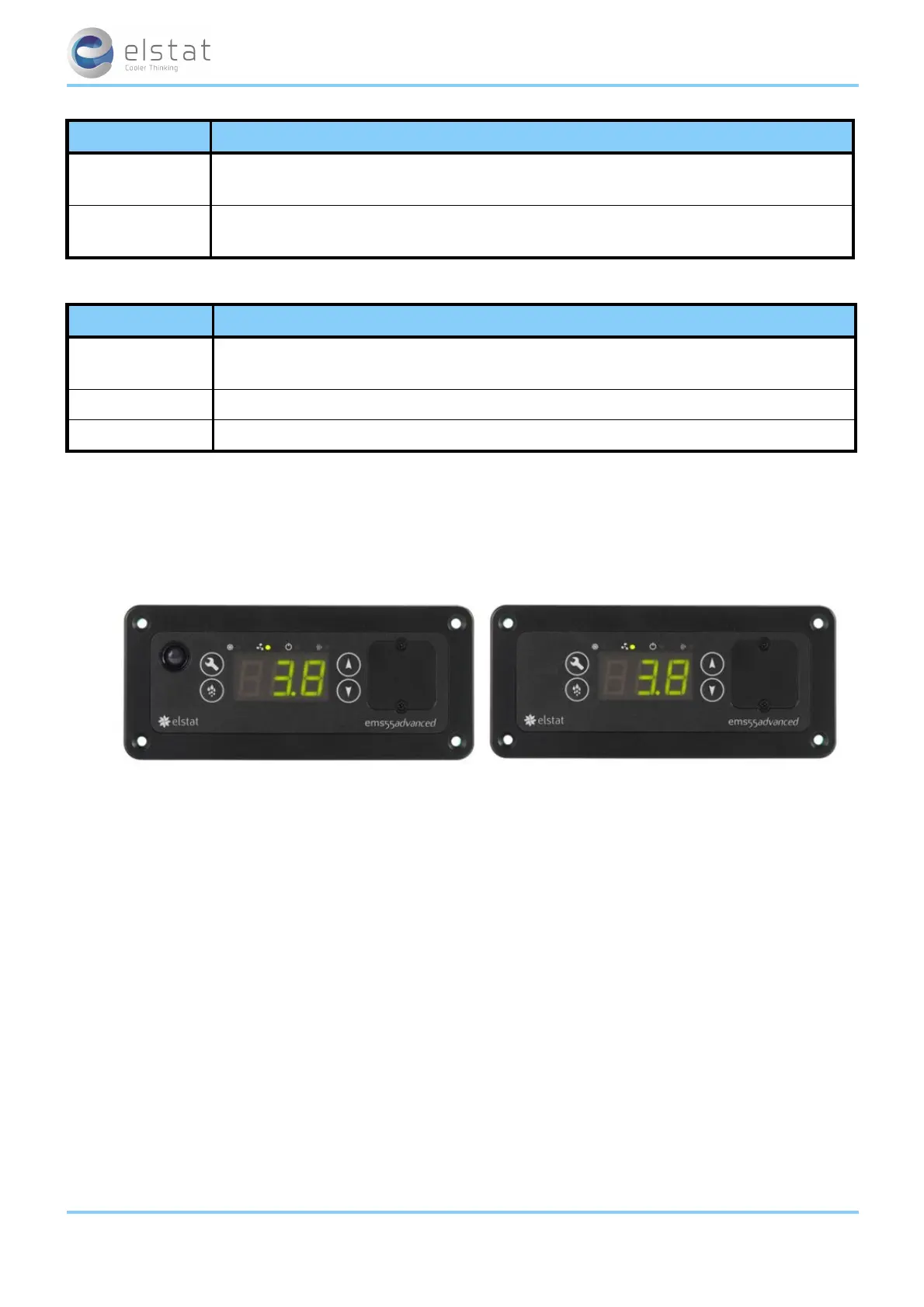
and ems25advanced is as follows:
LED indicators:
indicator function colour
1
saving
temperature disable
on if the saving mode temperature is disabled.
The controller maintains ready mode temperature at all times.
red
2 motion on when motion is detected. red
3 compressor on when the compressor is running. green
The ems controller buttons access the menu to view parameter values, reset the ems controller, and to run test routines.
Push buttons:
button name function
defrost
or
teach
ems25advanced: starts a defrost cycle.
ems25
+
: sets the ems controller to the saving mode for up to one hour.
set selects menu options and scrolls through the parameters.
up
increases the parameter values.
ems25
+
: Also, exits the teach saving mode.
ems25+ and ems25advanced / General Use
8 of 89



 To Next Page