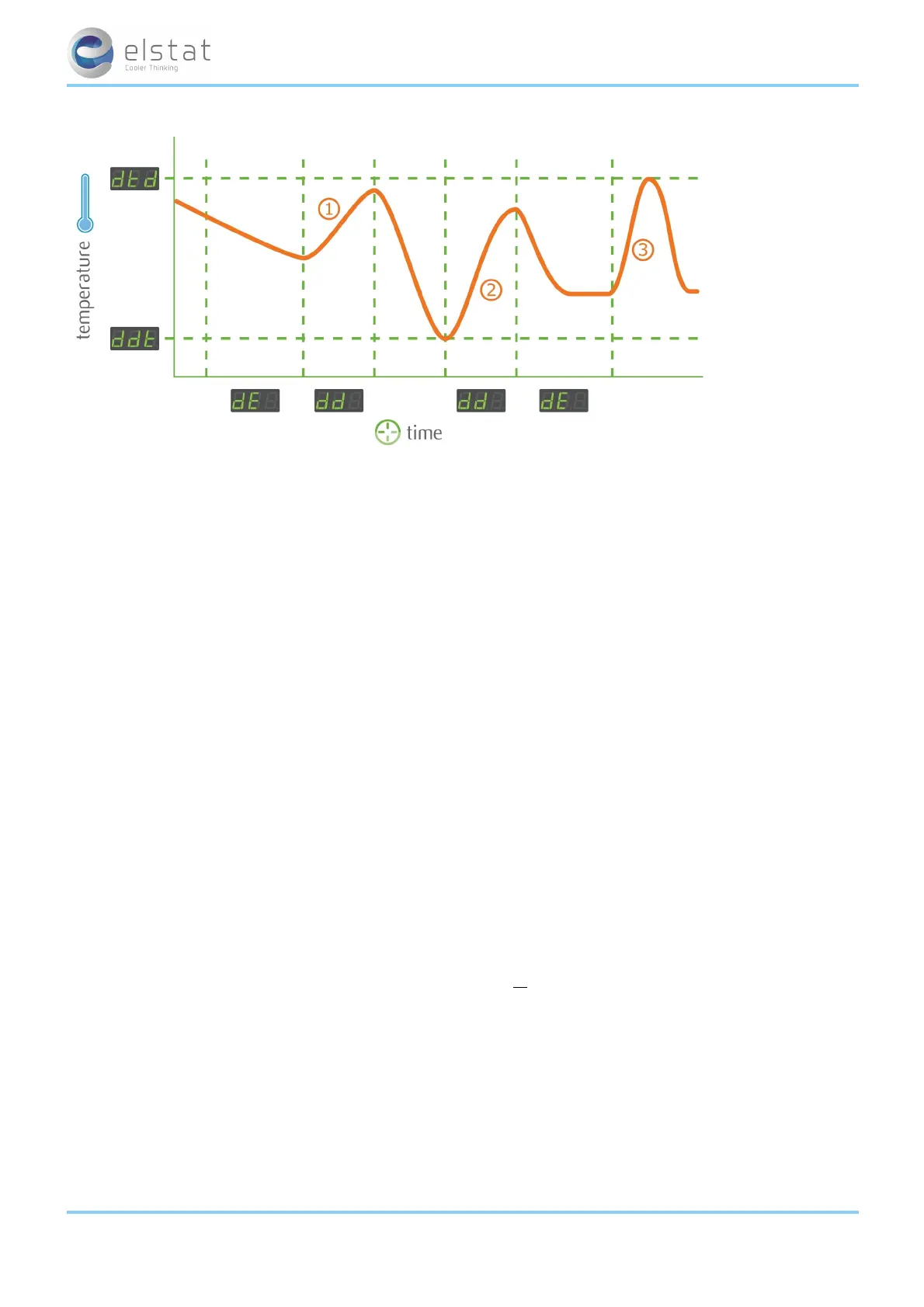
During the saving mode, the controller displays three dashes, (---), and the cooler lights are usually switched off.
If the cooler door is opened or the motion sensor detects activity during the saving mode, ems controllers switch on the
cooler lights for the remainder of the current 30-minute period, but do not start cooling cycle.
For more information about the parameters used in saving mode:
l See "saving temperature disable (PEr)" on page 74
l See "saving differential (Sd)" on page 75
l See "saving restart period (Sr)" on page 76
l See "saving set point (SSP)" on page 76
5.5 teach
Note: ems25 and ems25
+
only.
The teach function enables outlet operators to manually set the controller to the saving mode. Teach aims to stop outlet
operators switching off coolers.
Teach switches ems controllers to the saving mode for up to one hour (two 30-minutes of the self-learning matrix). If teach is
initiated midway through a 30-minute period. Teach will be time left within the current 30-minute period plus the following
30 minute period. Therefore, the teach period ranges from approximately 31 minutes to the 60 minutes.
On entering the teach mode, ems controllers stop cooling by not running the compressor allowing the product to start to
rise towards the saving mode temperature. At the end of the one hour period, ems controllers return to the saving mode or
ready mode as defined by the self-learning matrix.
During the one-hour teach period, the motion sensor input is disabled and the controller does not detect motion. Therefore,
any movement in front of the cooler will not result in ems controllers switching the cooler lights on. However, opening the
cooler door or pressing the up button returns the controller to the ready or saving mode as defined by the self-learning mat-
rix.
The teach function does not directly affect the self-learning matrix. However, as the motion sensor is disabled, ems con-
trollers will register periods without activity. Therefore, if the teach is pressed at the same time the following week, ems con-
trollers will automatically switch to the saving mode for this period.
5.6 teach
Note: ems25 and ems25
+
only.
The teach function enables outlet operators to manually set the ems controller to the saving mode.
Note:
l Elstat recommends that outlet operators do not manually switch ems controllers to the saving mode. This functionality aims to stop outlet
operators switching off coolers.
ems25+ and ems25advanced / General Use
24 of 89



 To Next Page