Note:
l To switch off the relays that are on, press the defrost button.
8. Press the defrost and set buttons simultaneously to test the analogue inputs.
The display changes to An A.
9.
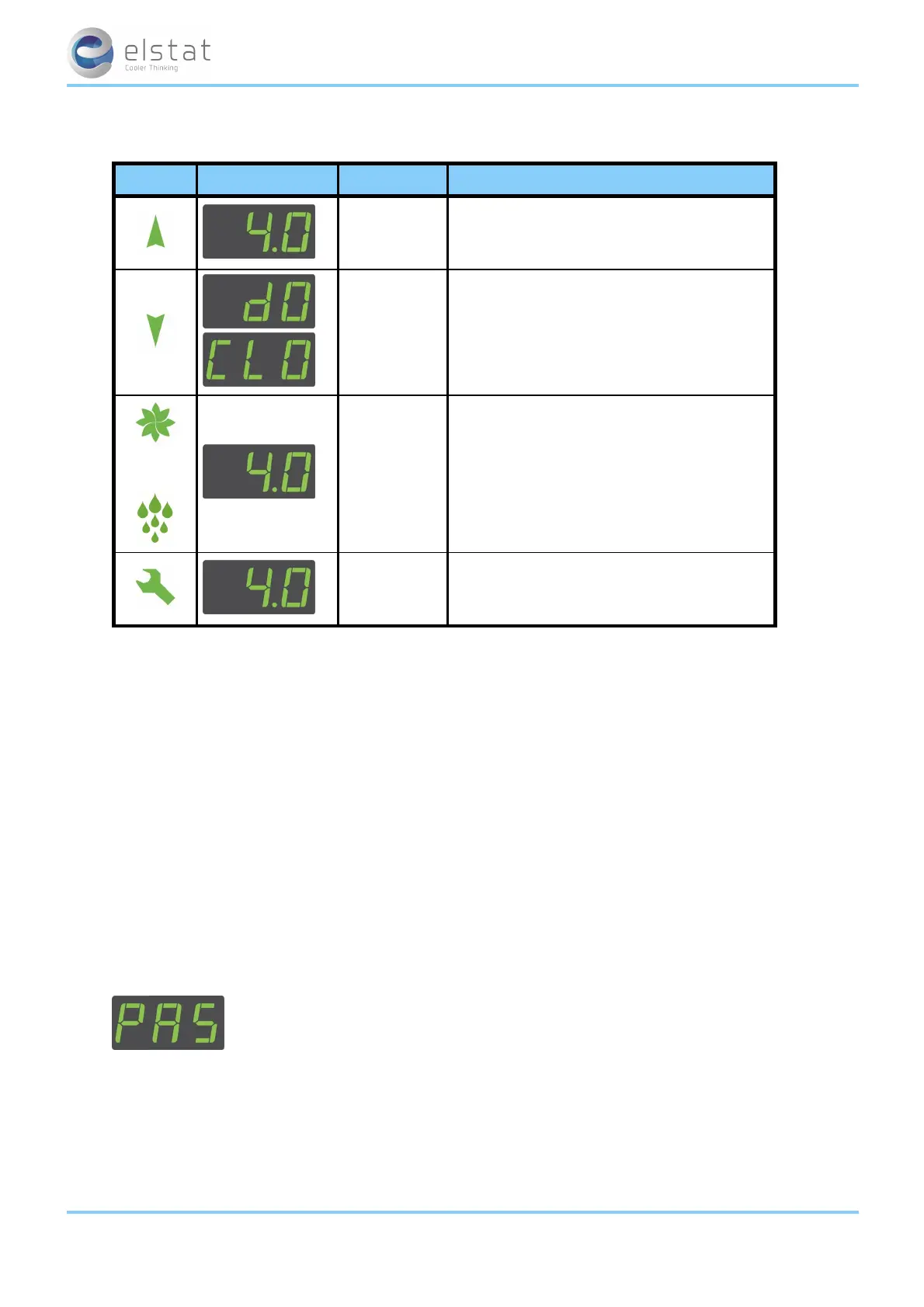
Press the up button to start, and test, the analogue inputs described in the following table:
button display test check
appliance
sensor
temperature
displayed temperature is correct
door switch
door is open (dO) or closed
(CL O)
or
condenser
sensor
temperature
displayed temperature is correct
evaporator
sensor
temperature
10. Press the defrost and set buttons simultaneously to test the motion sensor.
The display changes to PIr.
11. Press the defrost button and then place your hand about 300mm in front of the motion sensor.
Move your hand fromleft to right and ensure the following:
l The display count increments for each detected movement.
l The motion LED flashes for each detected movement.
12. Press the defrost and set buttons simultaneously to end the test routine.
7.8 how to perform a half reset (Hr)
Perform a half reset to clear the self-learning matrix if the ems controller has been unable to detect activity correctly, for
example, the view of the motion sensor was blocked, or if the cooler has been moved to a new location.
Perform a half reset as follows:
1.
Press and hold the set button until PAS is displayed.
2. Enter the button sequence of the menu entry password.
ems25+ and ems25advanced / General Use
42 of 89



 To Next Page