CRC-C
Checksum displayed on an ems55advanced with firmware version E52 F07.
Displayed after manually scrolling through the parameter list, following down-
load of the parameter settings with the parameter programming tool (dongle).
CRC-D
Checksum displayed on all other ems controllers following download of the
parameter settings with the parameter programming tool (dongle).
7.
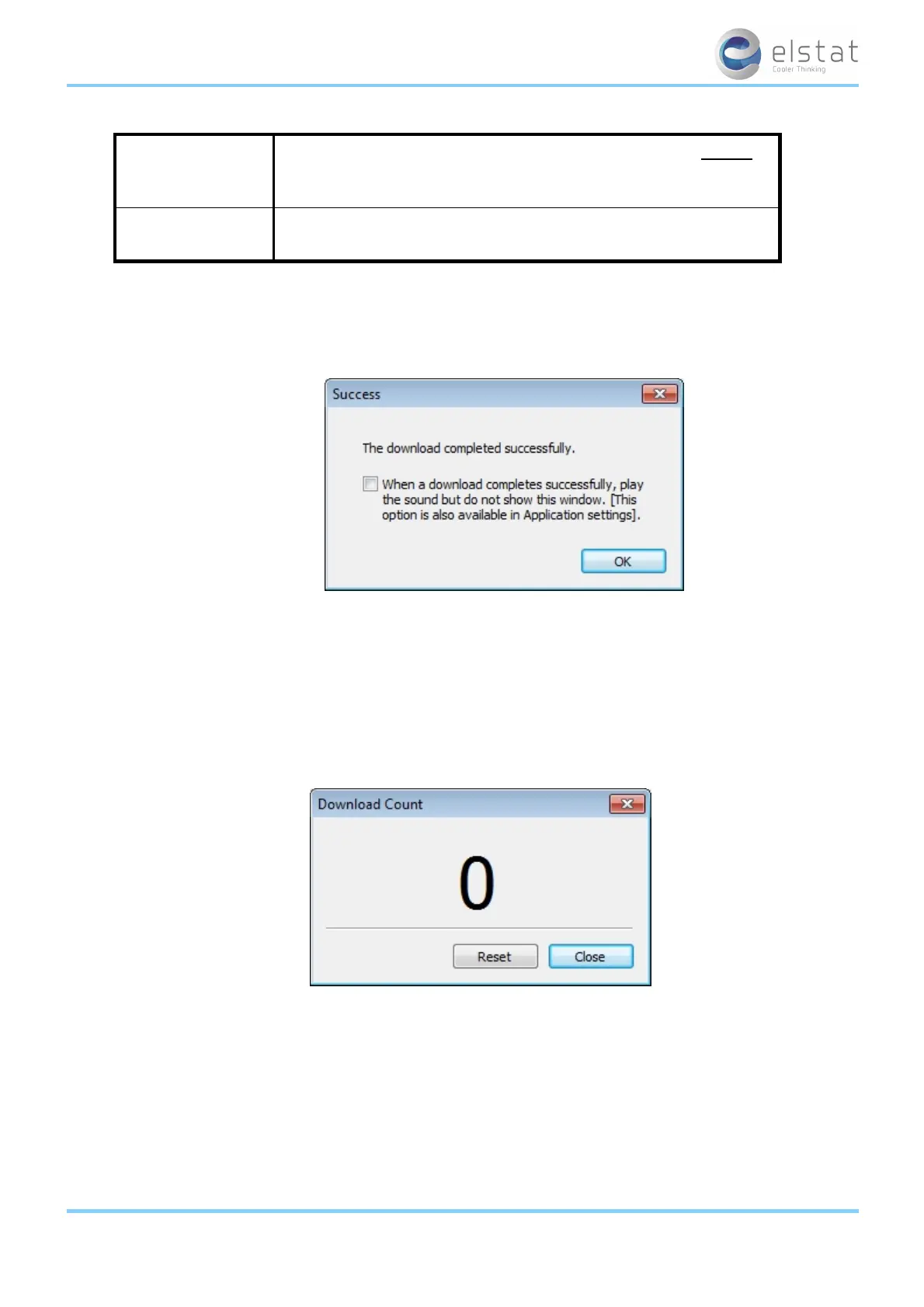
Press and hold the button ^ on the USB docking cradle and then check that the message below appears after a short
delay and click OK.
If the transfer was unsuccessful, check all connections and settings and repeat the procedure.
If the error persists, this indicates a malfunction of the equipment.
8. Remove the parameter programming tool from the USB docking cradle.
9.10 how to view the download counter
When programming a large quantity of parameter programming tools (dongles), a display counter can be viewed.
To view the download counter, click Tools > Download counter.
Note:The download counter window must be displayed to count.
9.11 how to view the version of the parameter programming tool (dongle)
View the version of a parameter programming tool (dongle) as follows:
1. Insert the parameter programming tool (dongle) into the USB docking cradle.
2.
Click Tools, Get dongle version to display the dialog below.
ems25+ and ems25advanced / General Use
63 of 89



 To Next Page