7.10 statistics
ems controllers start gathering statistics when first powered up.
Statistics provide information on the following:
l temperature: lowest, highest, and average temperature measured on the appliance sensor.
l activity: average number of motion counts and door openings.
l compressor: average number of compressor cycles and total compressor runtime.
l
operation: settings of the activity frequency (AF) parameter and the saving temperature
disable (PEr) parameter.
l
Note:
l A full reset clears all the gathered statistics.
l Not all controllers allow statistics to be viewed - the ems25+ is teach enabled and therefore does not display statistics.
7.11 how to view statistics
To view the statistics, press the up and down buttons simultaneously.
Statistics include door opening, average temperatures and activity counts.
The ems controller then scrolls through the statistics pausing for 20 seconds at each statistic before returning to normal
operation.
The 3-digit display can show values from 000 to 999.
For values of 1000 and above, the display shows the value as a rounded decimal number. For example, 1.1 represents 1100,
1.2 represents 1200, and so on.
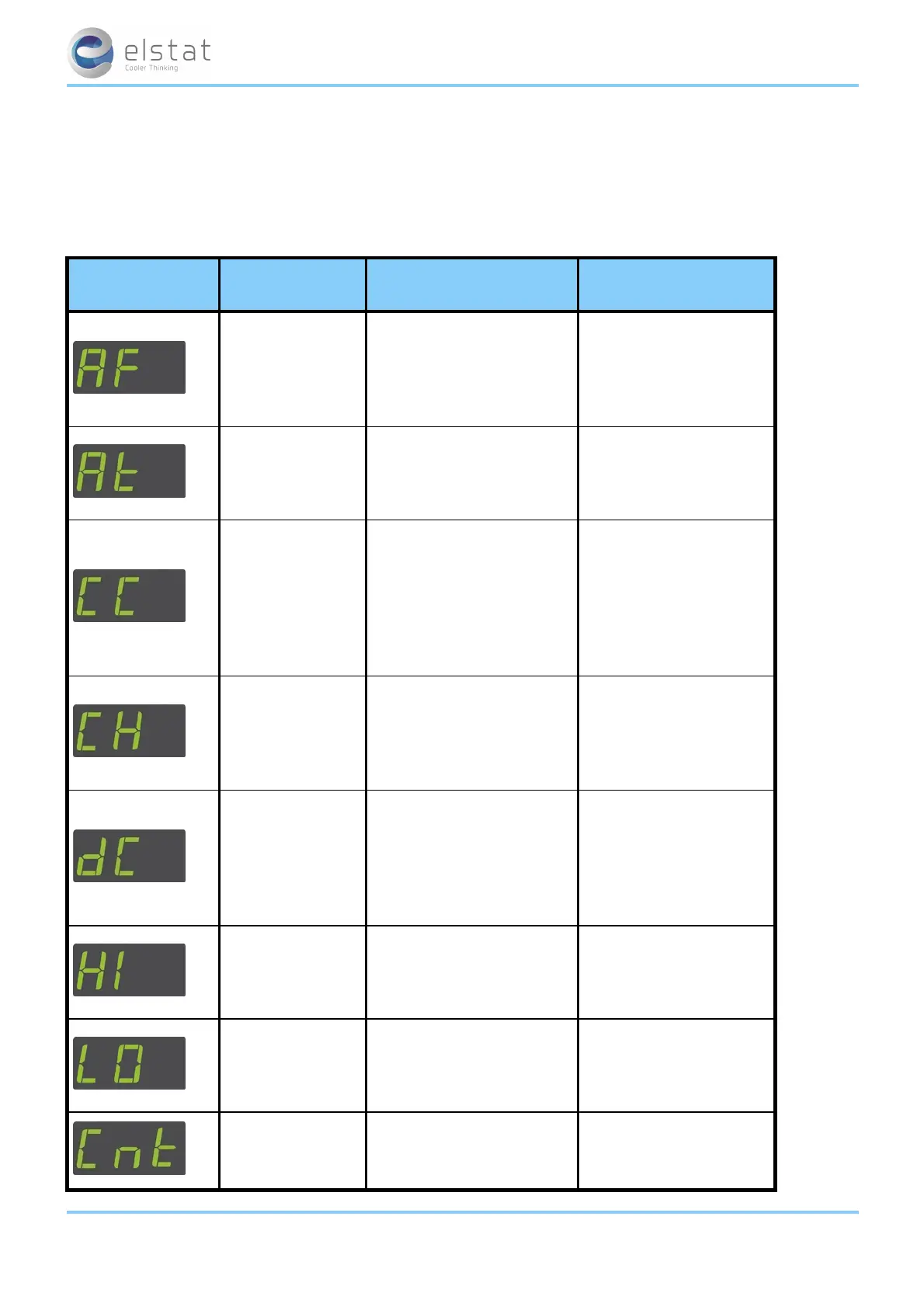
display statistic
description
prior to July 2012
description
post July 2012
activity
frequency
Value of the activity frequency
AF parameter.
Possible values are: 0, 1, 2 or 3.
(0 = low, 2= high and 3 = auto-
matic)
No change
average
temperature
Average temperature
measured by the
appliance sensor
during the last 24 hours.
No change
compressor cycles
Average number of
compressor cycles per day (24
hour period) during the past 7
days (7 x 24 hour
periods).
Note that the average is
a moving average.
Total number of
compressor cycles since
first powered up or last full
reset
compressor runtime
Total number of hours that the
compressor has run since the
ems controller was first
powered up or since the last
full reset.
No change
ems25+ and ems25advanced / General Use
44 of 89



 To Next Page