EasyManua.ls Logo

EMC2 VNX5500 - Page 29

Default Icon
72 pages
Print Icon
To Next Page IconTo Next Page
To Previous Page IconTo Previous Page
Loading...
Cabling Control Station, modem, and public LAN
29
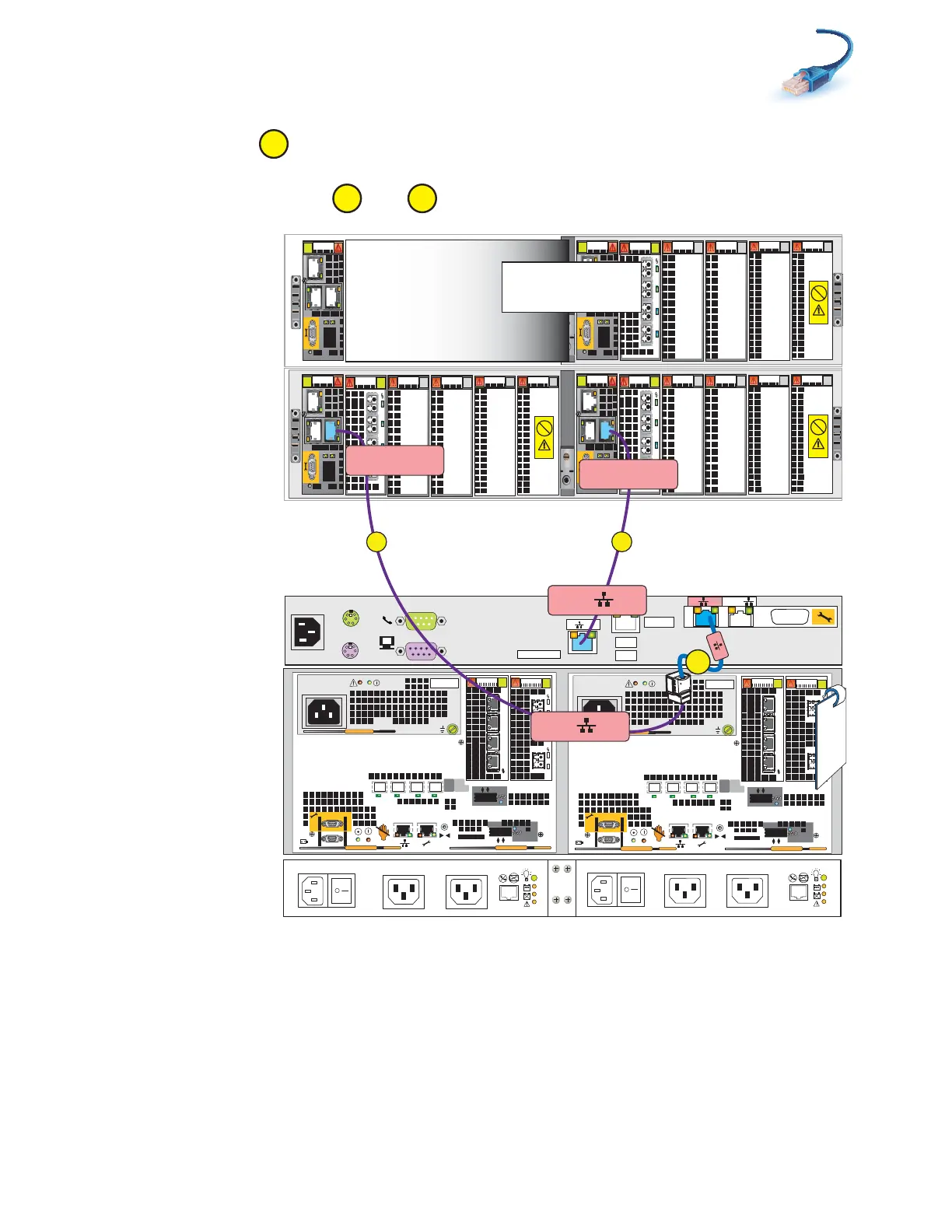
5. Connect CS0 A to blade enclosure 0 management module A (MMA) port 1 as shown in
Figure 16.
6. Connect CS0 B extension cable to blade enclosure 0 management module B (MMB) port 1 as
shown in Figure 16. and
Figure 16 Cabling CS0 to blade enclosure 0
D
B
E
0
123
Power
Power
Switch
Power
Power
Switch
0
123
X4
2
3
4
5
6Gb
SAS
8Gb
bre
1
0 X4
6Gb SAS
A
0
1
2
3
01
X4
2
3
4
5
6Gb
SAS
8Gb
bre
1
0 X4
6Gb SAS
B
0
1
2
3
01
A
CS
Serial Console
MODEM plug
VGA socket
B
MGMT
TAG
0
2
0
1
2
CS0 B
Blade Encl 0
MMB Port 1
E
0
123
0
1
2
0
1
2
1
D
CS0 A
Blade Encl 0
MMA Port 1
Standby power
supply
15 or 25
Disk processor
enclosure
Control Station 0
Blade enclosure 0
Blade enclosure 1
(optional)
Optional
Optional
Blade enclosure 1
B
VNX-000248

Table of Contents