EasyManua.ls Logo

EMC2 VNX5500 - Page 32

Default Icon
72 pages
Print Icon
To Next Page IconTo Next Page
To Previous Page IconTo Previous Page
Loading...
32
EMC VNX5500 File Installation Guide
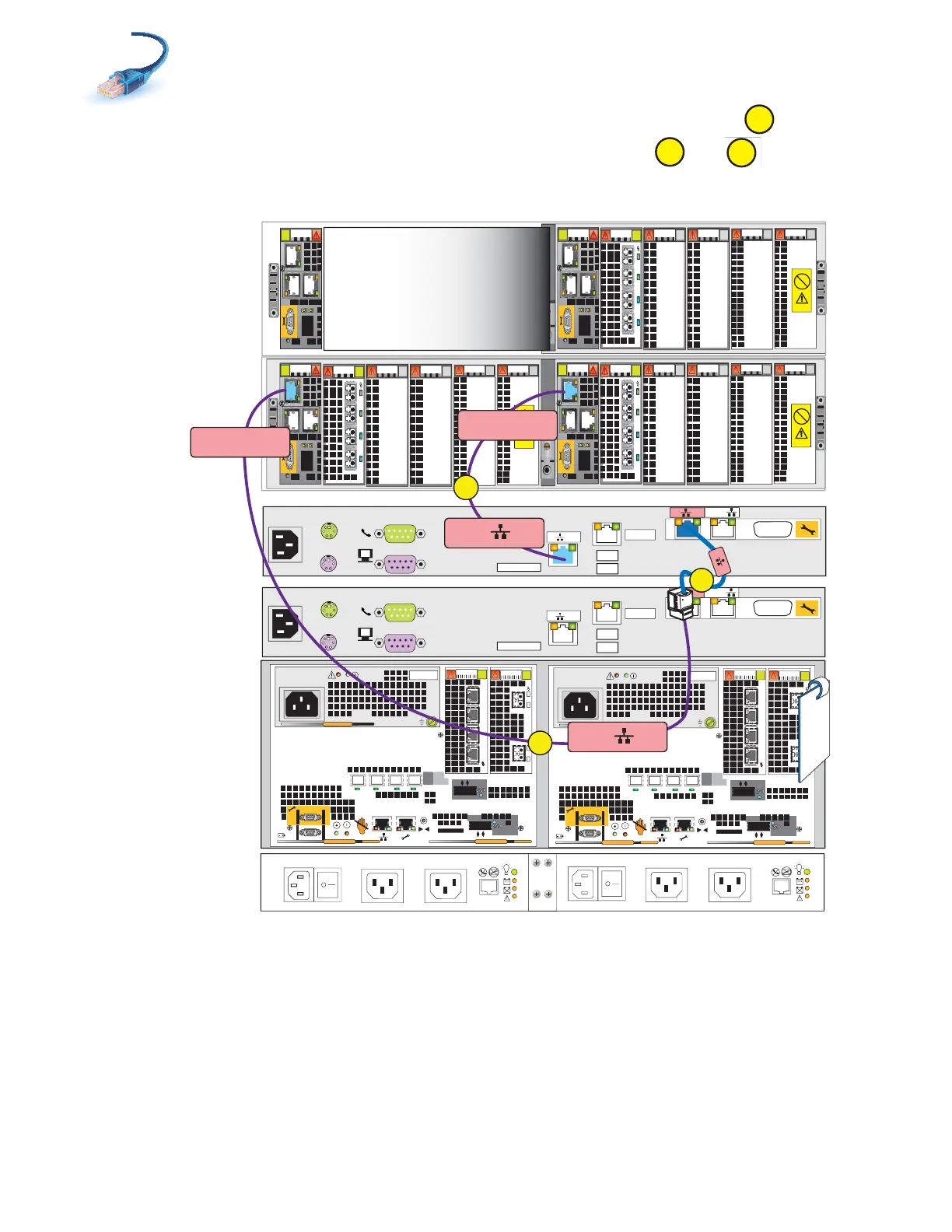
5. Connect CS1 A cable to Blade Enclosure 0 MMA port 2 as shown in Figure 19.
6. Connect CS1 B extension cable to Blade Enclosure 0 MMB port 2. and
Figure 19 Cabling CS1 to blade enclosure 0
E
C
F
0
123
Power
Power
Switch
Power
Power
Switch
0
123
X4
2
3
4
5
6Gb
SAS
8Gb
bre
1
0 X4
6Gb SAS
A
0
1
2
3
01
X4
2
3
4
5
6Gb
SAS
8Gb
bre
1
0 X4
6Gb SAS
B
0
1
2
3
01
A
CS
Serial Console
MODEM plug
VGA socket
B
MGMT
A
CS
Serial Console
MODEM plug
VGA socket
B
MGMT
TAG
0
2
0
1
2
CS1 A
Blade Encl 0
MMA Port 2
CS1 B
Blade Encl 0
MMB Port 2
0
123
0
1
2
0
1
2
1
Standby power
supply
Control Station 1
(optional)
15 or 25
Disk processor
enclosure
Control Station 0
Blade enclosure 0
Blade enclosure 1
(optional)
E
F
B Side A Side
C
VNX-000249

Table of Contents

Related product manuals