115
Application Layer Gateway Setup
The ALG (Application Layer Gateway) serves as a window between correspondent application processes so that they may exchange
information on an open environment.
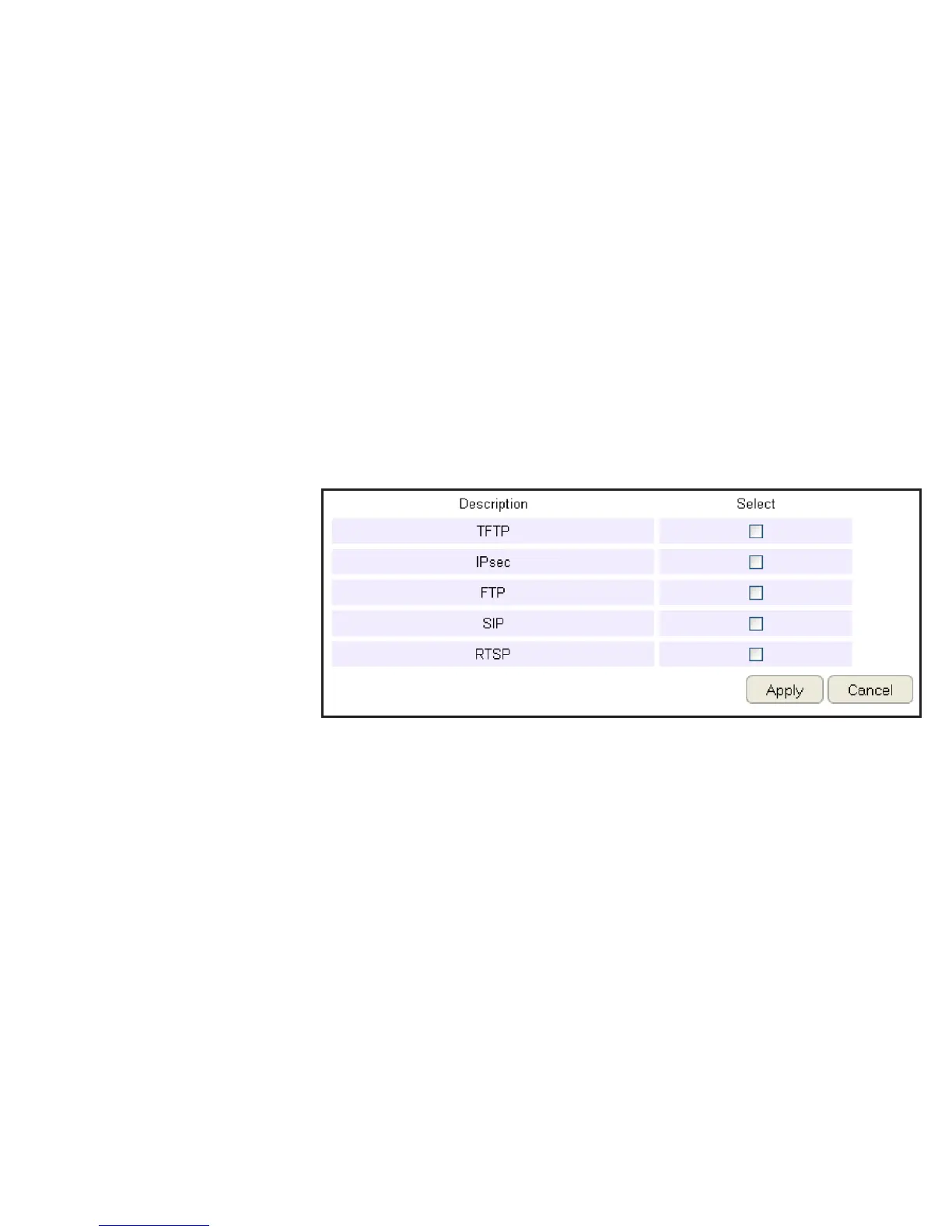
To view the ALG settings, click Advanced then select ALG.
Select the listed applications that need ALG support and then the router will authorize them to pass through the NAT gateway.
Click Apply to save the settings or Cancel to discard changes.


 To Next Page