91
Conguring 6to4
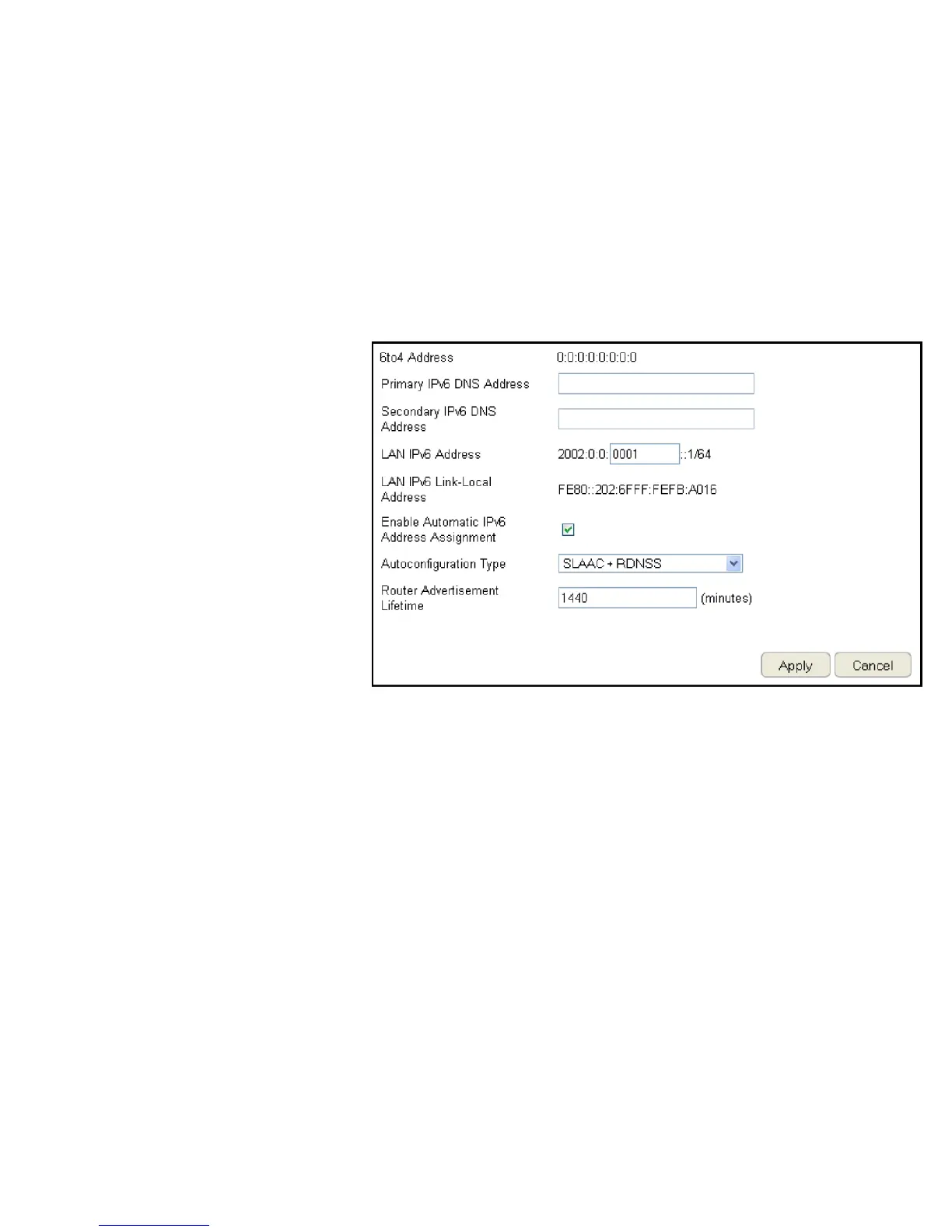
To view the 6to4 settings, click IPv6 then select 6to4.
6to4 Address
Enter the 6to4 IP address.
Primary IPv6 DNS Address
Enter the primary IPv6 DNS address.
Secondary IPv6 DNS Address
Enter the secondary IPv6 DNS address.
LAN IPv6 Address
Enter the LAN IPv6 address.
LAN IPv6 Link-Local Address
Enter the LAN IPv6 link-local address.
Enable Automatic IPv6 Address Assignment
Enable or disable automatic IPv6 address
assignment.
Autoconguration Type
Enter the autoconguration type. (Default: SLAAC+RDNSS)
Router Advertisement Lifetime
Enter the IPv6 Address Lifetime (in minutes).
Click Apply to save the settings or Cancel to discard changes.



 To Next Page