60
Wireless LAN Setup
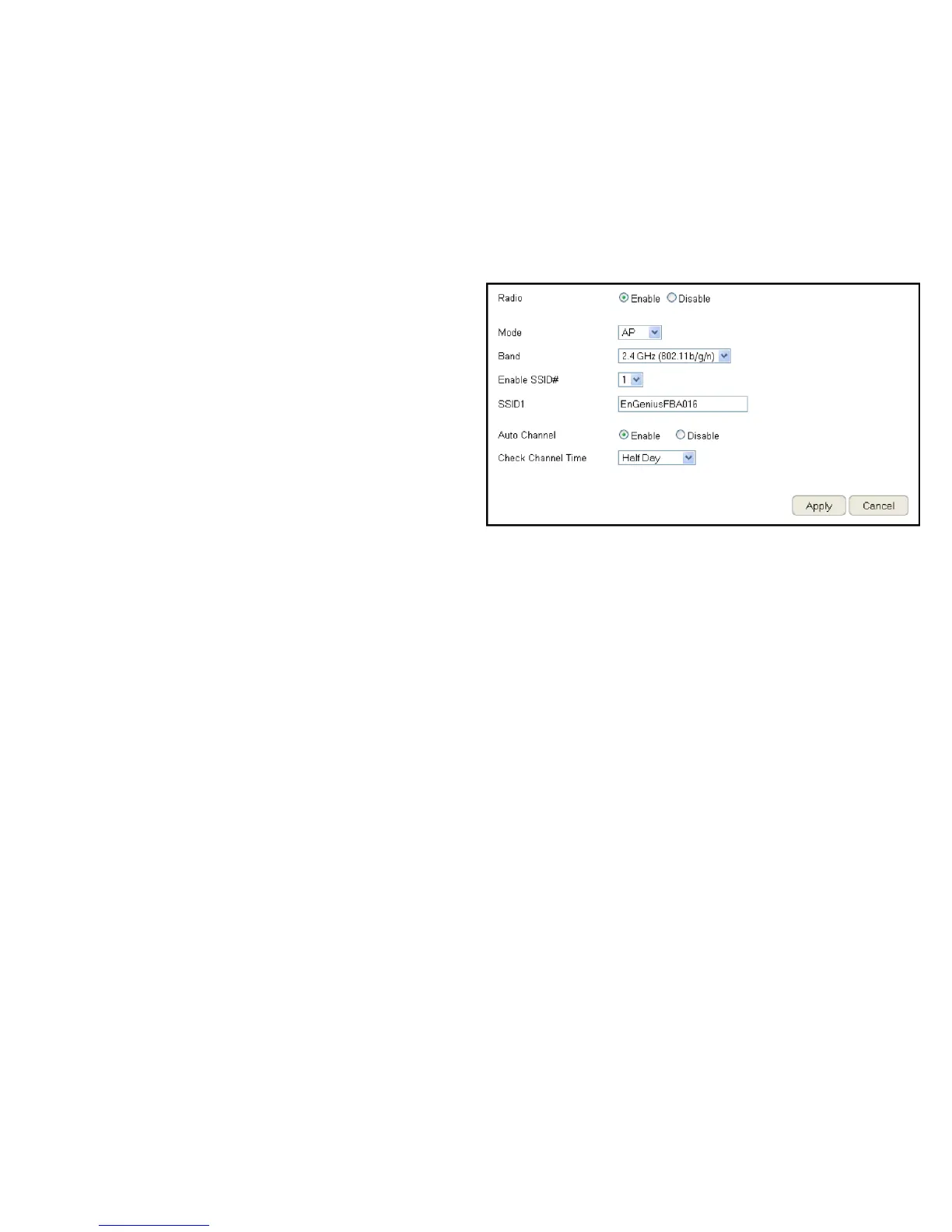
To view the Wireless Basic settings, click Wireless then select
Basic.
Radio
Enable or disable the wireless radio. If the wireless radio is
disabled, wireless access points are not available.
Mode
Select the wireless operating mode for the router. Two modes
are available: Access Point or Wireless Distribution System (WDS)
mode.
AP (Access Point)
Provides a connection access point for wireless devices.
WDS (Wireless Distribution System)
Allows the wireless network to be expanded using multiple
access points without wired connections.
Click Apply to save the settings or Cancel to discard changes.


 To Next Page