75
Conguring Advanced Settings
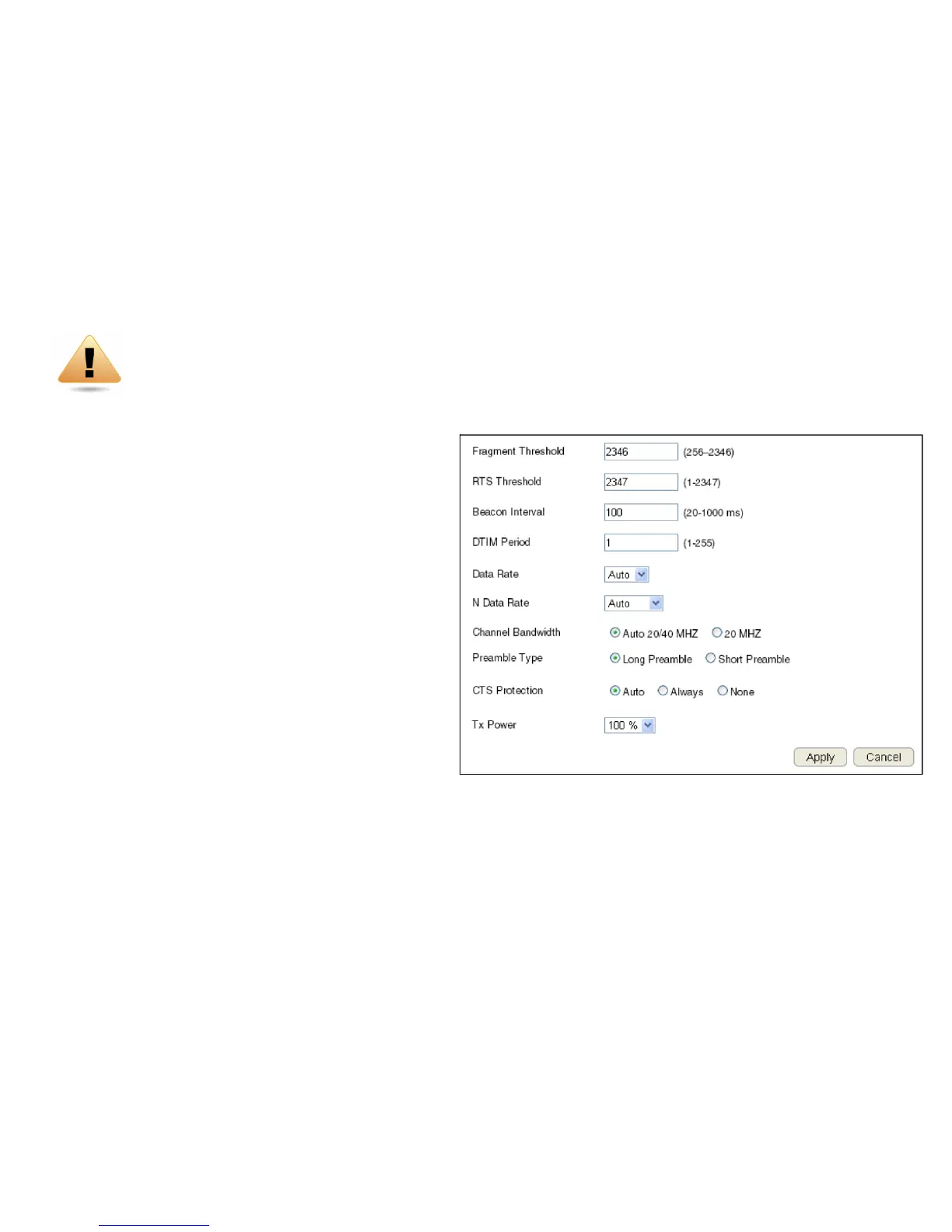
Allows you to dene the Advanced Settings available on the router.
To view the Advanced settings, click Wireless then select Advanced.
Fragment Threshold
Enter the maximum size of a packet during data transmission.
A value too low could lead to low performance.
RTS Threshold
Enter the RTS threshold. If the packet size is smaller than the
RTS threshold, the router does not use RTS/CTS to send the
data packet.
Beacon Interval
Enter the beacon interval. This is the amount of time that the
router sets to synchronize the network.
Delivery Trafc Indication Message (DTIM) Period
Enter the DTIM period. The DTIM is a countdown period informing clients of the next point
of broadcast and multicast of messages over the network. Valid values are between 1 and 255.
N Data Rate
Select the N data rate. This is the rate in which the ESR Series Router will transmit data packets to wireless N compatible devices.
WARNING! Incorrectly changing these settings may cause the device to stop functioning. Do not modify
the settings in this section without a thorough understanding of the parameters.



 To Next Page