50
Conguring Internet Settings
View Internet Status
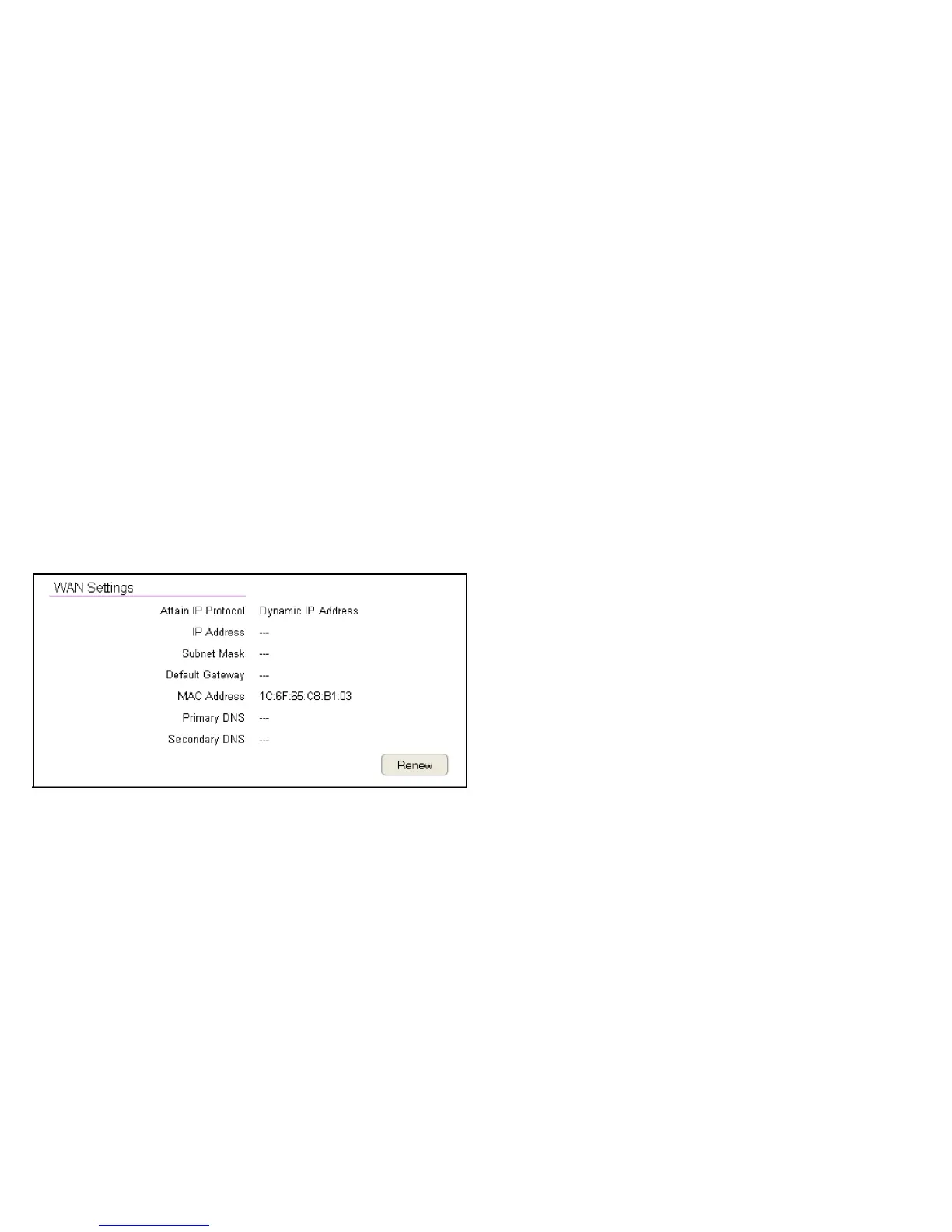
The WAN Settings, or Internet Status, page shows a summary of
the current Internet connection information. This section is also
shown on the System Status page.
To view the Status settings, click Internet, then click Status.
WAN Settings
To view the WAN Settings, click Internet then select Status.
Attain IP Protocol
Display the IP Protocol type used for the ESR Series Router
(Dynamic IP Address or Static IP Address).
IP Address
The router’s WAN IP address.
Subnet Mask
The router’s WAN subnet mask.
Default Gateway
The ISP’s gateway IP address.
MAC Address
The router’s WAN MAC address. The router’s MAC address is
located on the label on the back side of the router.
Primary DNS
The primary DNS address of an ISP provider.
Secondary DNS
The secondary DNS address of an ISP provider.



 To Next Page