43
Conguring Dynamic Host Conguration Protocol
This window allows you to view and congure Dynamic Host Conguration Protocol (DHCP) addresses.
WARNING! Do not modify the settings in this section without a thorough understanding of the parameters.
To view the DHCP settings, click System then click DHCP.
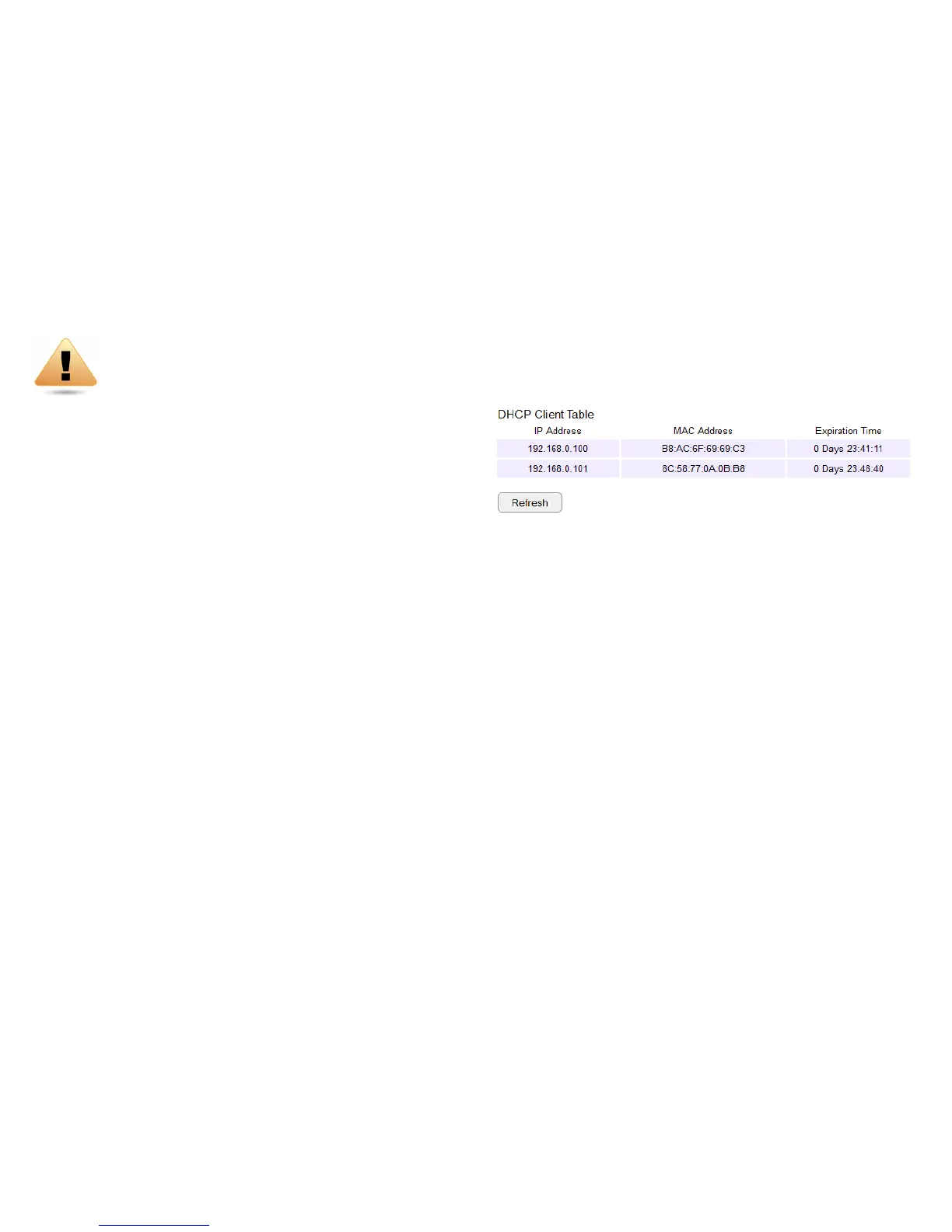
DHCP Client Table
Displays the connected DHCP clients whose IP addresses are
assigned by the DHCP server of the router.
IP Address
Displays the IP address of the static DHCP client device
in the table.
MAC Address
Displays the MAC address of the static DHCP client device
in the table.
Expiration Time
The date and time when the current DHCP address
is no longer valid.
Click Refresh to update the table.


 To Next Page