80
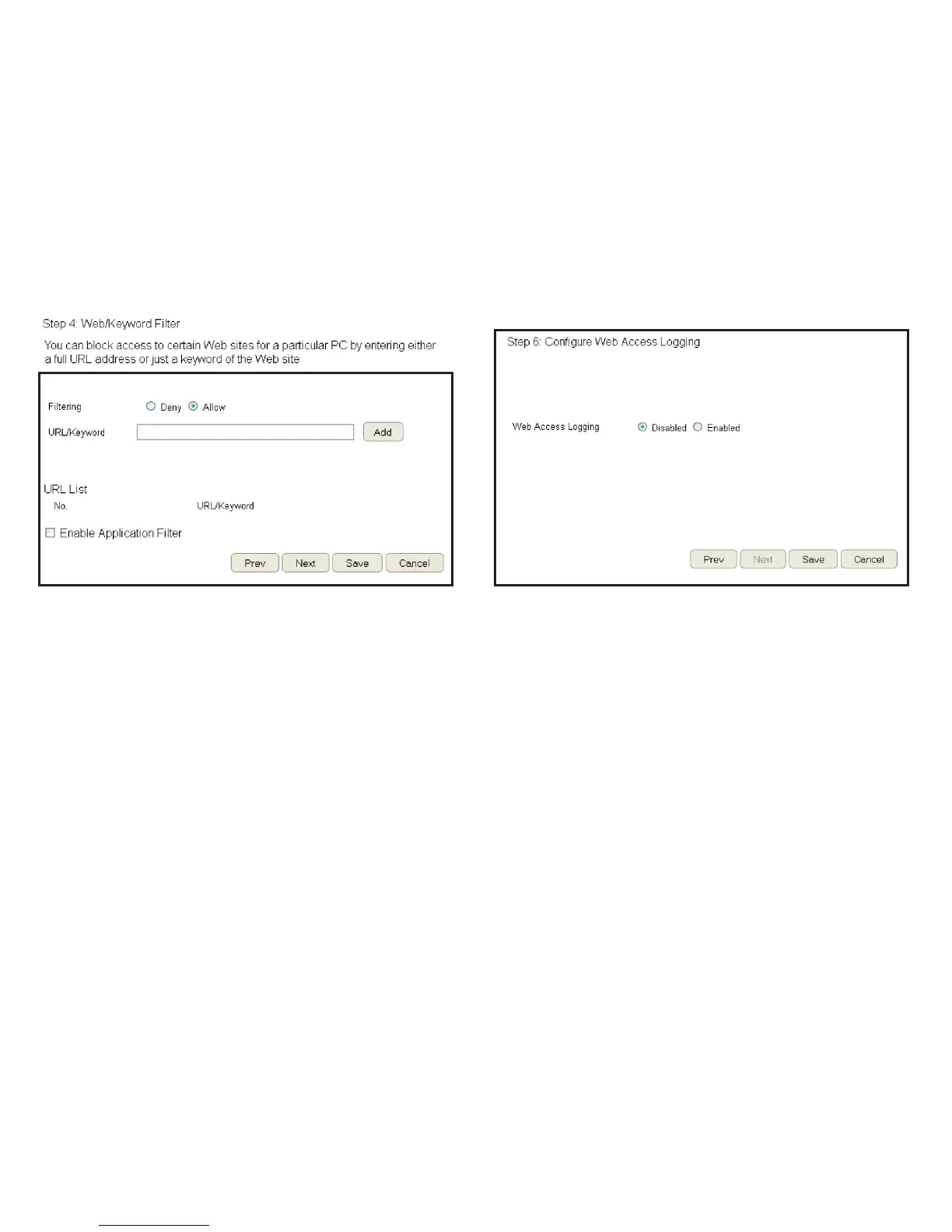
7. Setup a keyword and URL lter list.
To set up a keyword/URL lter list, follow these steps:
a. Select Allow from the Filtering option.
b. Enter a keyword or URL in the URL/Keyword text eld.
c. Click the Add button to add the lter to the list.
d. Repeat steps a through c for each lter.
8. Click Enable Application Filter to lter software applications.
9. Click Prev to return to the previous screen, Next to continue
the procedure, Save to save the changes, or Cancel to stop
the procedure.
10.Select Enable to save web access information to a log le or
Disable to ignore the information.
11.Click Prev to return to the previous screen, Save to save the
changes, or Cancel to stop the procedure.


 To Next Page