Chapter 4 Handling
161
4
Registering User Defined Media
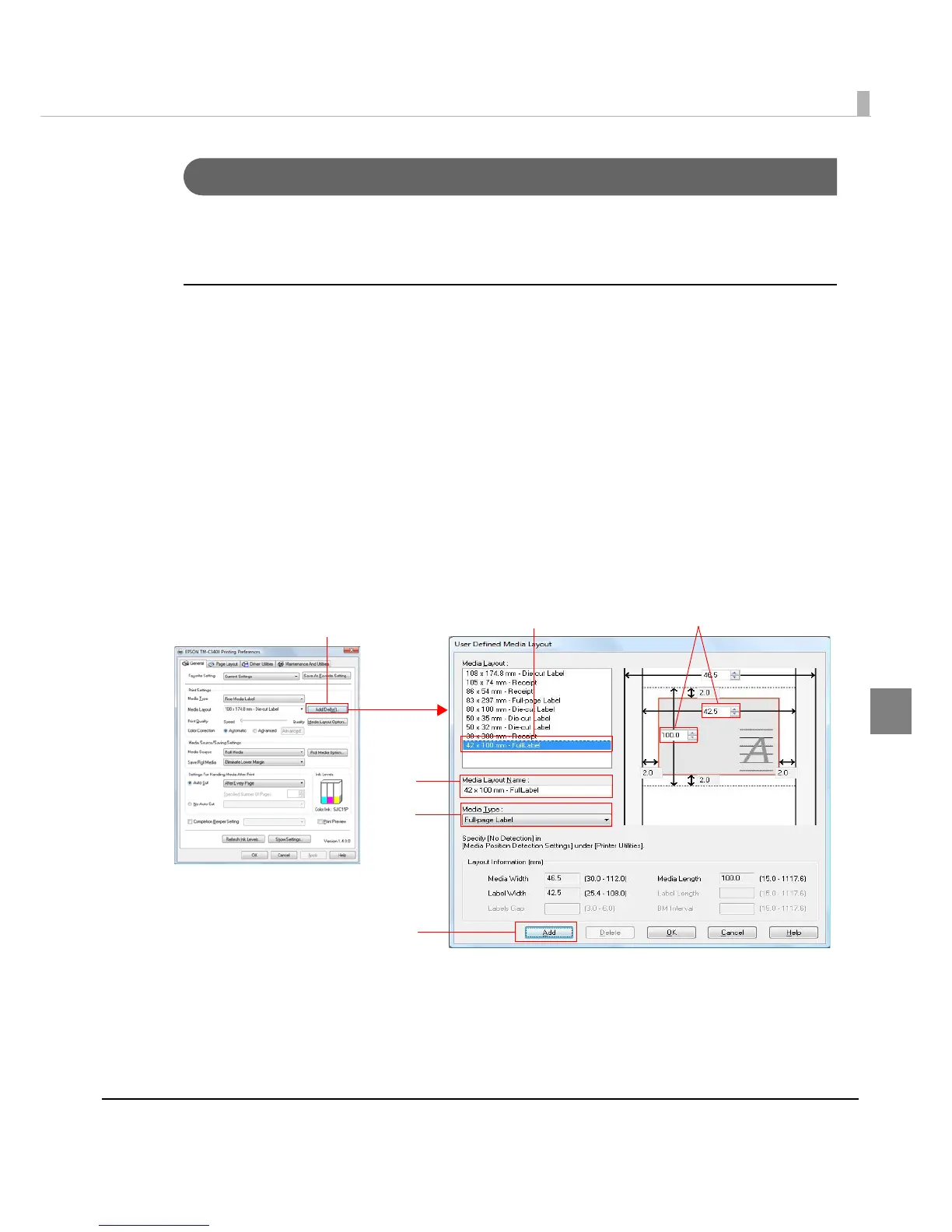
If the paper size to use is not in Media Layout, register the user defined media.
The registered layout will be stored in [Favorite Setting] to use from application of users.
Registering User Defined Media
1
Click [Add/Del] of [Media Layout] on [Main] tab to display [User Defined
Media Layout].
2
Select Media Type.
3
Enter the size of the paper.
4
Enter Media Layout Name. This is User Defined Media.
5
Click [Add]. User Defined Media will be registered and displayed on the
list of [Media Layout].



 To Next Page
 Loading...









