B
ACDEFGSERVICE
29
E
Installing the Appliance
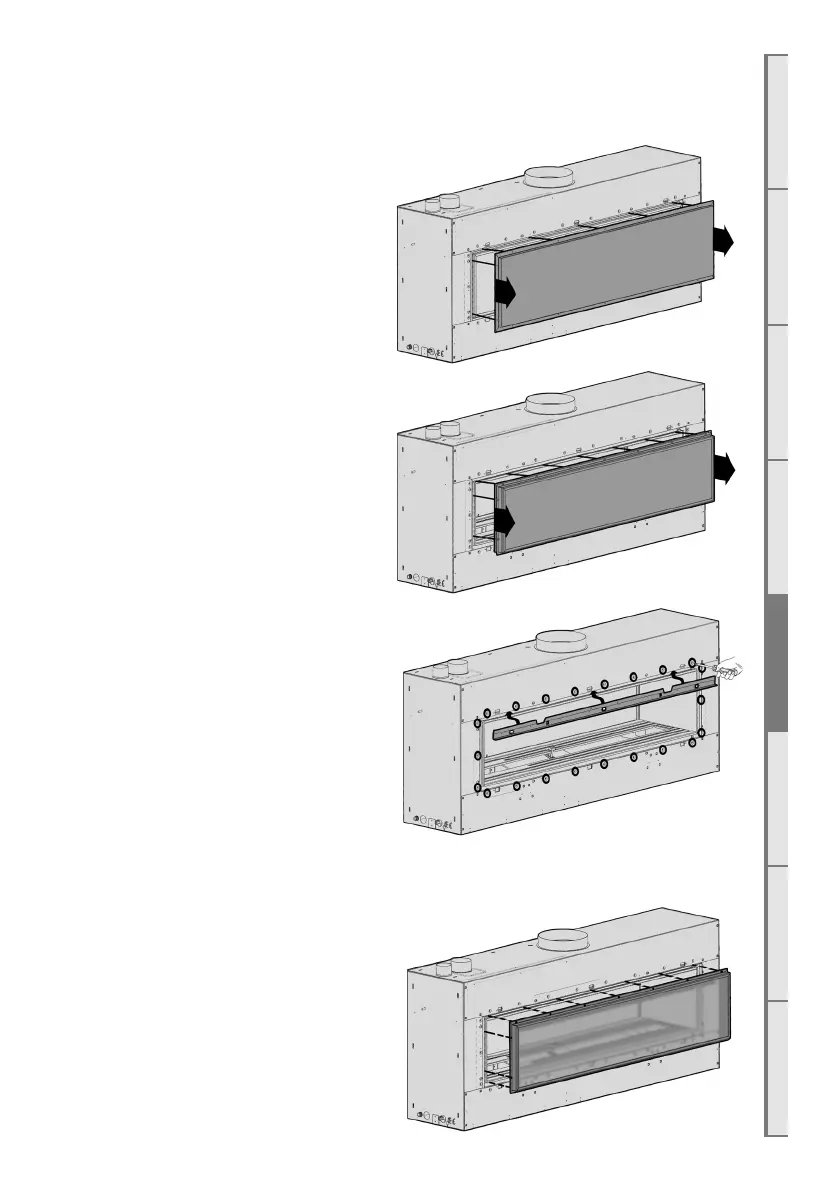
E1 Double Sided Conversion
If the appliance is to be double sided, you will
have been supplied with an extra glass panel
and steel support frame and wall lining trim
brackets.
1. On the rear of the appliance, unscrew the
outer shell cover and remove it as shown
2. Unscrew the firebox rear panel and
remove it. Sometimes extra force may be
required to remove this panel as the sealing
tape can ‘glue’ itself to the painted surface.
3. Screw the wall lining trim brackets on to
the appliance chassis as shown in photo.
4. Carefully install the extra glass panel and frame onto the appliance, ensuring that the glass
does not fall from the frame. Tighten the bolts
around the outside of the glass retainer until
securely fitted.



 To Next Page