B
ACDEFGSERVICE
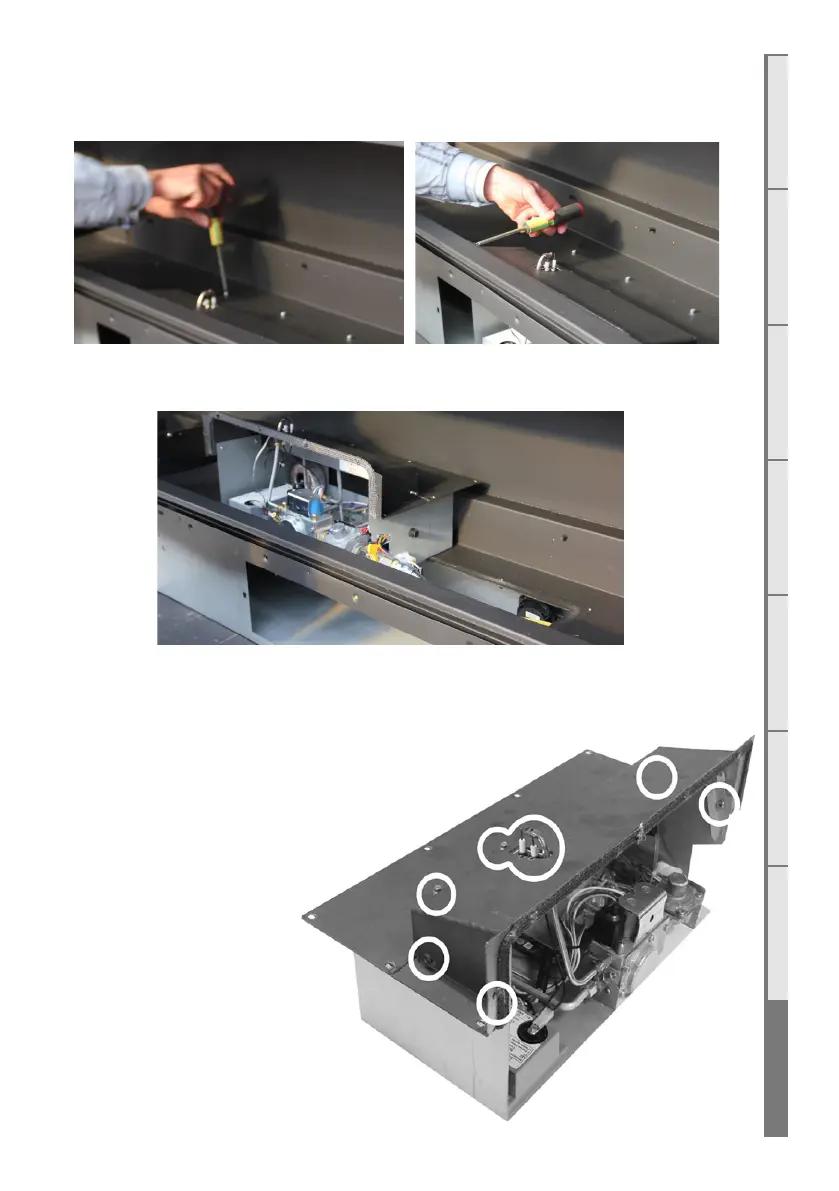
S7 Accessing the Control Tray
Remove the screws in the bottom and the inner side of the firebox as per shown.
Remove the ‘engine’ by lifting up and to the left. This is still connected internally to the gas
hose and power cables. Place engine just to the left within firebox as shown.
S8 Removing the Circuit Board
Step 1: Remove the pilot cover
and 2 jets circled to the right.
Step 2: Remove the 4 screws
circled to the right from the
inside and lift the cover upwards
to remove it. This will give you
easier access to the circuit
board.



 To Next Page