B
ACDEFGSERVICE
31
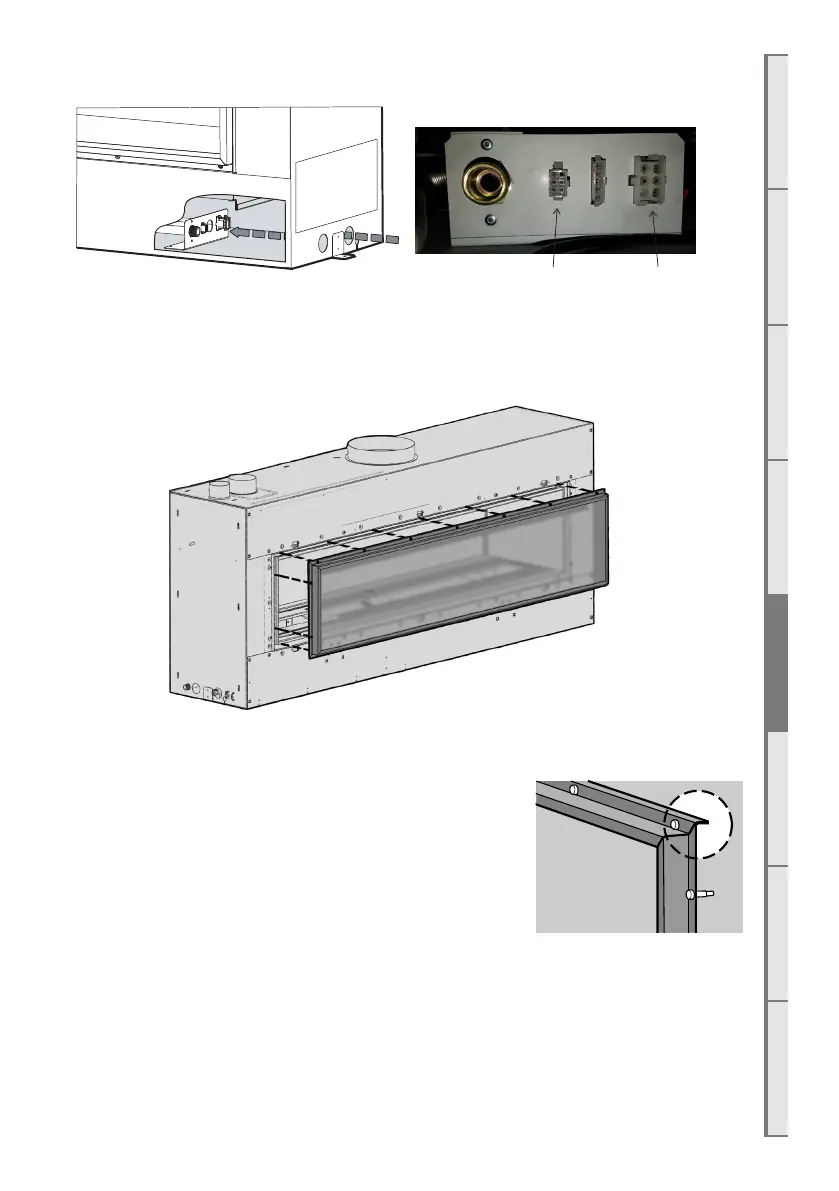
E6 Connecting the Powerflue and Duct Fan Cables
Connect both the duct fan plug and the powerflue fan electrical cables to the fireplace.
If the fans are not plugged in, it will result in an error when starting the appliance.
E7 Removing (and Replacing) the Glass
Using the supplied 3mm Allen Key (hex drive) remove the bolts around the glass retainer
ensuring that the glass does not fall forward.
Pull the top of the frame toward you slightly and lift the glass and frame out and away from the
fire. Place the glass & frame carefully aside.
NOTE WHEN REPLACING THE GLASS:
When replacing the glass, note that the metal flange shown to
the right must be on top (not the bottom), or the glass will not fit
correctly to the fireplace.



 To Next Page