B
A C D E F G SERVICE
52
S6 Replacing the Burners
If a fascia is fitted, remove this first.
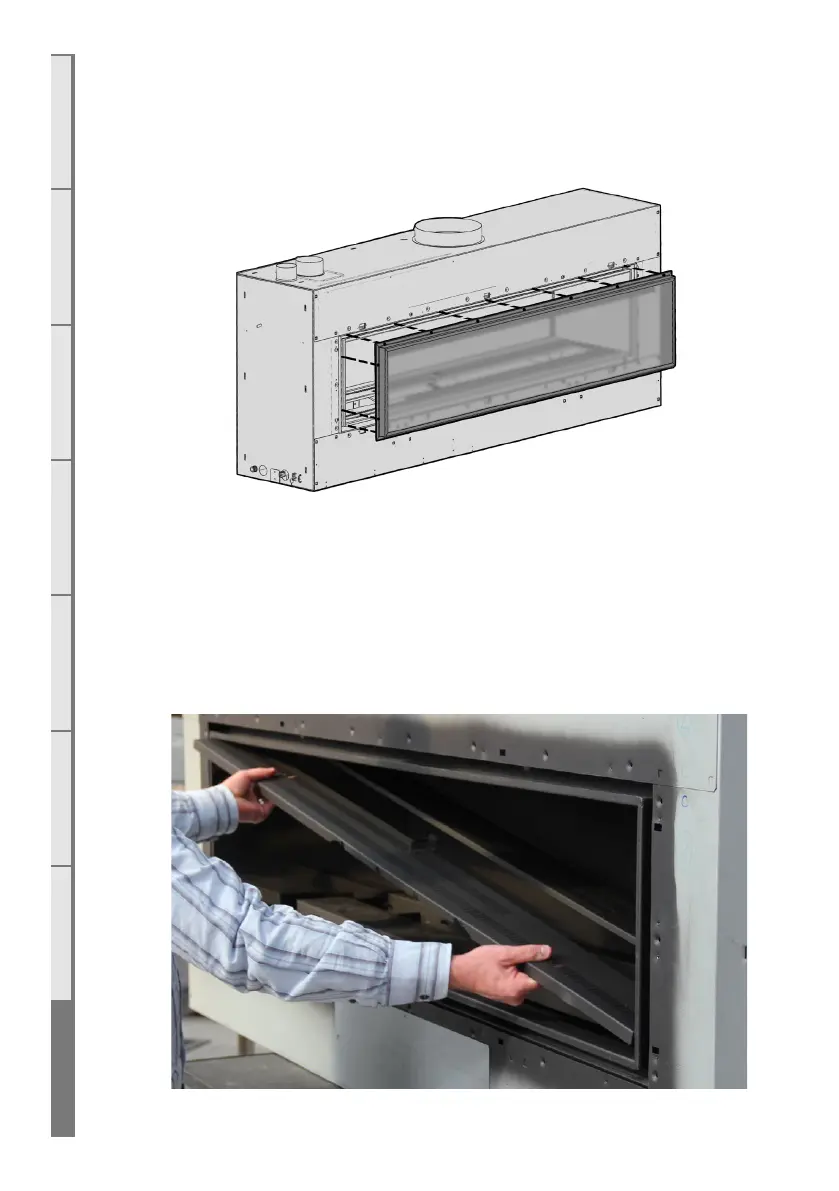
Using the supplied 3mm Allen Key (hex drive), remove the bolts around the glass retainer,
ensuring that the glass does not fall forward.
Pull the top of the frame toward you slightly and lift the glass and frame out and away from the
fire. Place the glass & frame carefully aside.
Remove all of the fuelbed, taking care not to damage any logs or media.
Remove the fuelbed tray from the fire box, by lifting one end up into the top corner and then
out towards you. Take care not to scratch the firebox paint and lift out the burners. Place
the replacement burner in the fire and double check that the burner collar matches your gas
configuration (see section E9 on page 32).



 To Next Page