5700MSC-IP
IP Network Grand Master Clock & Video Master Clock System
Page - 8 Revision 0.2
• Set the PTP Announce Rate to the value that you wish. This should be the same as other PTP
devices on the same PTP network that this 5700MSC-IP will be communicating with via this
port.
• Set the PTP Master Timeout to the value that you wish. This should be the same as other PTP
devices on the same PTP network that this 5700MSC-IP will be communicating with via this
port.
• Enter the Acceptable Master Enable submenu to specify whether this port will allow itself to
become a slave to all other clocks that qualify, or to be restricted to the list defined in Section
1.1.6.1.
• Enter the AVB Enable submenu to turn AVB on or off for this port.
• Enter the GMP Enable menu to select which Sync spigot will be referred to for phasing
purposes if an Evertz 5600GMP GrandMaster Proxy will be communicating with this port.
1.1.7. Configuring PCR
PCR configuration is done on a per-port basis: (GigE 1, GigE 2, 10GigE 1, 10GigE 2 and Frame
Ethernet). To navigate to this menu, press the GENERAL button on the front panel of the 5700MSC-
IP, then the ESC button to reach the top level of the menu. With the encoder knob, scroll down to the
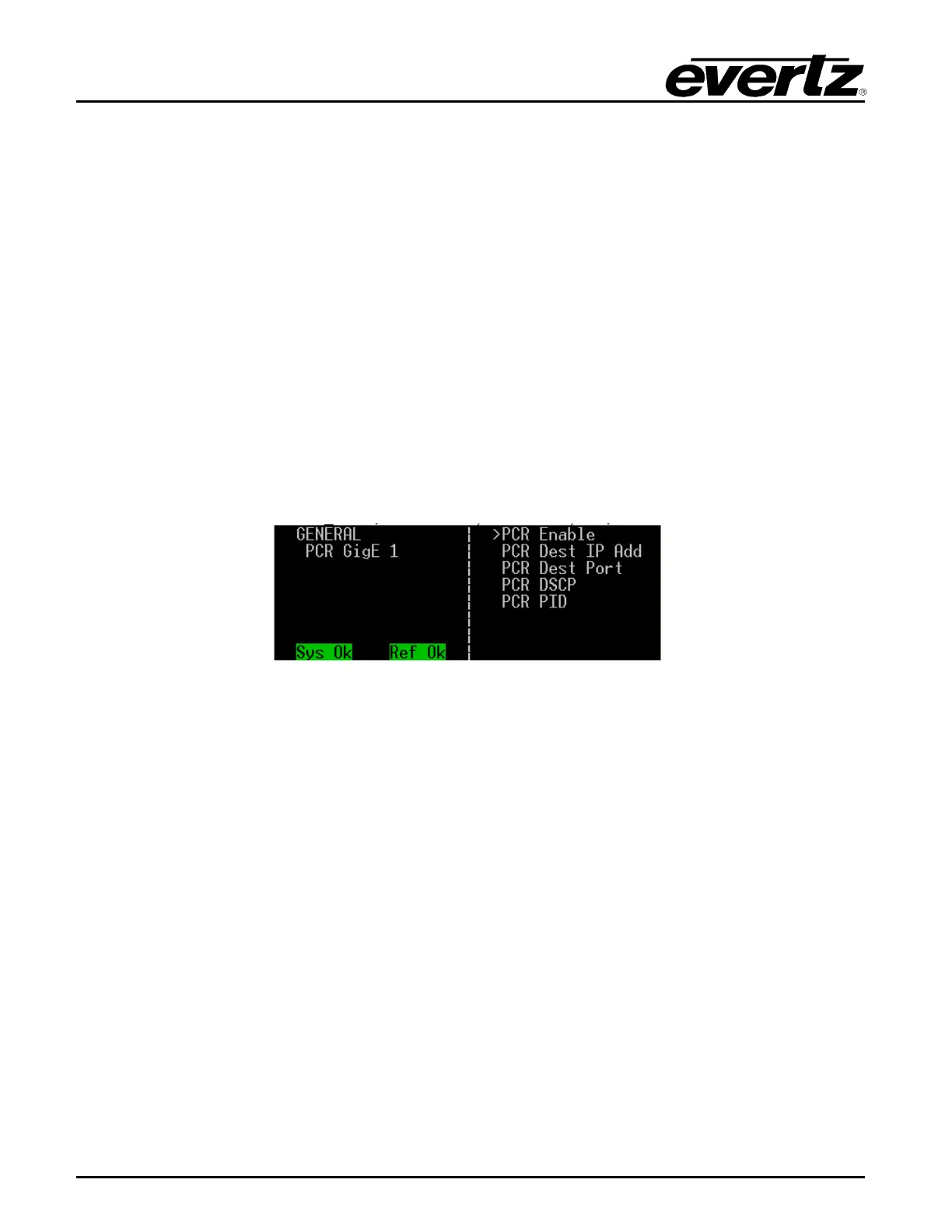
PCR port that you wish to configure and press SELECT. You will see a list of choices as shown below.
Figure 1-5: PCR GigE 1 Menu
• Enable or disable PCR with the PCR Enable submenu.
• Set the PCR multicast address with the PCR Dest IP Add submenu.
• Set the PCR port number with the PCR Dest Port submenu.
• Set the PCR DSCP value with the PCR DSCP submenu. (56 is the default value for IP Video
networks.)
• Set the PCR PID value with the PCR PID submenu.



 To Next Page