5700MSC-IP
IP Network Grand Master Clock & Video Master Clock System
Revision 0.2 Page - 43
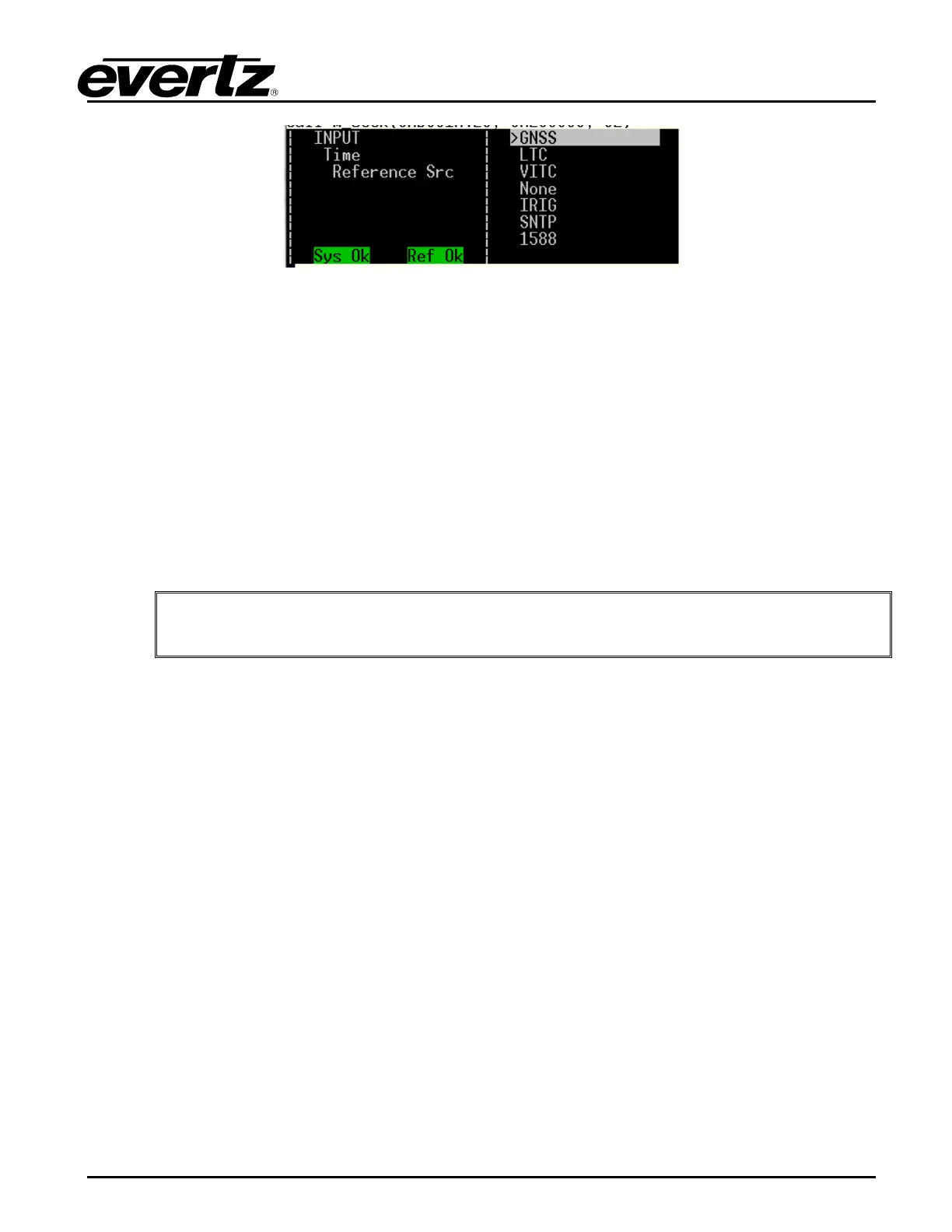
Figure 3-14: 5700MSC-IP Time Reference Sources
3.3.3.1. GNSS Time Reference
When GNSS is selected as the time reference, time and date are obtained from the GNSS receiver
that is connected to the 5700MSC-IP. The GNSS time provided by the receiver is then converted to
UTC time by adding leap seconds. This time reference is extremely accurate and once the system
clock has been jammed to the GNSS receiver, it should remain in sync for a very long time without
requiring further jams, provided the selected frequency reference is also accurate.
Of all the time reference sources, GNSS is the most accurate and reliable. When a difference of
greater than 2 milliseconds is detected between the system clock and the time from the GNSS
receiver, the 5700MSC-IP will generate a jam event or jam warning, depending on the Lock Type
setting. Such a difference can be caused by accumulated stability errors or by the introduction of a
leap second.
When the frequency reference has been set to GNSS, the time reference is also
forced to GNSS.
3.3.3.2. LTC Time Reference
The 5700MSC-IP+AUX can obtain time and date from an LTC input present on the GPIO DB15
connector. All output frame rates in Table 3-7 are supported as references. Note that non real-time
rates such as 23.98 and 29.97 nondropframe should be used with caution.
Date information can be decoded from the user bits (binary groups) of the LTC input. There are
several date formats in use and the date decoding method can be selected using the VitcLtc Date
menu item. Automatic detection of the date format is reliable for Legacy and SMPTE formats but may
not work well for Production date formats. If the user bits of the incoming LTC are not defined, or do
not contain date information the date decoder must be disabled (put into No date mode) to prevent
false date decoding and spurious jam events. When date decoding is disabled, the date can be set
manually using the Set System Date menu item located in the GENERAL root menu.
The 5700MSC-IP+AUX will continuously compare the system clock to the incoming LTC time and
date. When a difference of more than 2 milliseconds is detected the 5700MSC-IP+AUX will generate a
jam event, or a jam warning depending on the Lock Type setting. When a jam event occurs, the time
read from the LTC input is jammed into the system clock. At the same time, the LTC input time is
jammed into the timecode output clocks.
When the incoming LTC is jammed into a particular output timecode clock, it may be adjusted to
maintain color frame alignment and to match the output frame rate. If a particular timecode output is
the same frame rate as the incoming LTC, the time is copied directly into the output’s clock. If the



 To Next Page