Installation
Agilia - User Guide 13
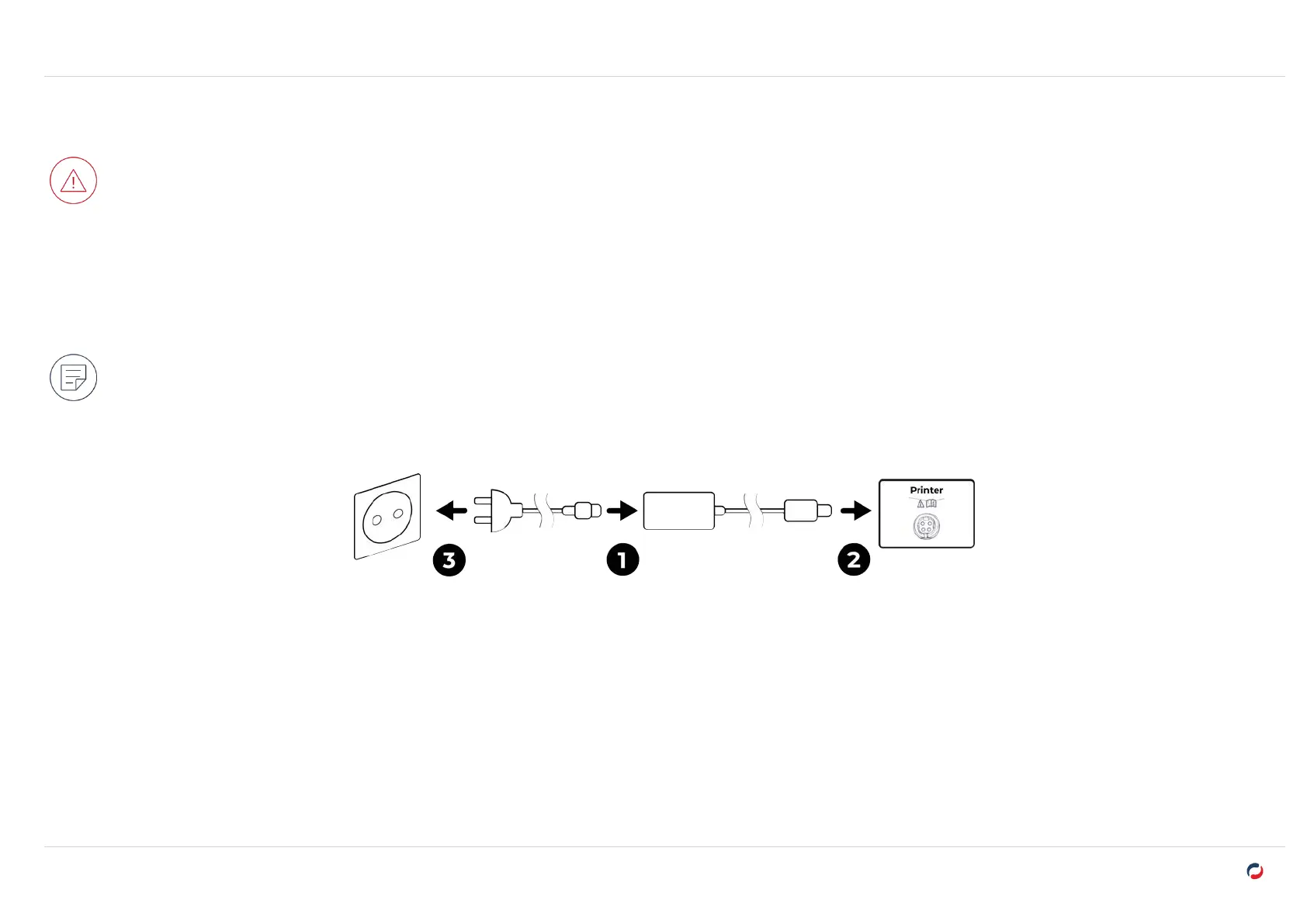
Connecting the printer power supply
The printer must be connected to a properly protected and earthed electrical installation.
l
FI: Laite on liitettävä suojamaadoitus koskettimilla varustettuun pistorasiaan.
l
NO: Apparatet må tilkoples jordet stikkontakt. · SE: Apparaten skall anslutas till jordat uttag.
l
DK: Printeren skal tilsluttes til en korrekt beskyttet og jordforbundet el-installtion.
Before attempting maintenance, unplug the power supply cable from the printer.
For your personal safety, the power supply cable and unit must remain easy to access, especially in case of emergency.
To save energy, the printer automatically goes to standby mode after 10 minutes of inactivity. The printer goes to hibernation mode after 30 minutes
in standby mode.
Standby and hibernation settings can be configured in the Evolis Premium Suite 2 or from the LCD Touchscreen. In standard standby mode, sending
a print request restarts the printer and pressing the power button (for 1 second) exits the printer from hibernation mode.



 To Next Page