Installation
Agilia - User Guide 24
Manual card feeding
The card input can be specified in Evolis Premium Suite 2 > Printer settings > Printing > Card > Card input / output > Card input.
Manual insertion must be selected to feed one card at a time to the printer.
The printer is equipped with a manual card feeder (Bezel) located between the card feeder and the reject box (
"Product description" on page9
).
1. Set the card input in the Evolis Premium Suite 2.
2. Insert a card into the bezel. The card is taken by the printer and printing starts.
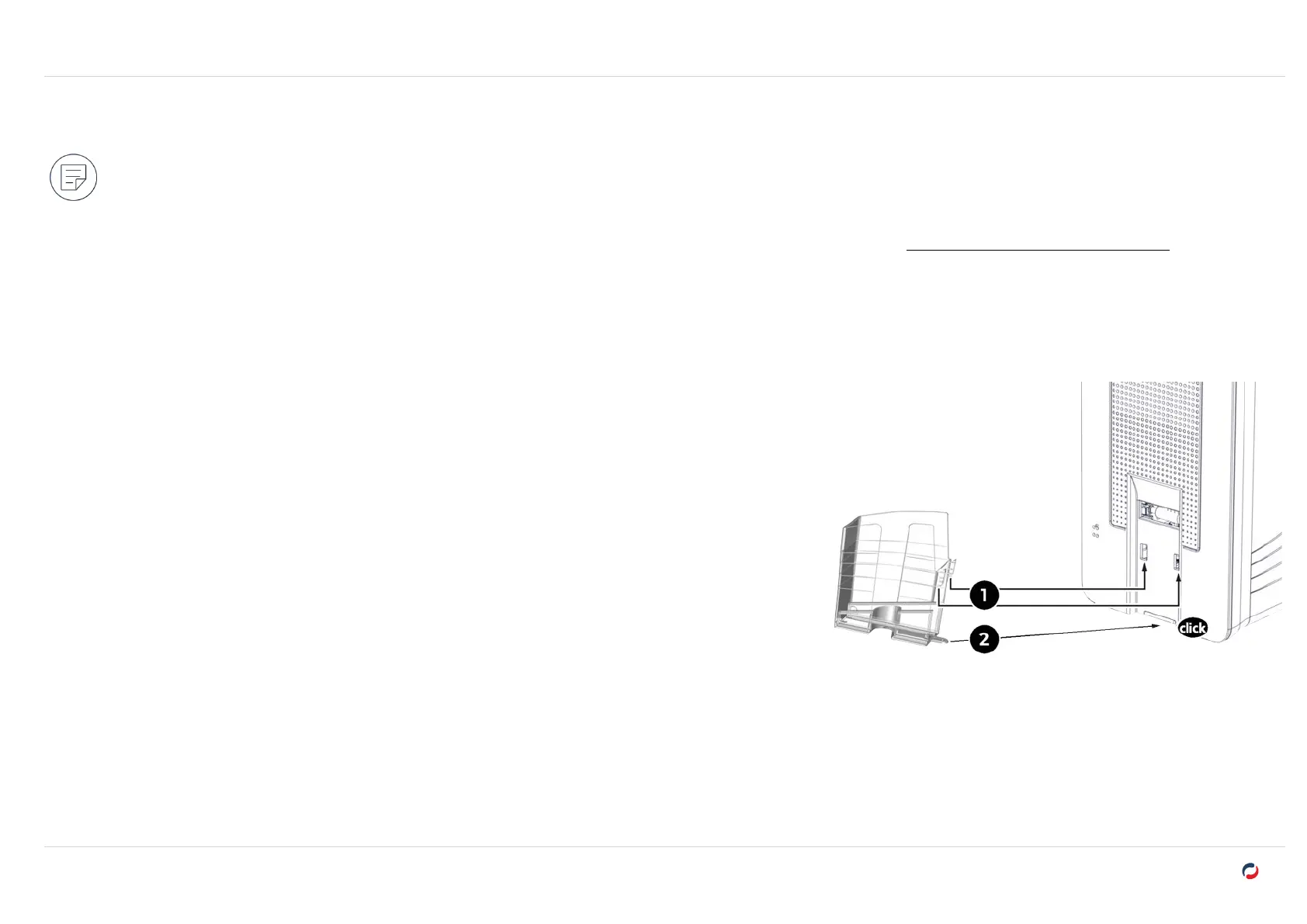
Installing the rear output box
1. Insert the 2 upper clips of the box in the notches on the rear of the printer.
2. Push the box against the printer to slide the bottom clip under the printer. A click confirms
the correct installation.



 To Next Page