Maintenance
Agilia - User Guide 40
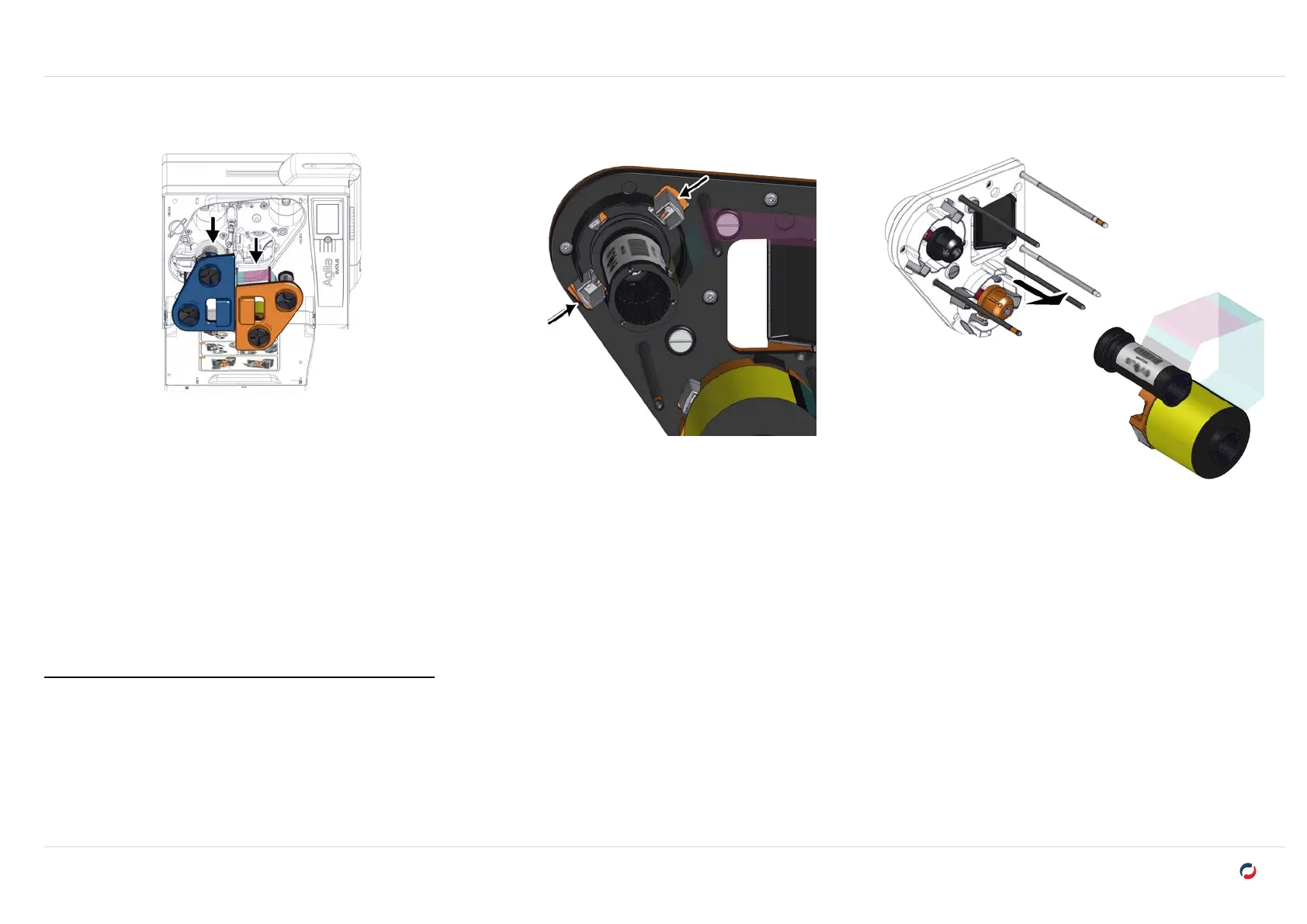
Remove the printing ribbon or retransfer film
1. Open the door of the printer, pull the cassette
out of its compartment.
2. Put the cassette on a flat surface with the
pins facing up.
3. Press the 2 pressure buttons on the side of
the ribbon or film rolls.
4. Pull the ribbon or film from the cassette.
Install the new printing ribbon or retransfer film
"Printing ribbon and retransfer film" on page17



 To Next Page