Product presentation
Agilia - User Guide 9
Product description
Access to the side panels of the machine and the option module fitting/removal areas is restricted to a retailer/installer or to experienced users.
Always disconnect the machine from the power supply (unplugged) before performing work on it.
If the printer is equipped with an LCD touchscreen, refer to the corresponding user guide available on www.evolis.com > Support section > Product
page for more information.
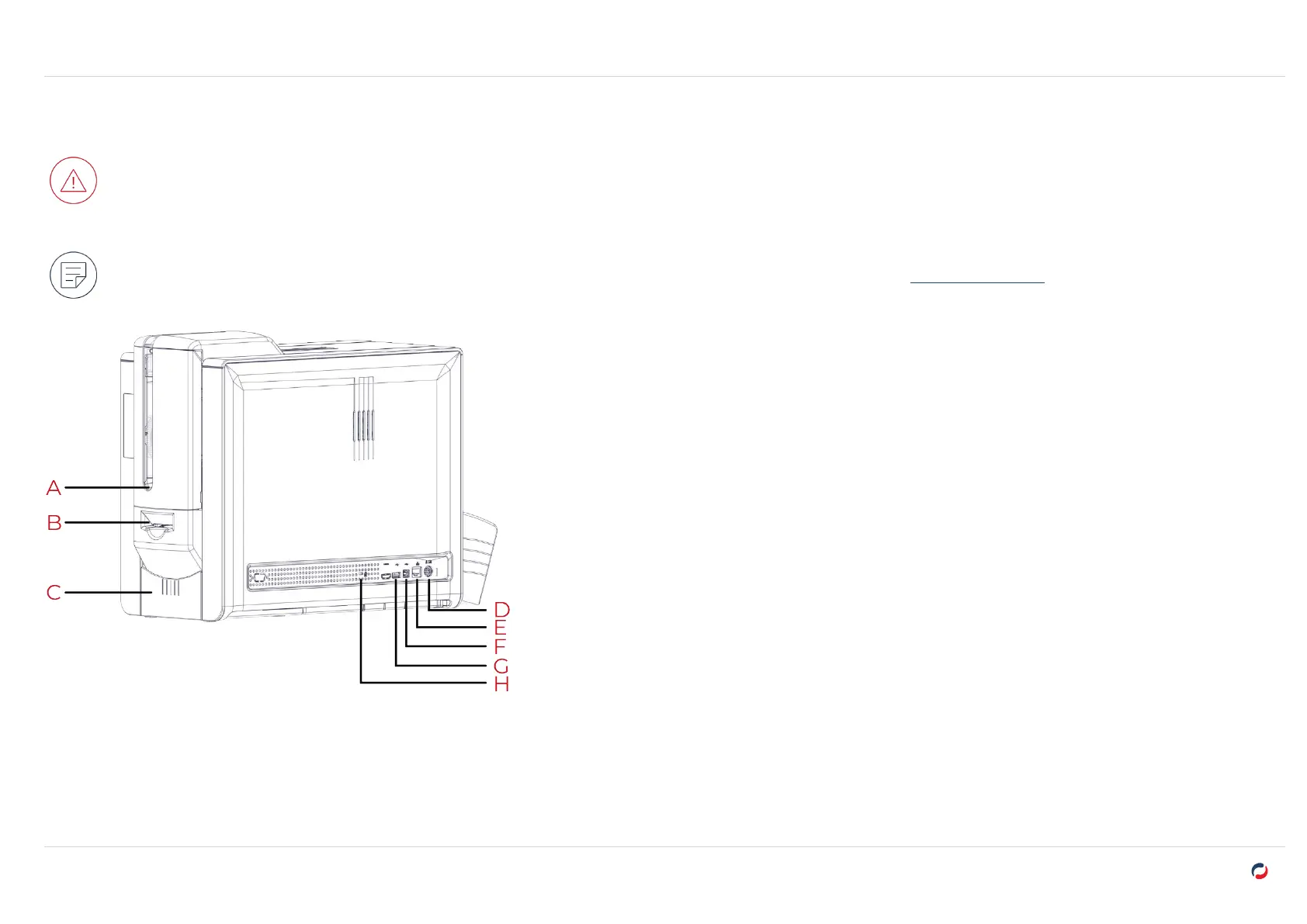
A. Card feeder
B. Manual card feeder (insertion / ejection)
C. Front output box
D. Power cable connector
E. Ethernet connector
F. USB socket (type A)
G. USB socket (type B)
H. Location for the Kensington locking system



 To Next Page