Installation
Agilia - User Guide 22
Cards
For optimum quality, the cards used must be ISO 7810 certified.
Use only the card types recommended by Evolis.
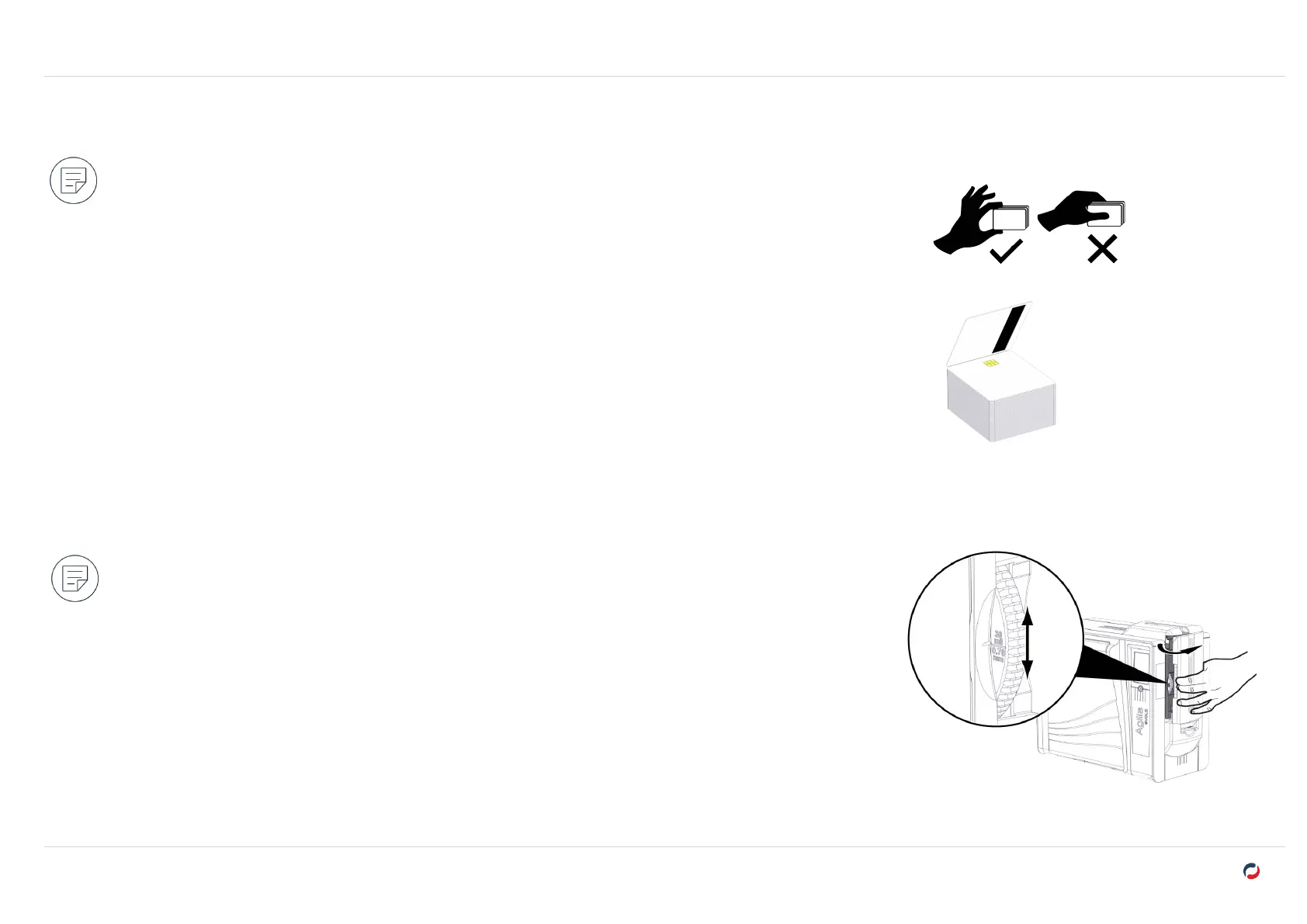
Do not touch the printable surface of the cards to preserve print quality.
Do not use cards that are damaged, folded, embossed or dropped on the floor.
Keep your cards protected from dust.
Smartcards used for magnetic encoding must be inserted with the stripe facing down.
Smartcards used for contact encoding must be inserted with the chip facing upwards.
Adjusting card thickness
Card thickness can be set from 0.76 mm – 30mil to 1.25mm - 50mil.
Factory setting of the printer is 0.76 mm – 30mil.
1. Open the card feeder.
2. Use the card thickness selector to set the thickness according to the thickness of the cards being used.
3. Close the card feeder.



 To Next Page