TECHNICAL REFERENCE MANUAL Dyvi 2.0.7.2
Processing Module Installation and Cabling 35
The Ext. Sync Input connector should be connected to the second SDI
Reference Output. It enables synchronization of DVI outputs with the REF
signal. The Ext. Sync Status lights green, if a signal is detected at Ext.
Sync Input and it permanently flashes green if synchronization is
successful.
Note
The Frame-Lock connectors are not used in the Dyvi
application.
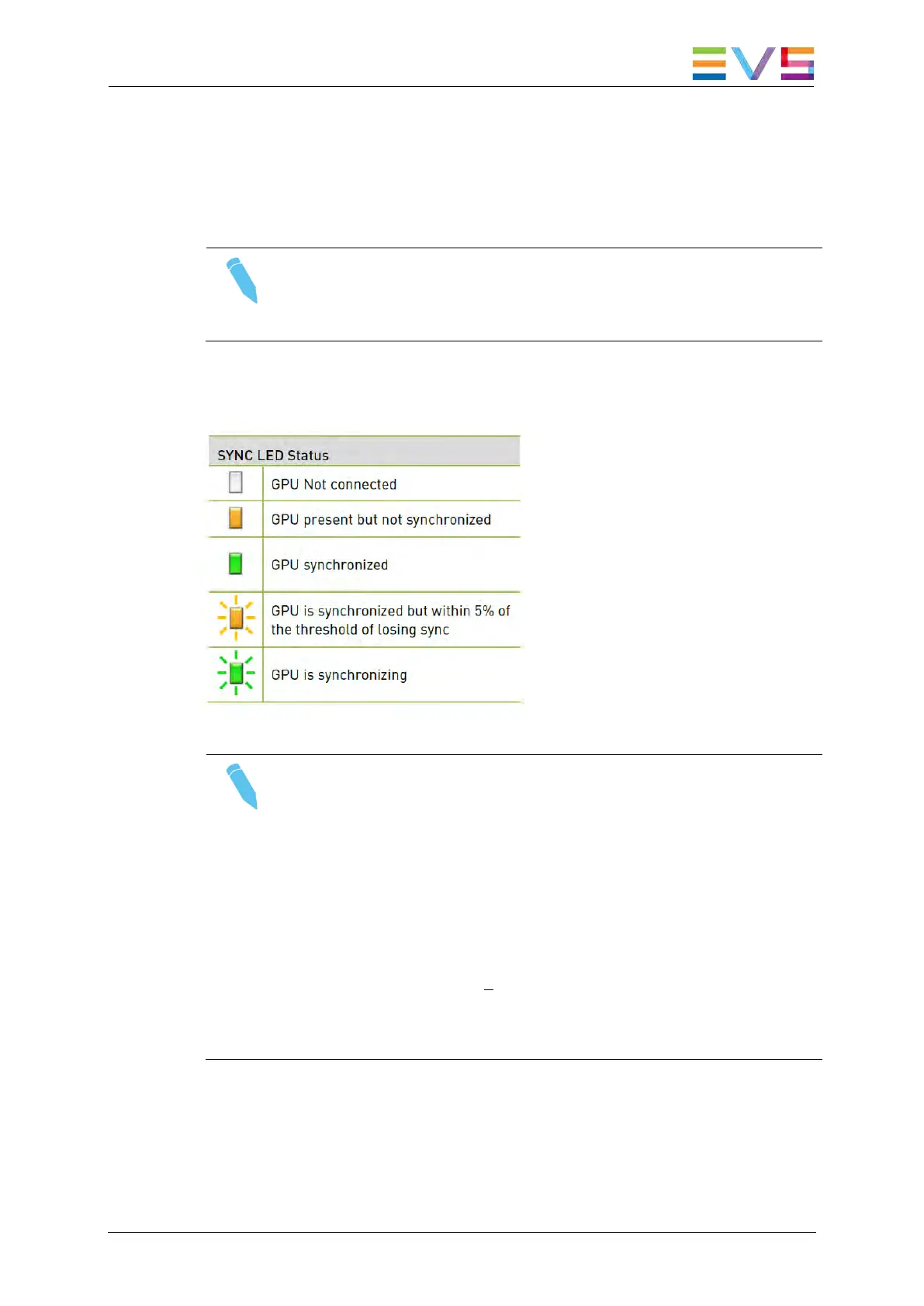
From the Status LEDs only the right/bottom one is used in the Dyvi
application. It indicates the following:
Note
• The Display Monitors connected to the display ports have to
support progressive video standards (e.g. 1920×1080p)
even if the reference video standard is interlaced (e.g
1920×1080i).
• To be an advantage to the low system latency at display
port, any field interpolation mode on the multiviewer
screens should be disabled! On consumer TV-screens
for example, the ‘Gamer Mode’ should be activated. For
more details refers to your display’s reference manual.
• For multiviewer configuration details please refer to the Dyvi
User Manual.



 To Next Page