TECHNICAL REFERENCE MANUAL Dyvi 2.0.7.2
Supervisor 73
10.3 Control Panel
10.3.1 Managing the Network
To manage the network on a Dyvi Control Panel, proceed as follows:
1. Establish a network connection between your browsing device (GUI or
computer on Dyvi Network) and one (the first) Single Board Computer
LAN connector of the Dyvi Control Panel.
2. Open the Browser Mozilla Firefox (preferred) or MS Internet Explorer
(V9.x or higher) and connect to the Processing Module’s Supervisor
using the Processing Modules network address, e.g.:
http://100.10.1.90.
3. Enter the password to log into the Supervisor: dyvilive.
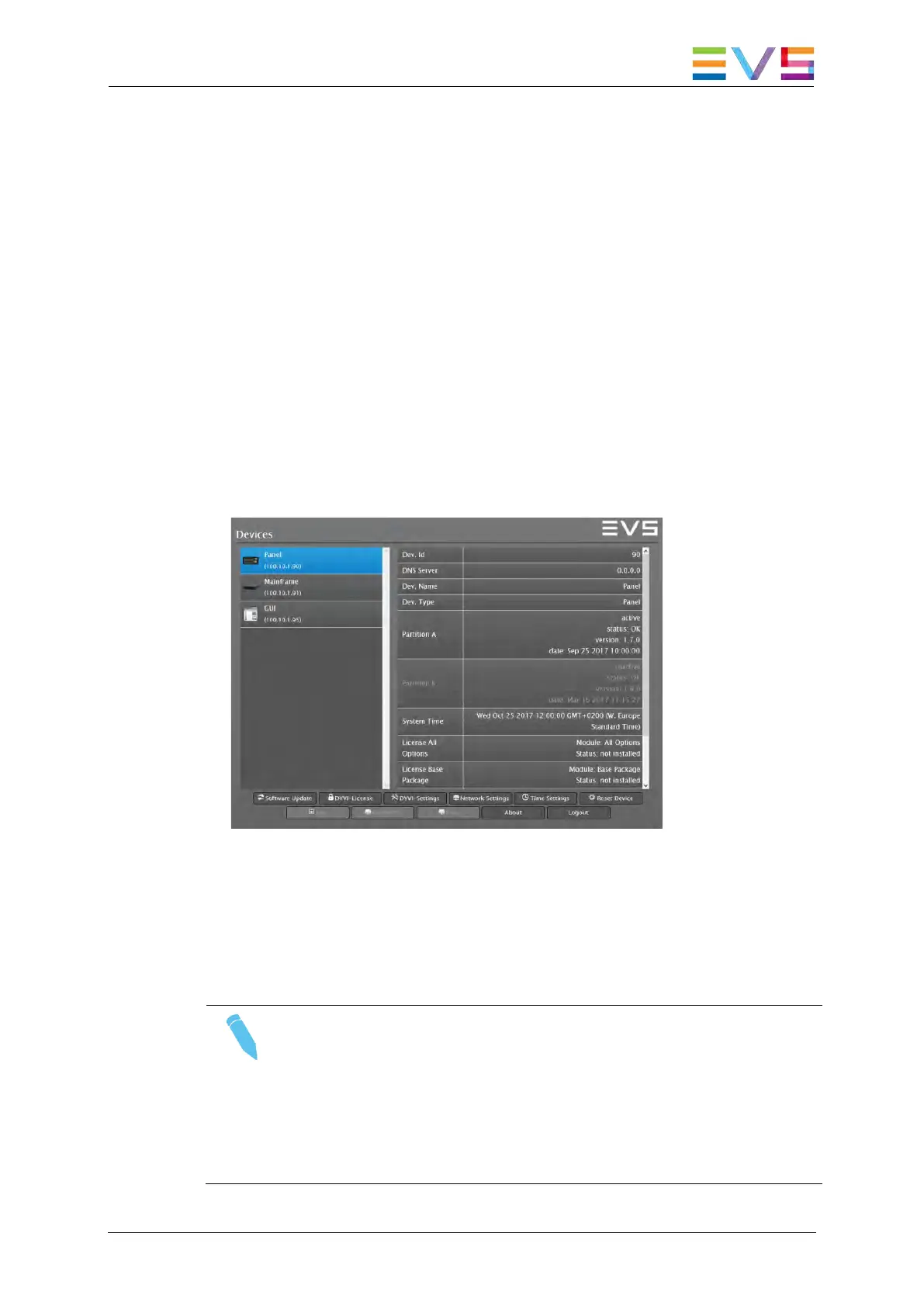
The connection will open the Devices Overview window of the
Supervisor:
Supervisor: Devices Overview window
The left side of the Devices Overview shows the Control Panel with its
Device Name and the current control IP address. The right side shows the
Control Panel’s preset summary.
Note
Changing the configuration with the Supervisor as described
below often results in a reboot of the connected system to
activate the new settings. When the browser communication is
back a manual refresh of the browser window should be
executed (by pushing the F5 Button) to ensure the browser
does not show obsolete (cached) window content.



 To Next Page