EVS Broadcast Equipment SA
Issue 2.0.7.2 September 2021
86 License Management
11.4 Installing the Dyvi Licenses
11.4.1 Installing the Dyvi GUI License
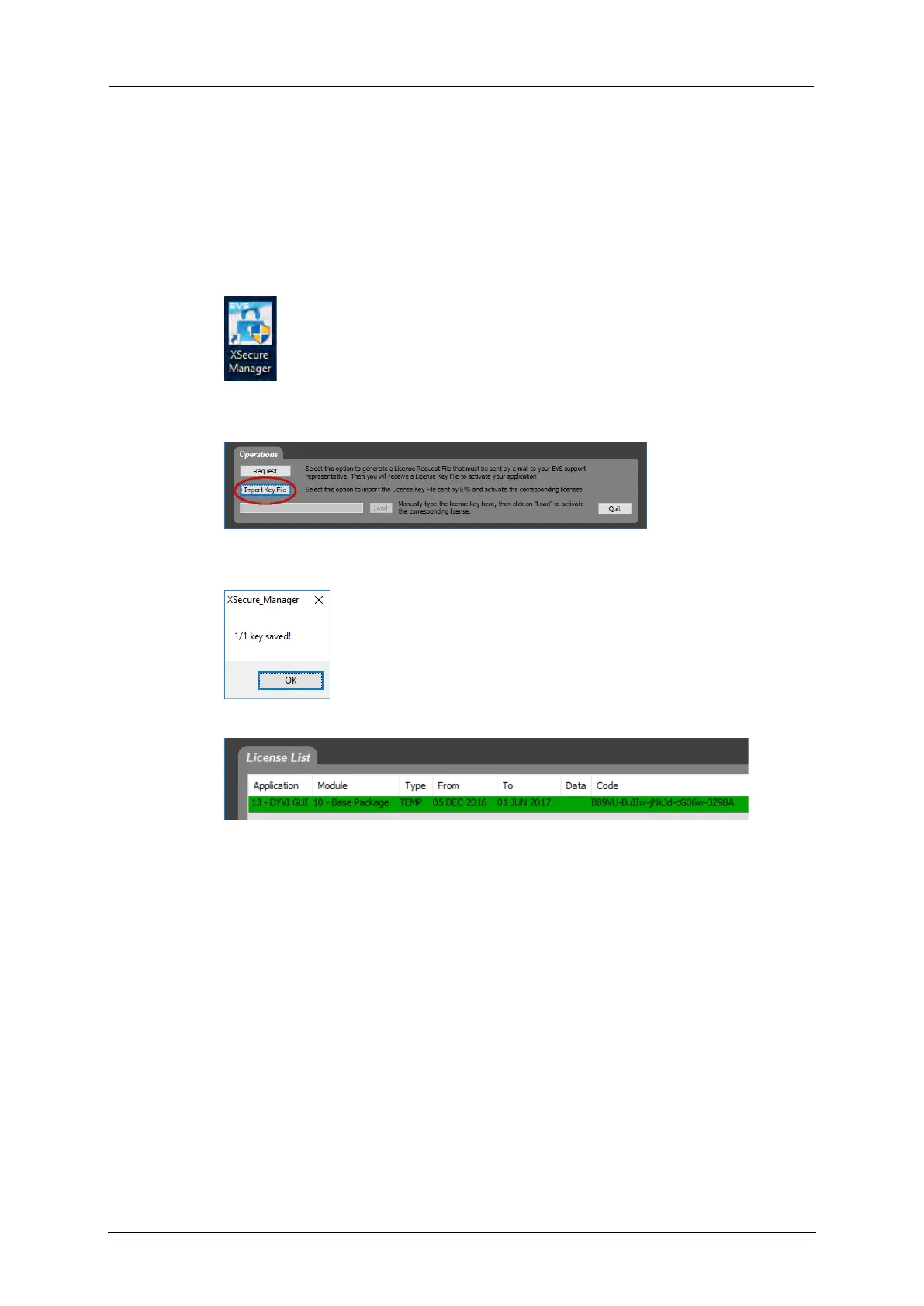
To install the Dyvi GUI license, proceed as follows:
1. Open XSecure Manager.
2. Click Import Key File, select the obtained XML file and confirm with
Open.
3. A message notifies you that the license was successfully installed.
Confirm with OK.
You will see the installed license within the XSecure Manager.
11.4.2 Installing the Dyvi Processing Module License
To install the license for a Dyvi Processing Module, proceed as follows:
1. Open the web browser and connect to the processing module in order
to get access to the Supervisor.
2. Open the DYVI-License menu.



 To Next Page