EXCELL PRECISION CO., LTD
PW Service Manual SME300000016
20
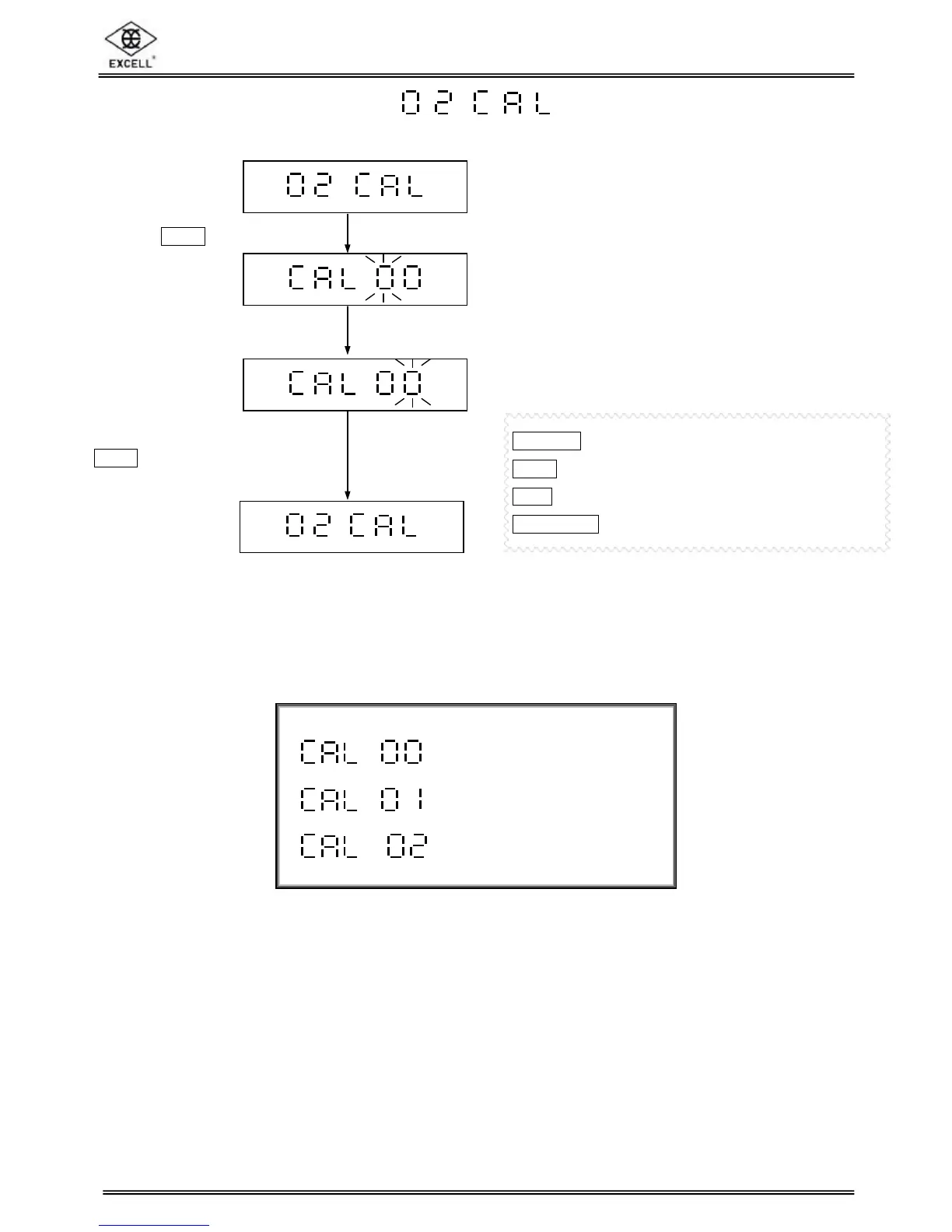
inputting “00”, press
TARE
key to return to previous
step. (Exit from weight
calibration)
2-2 Weight Calibration
ON/ZERO
key ⇒ Increment number by 1
UNITS
key ⇒ Decrement number by 1
TARE
key ⇒ Move cursor one place to the right
NET/GROSS
key ⇒ Move cursor one place to the left
⇒ Return to Previous Step
⇒ Weight Calibration
⇒ Gravity Setting
Press
TARE
key
Input a parameter “00” or “01”


 To Next Page