Maintenance
FTB-2/FTB-2 Pro and FTB-4 Pro 321
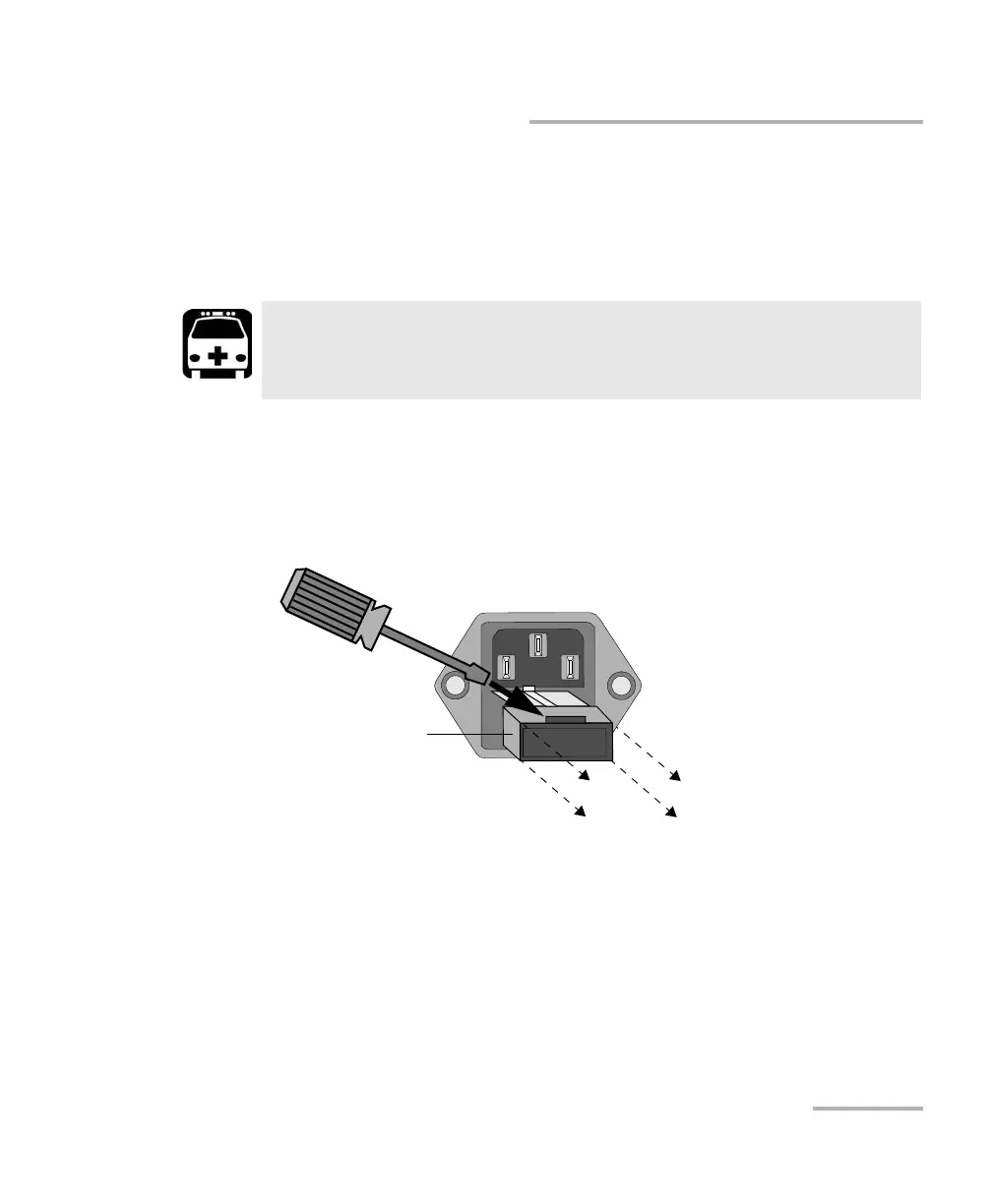
Replacing Fuses (FTB-4 Pro Only)
Replacing Fuses (FTB-4 Pro Only)
The unit contains two F6.3A L type fuses (5 mm x 20 mm (0.197 in x
0.787 in), fast-acting, low-breaking capacity, 250 V). The fuse holder is
located on the left panel of the unit, just below the power inlet.
To replace a fuse:
1. Turn off the unit and unplug the power cord.
2. Using a flat-head screwdriver as a lever, pull the fuse holder out of the
unit.
WARNING
Both neutral and live wires are energized. If a fuse is blown, make
sure that no part of the unit remain energized when changing it.
ООО "Техэнком" Контрольно-измерительные приборы и оборудование www.tehencom.com



 To Next Page