Room Scheduling System • EMS Setup 52
• Client ID — This is a unique ID generated by EMS to use the API. It grants a secure
point for the panels to communicate with the server. Before third-party clients can
access the EMS API, a valid Client ID must be generated.
NOTES:
• You may use the default EMS Web Application ID or a new client can be
created in the administrator console. The new client must be created by an
EMS administrator.
• You can use a single client for all touchpanels or create multiple clients that are
each associated with a subset of panels.
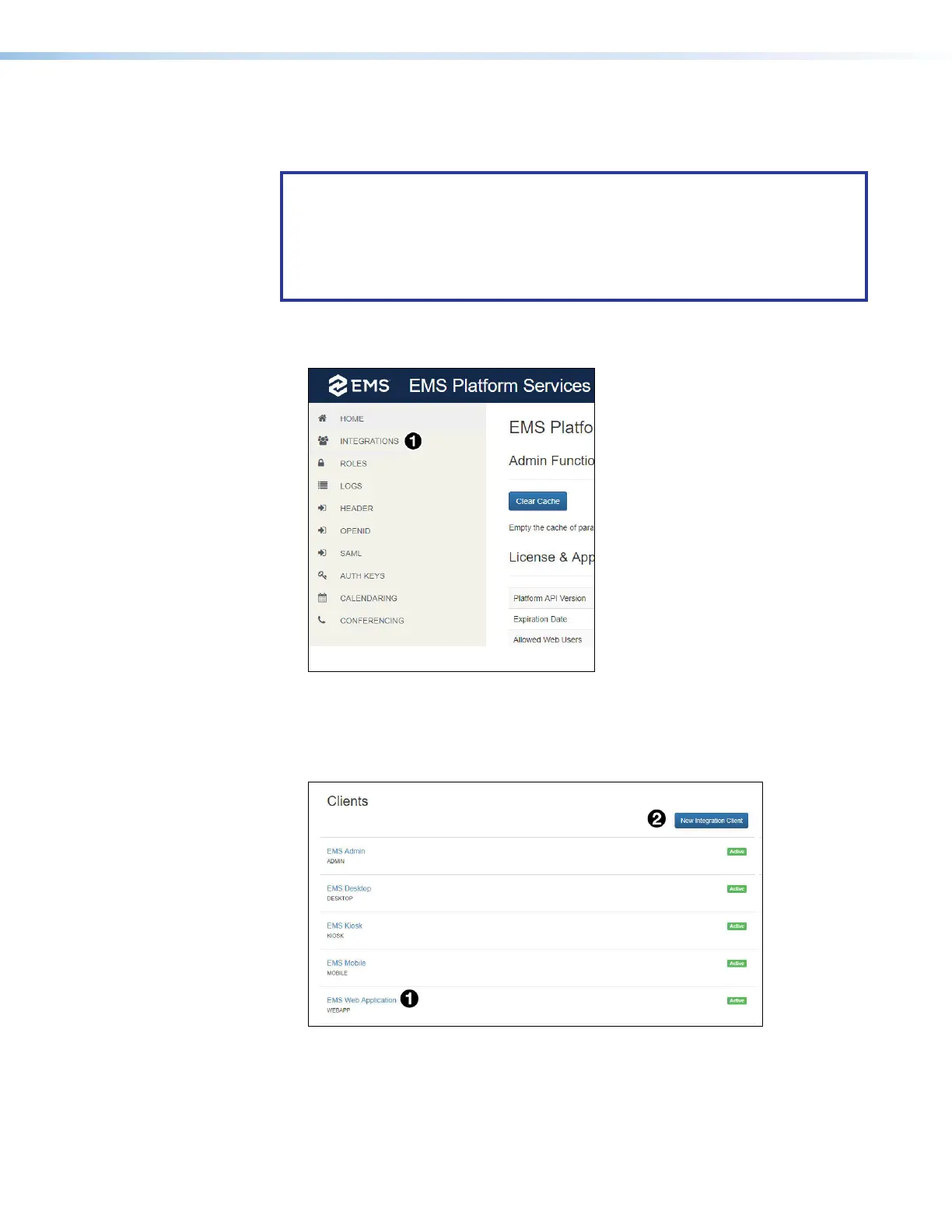
1. Log in to the administrator console.
2. Select Integrations (see figure 54,
1
).
Figure 54. EMS Platform Services
3. To use an existing client, select the appropriate web client and proceed to step 7
on page 53. In figure 68, the default Web Client is shown (
1
).
To use a new client, click New Integration Client (
2
).
Figure 55. EMS Web Clients
figure 55



 To Next Page