Installation and Operation
VTG 400/400D • Installation and Operation2-2
Application Example
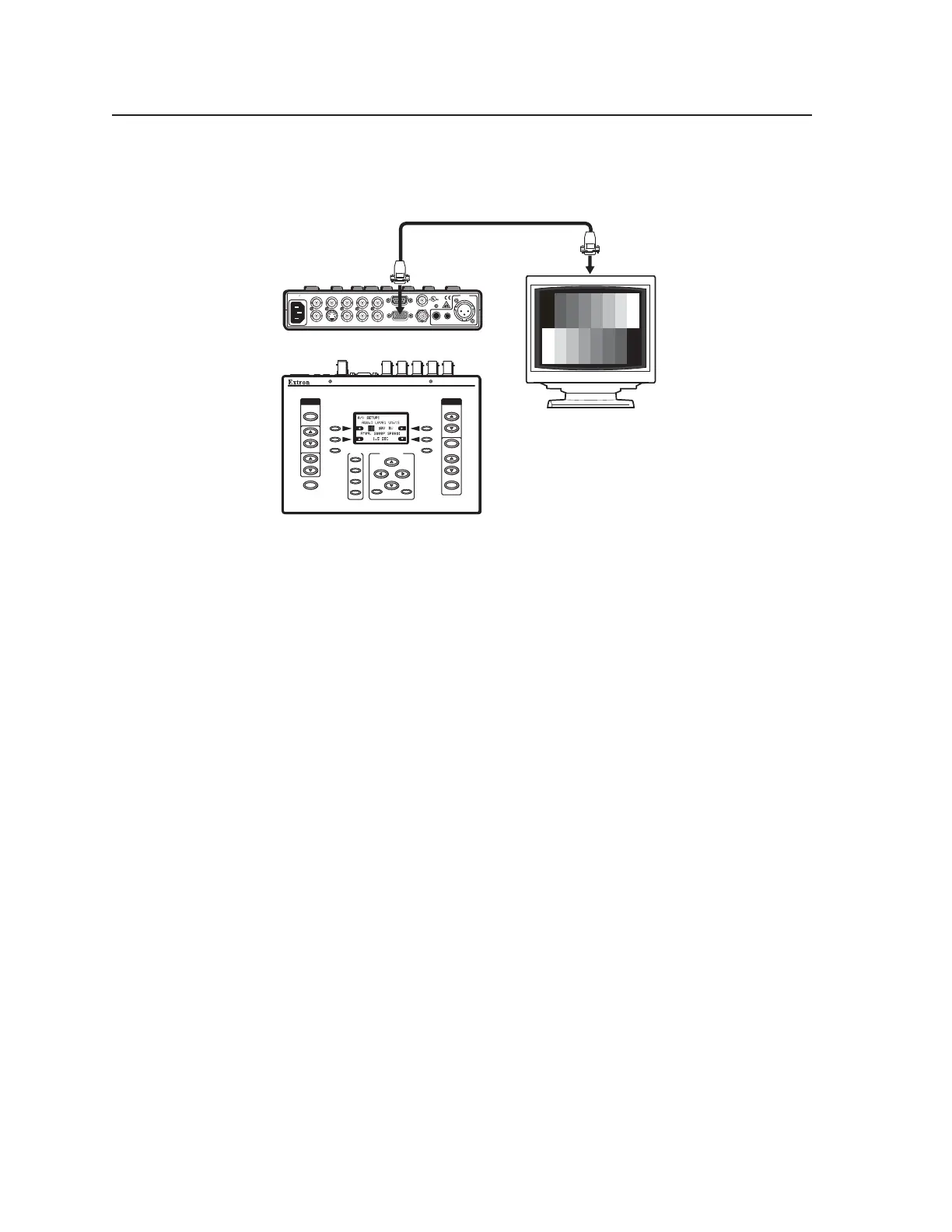
The illustration below is one example of implementing the VTG 400.
AUDI O
SIGNAL
TYPE
LEVEL
FREQUENCY
VIDEO
TEST
PATTERN
RANGE
SELECT
RATE
MENU
QUICK
SELECT
SCOPE-TRIGGER
1
2
3
CURSOR
SHAPE HIDE
4
NEXT
VTG 400
VIDEO & AUDIO TEST GENERATOR
RS-232
50-60Hz
COMPOSITE
RGBH/HVV
S-VIDEO R-Y Y B-Y RGB
TRIGGER
1
SDI/HDSDI
100-240V 0.3A
LISTED
1T23
I.T.E.
AUDIO
2
3
Extron
VTG 400
Video & Audio Test Generator
Extron 15-pin HD
VGA Cable
Top (rotated 180 degrees)
Front
Display
POWER
Tabletop or Desktop Placement
For tabletop or desktop placement, install the self-adhesive rubber feet/pads
(provided) onto the four corners of the bottom of the enclosure
Tel. 07131 911201
Fax 07131 911203



 To Next Page