Serial Communication, cont’d
VTG 400/400D • Serial Communication3-20
Audio tab
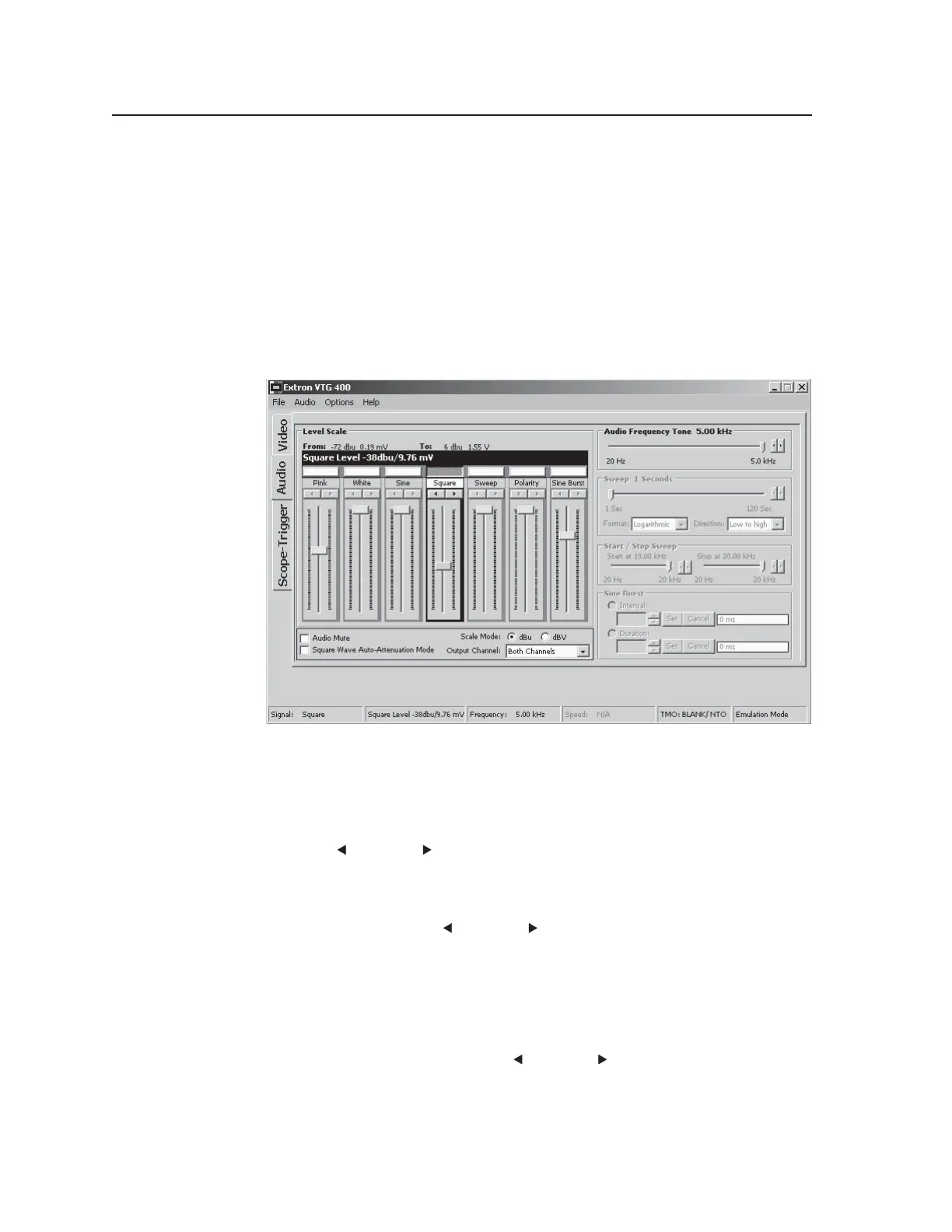
The Audio tab screen features seven audio signal types:
• pink noise
• white noise
• sine wave
• square wave
• frequency sweep
• polarity
• sine burst
You can configure the audio signal via the following adjustment tools:
Audio Frequency Tone slider bar — Adjust the slider bar to specify the audio
frequency for the sine wave, square wave, or sine burst signals. It is
adjusted by moving the slider bar left or right or by selecting the
left (
) or right ( ) arrow buttons to make incremental adjustments to the
audio frequency.
Frequency Sweep (Sweep) slider bar — Adjust the slider bar to specify duration
of the sweep signal. It is adjusted by moving the slider bar left or right or
by selecting the left (
) or right ( ) arrow buttons to make incremental
adjustments to the sweep duration. The frequency sweep format can be
logarithmic (more time spent in the lower frequencies) or linear (equal time
being spent in the low and high frequencies). The direction of the sweep
can be from high to low frequencies or from low to high frequencies.
Start/Stop Sweep slider bar — Adjust the slider bars to specify the start and stop
frequencies for the sweep signal. It is adjusted by moving the slider bar left
or right or by selecting the left (
) or right ( ) arrow buttons to make
incremental adjustments to the start and stop sweep frequencies.
Sine Burst adjustments box — Set interval and duration in cycles for the sine
burst signal. The sine burst duration is always less than the interval.
Tel. 07131 911201
Fax 07131 911203



 To Next Page