VTG 400/400D • Serial Communication3-2
Serial Communication
The VTG 400/400D can be remotely controlled via a host computer or other
device (such as a control system) attached to the rear panel RS-232 connector.
The control device (host) can use either the Extron Simple Instruction Set (SIS
™
)
commands or the graphical control program for Windows
®
.
The VTG 400 uses a protocol of 9600 baud, 1 stop bit, no parity, and no flow
control.
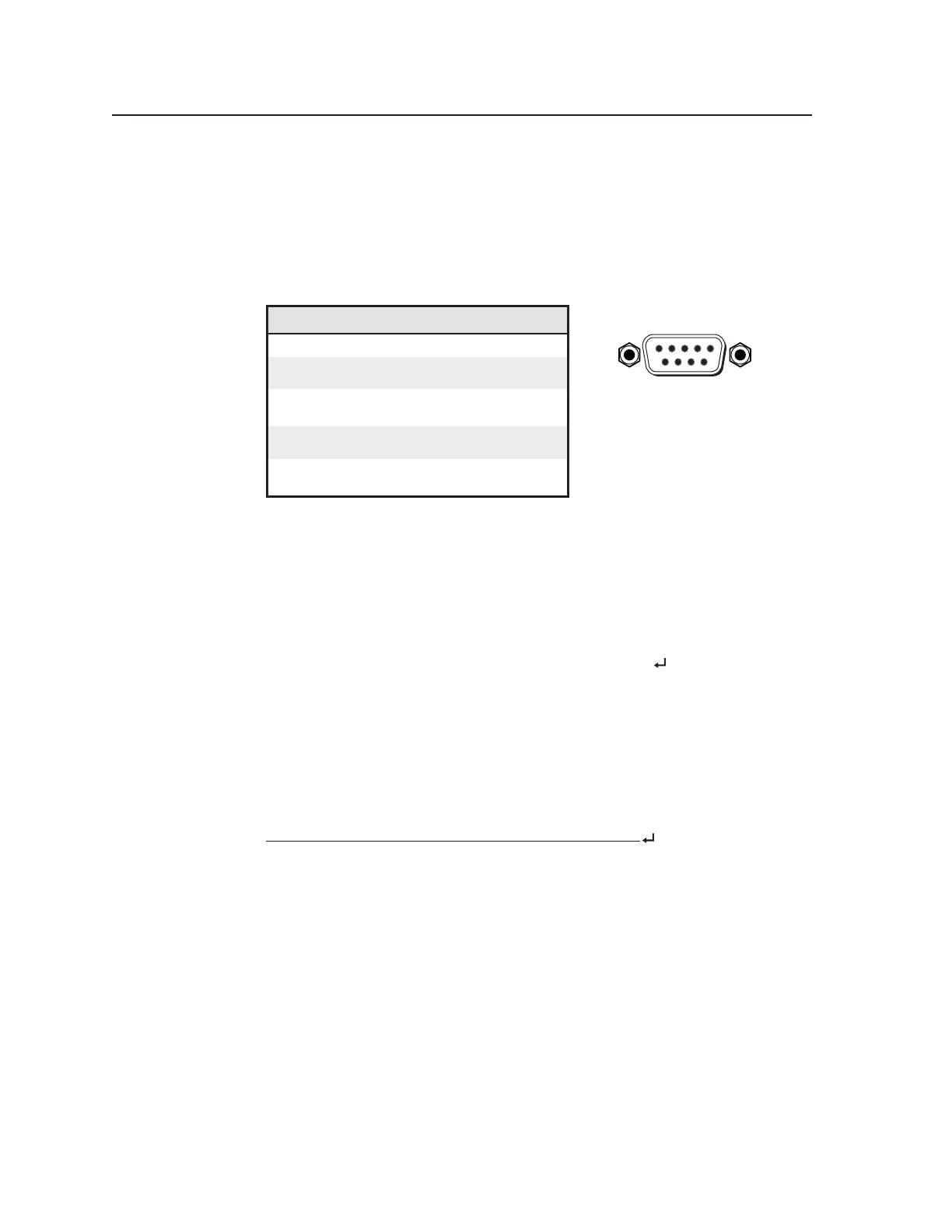
The rear panel RS-232 9-pin D connector has the following pin assignments:
Pin RS-232 function Description
1 – No connection
2 Tx Transmit data
3 Rx Receive data
4 – No connection
5 Gnd Signal ground
6 – No connection
7 – No connection
8 – No connection
9 – No connection
RS-232 Programmer’s Guide
Host-to-VTG communications
SIS commands consist of one or more characters per field. No special characters
are required to begin or end a command sequence. When the VTG 400/400D
determines that a command is valid, it executes the command and sends a
response to the host device. All responses from the video test generator to the
host end with a carriage return and a line feed (CR/LF =
), which signals the
end of the response character string. A string is one or more characters.
It is also possible to send several SIS commands back-to-back in sequence.
Video test generator-initiated messages
When a local event such as a top panel selection or adjustment takes place, the
VTG 400/400D responds by sending a message to the host. No response is
required from the host. An example of a video test generator-initiated message is
listed here (underlined).
(C) Copyright 2004, Extron Electronics, VTG 400, Vx.xx
The VTG 400/400D sends the copyright message when it first powers on. Vx.xx
is the firmware version number.
Error responses
When the video test generator receives a valid SIS command, it executes the
command and sends a response to the host device. If the VTG 400/400D is
unable to execute the command because the command is invalid or it contains
invalid parameters, it returns an error response to the host.
The error response codes and their descriptions are as follows:
E05 – VTG 400 power is off and an attempt has been made to send it a command.
E07 – An attempt to select a nonexistent test pattern number has been made.
E08 – An attempt to select a nonexistent scan rate number has been made.
E10 – Invalid command
E11 – Invalid preset #
E13 – Invalid value (out of range)
E23 – Checksum error
DB9 Pin Locations
Female
51
96
Tel. 07131 911201
Fax 07131 911203



 To Next Page