Serial Communication, cont’d
VTG 400/400D • Serial Communication3-14
• The Raster Border command sets the raster border around a display’s active
area as either on or off.
• The Screen Saver Mode can set the screen saver to blank (black screen) or cycle.
The cycle option cycles through all valid test test patterns for a given scan rate.
• The Screen Saver Interval command sets the screen saver timeout interval to 5
minutes, 10 minutes, 15 minutes, 30 minutes, or never time out.
Help menu
The Help menu allows you to access a help file.
Video tab
The Video tab screen features three main categories: Scan Groups, Test Patterns,
and Settings.
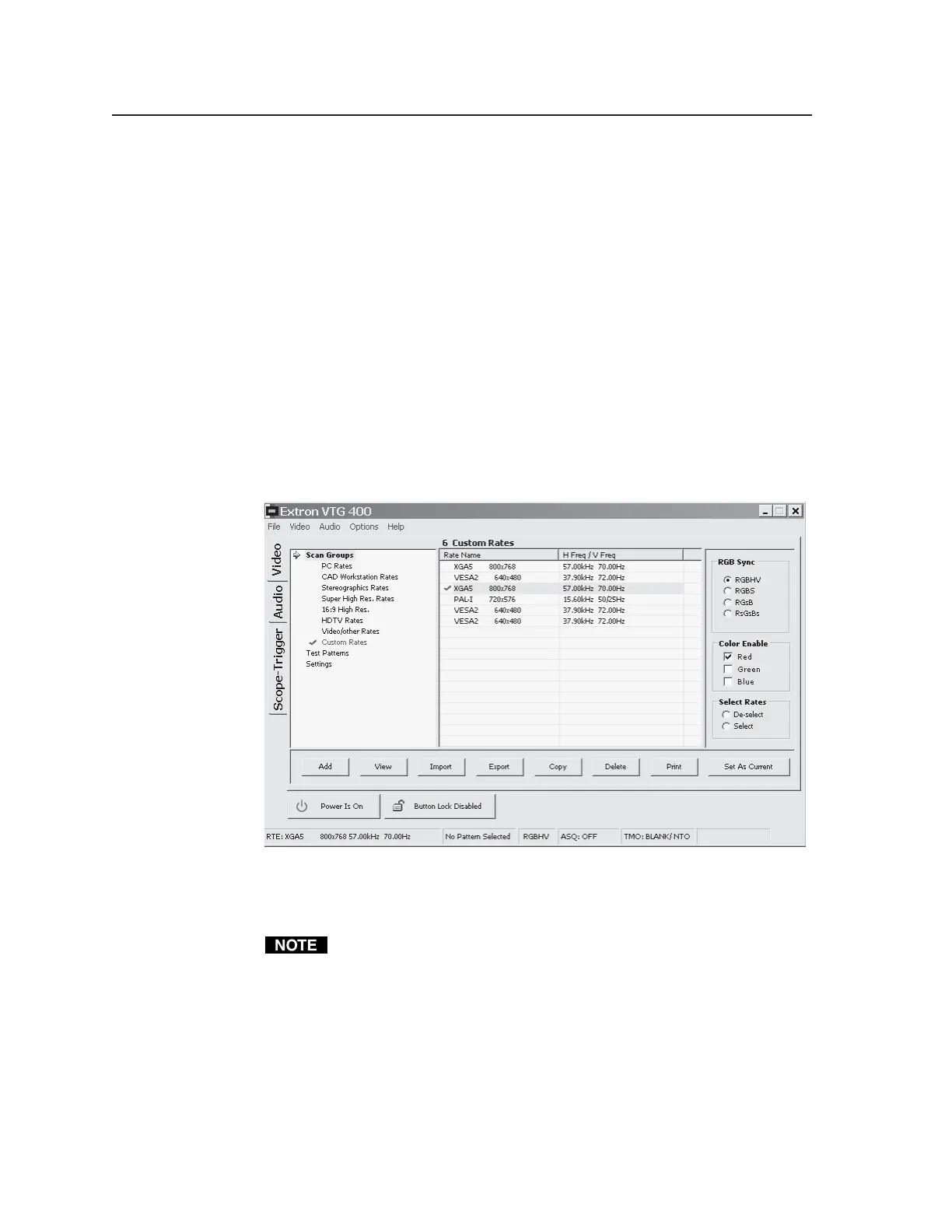
Scan Groups screen
Select the desired video format group from the Scan Groups screen, then choose
the scan rate. Activate the chosen rate by double-clicking on the rate or by
clicking the Set As Current button.
Add button — Clicking this button allows you to add a new scan rate to the
Custom Rates scan group. See the following screen illustration.
The Custom Rates scan group is the only group in which scan rates can be
added, deleted, or modified. All other scan rate groups remain static,
although they can be copied (see the Copy button description later in this
chapter.
Tel. 07131 911201
Fax 07131 911203



 To Next Page