3-23VTG 400/400D • Serial Communication
Using the Emulation Mode
The VTG 400/400D Control Program features an emulation mode so that you
can configure the VTG before actually using it on site. In emulation mode, you
can save the emulated settings to a configuration file, then load that
configuration file to the VTG.
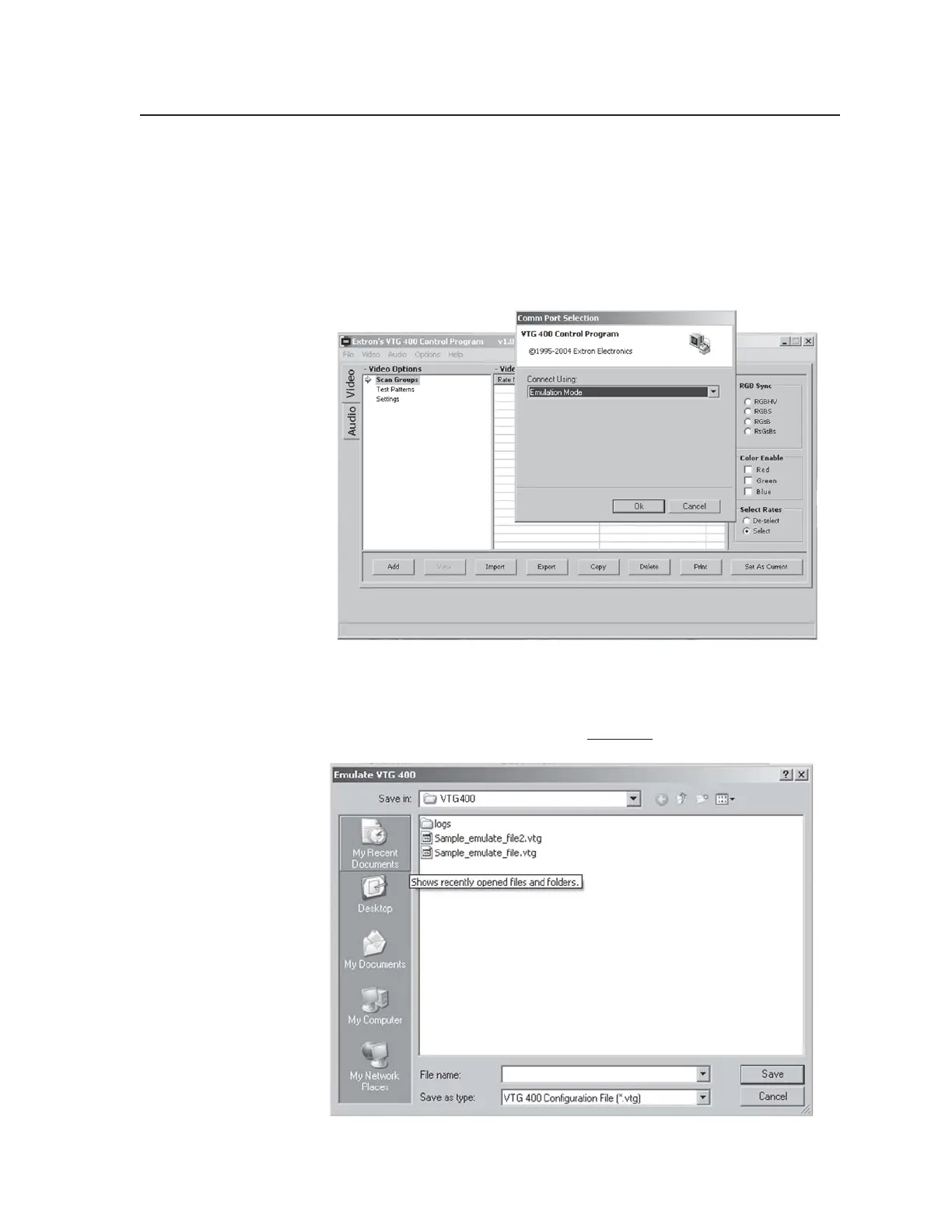
1. Start the control program. In the Comm Port Selection screen, select
Emulation Mode, then click OK.
2. You can create a new configuration starting from the default settings (see
2a), or you can base the configuration on an existing setup (see 2b).
2a. If you will be creating a brand new configuration, enter a new file name
and select Save (as shown below)
instead of following step 2b.
Tel. 07131 911201
Fax 07131 911203



 To Next Page