Serial Communication, cont’d
VTG 400/400D • Serial Communication3-12
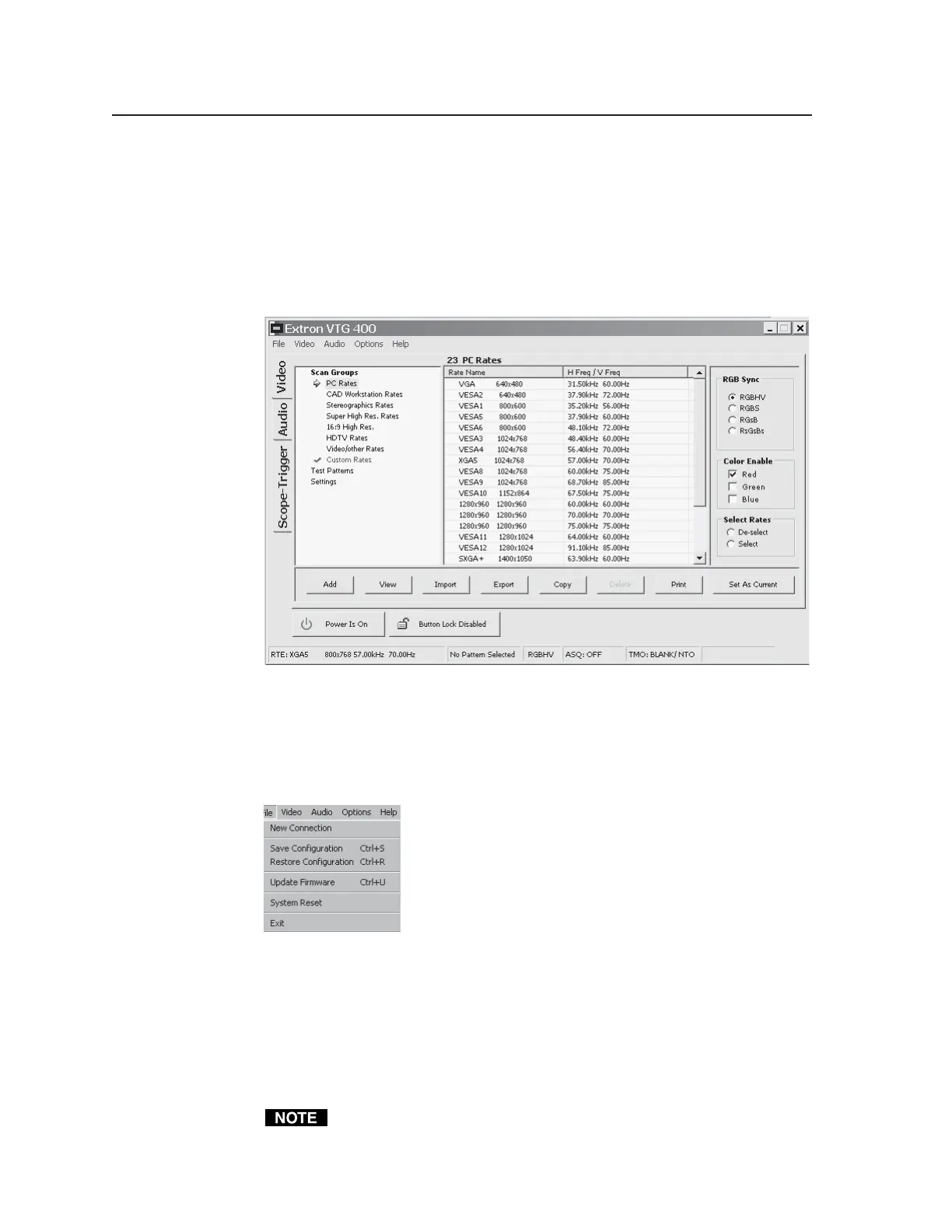
There are three vertical tabs available:
• Video tab
• Audio tab
• Scope-Trigger tab
The Video screen, shown below, is the default window when the Control
Program opens.
Drop-down menus
File menu
The File menu features six functions: New Connection, Save Configuration,
Restore Configuration, Update Firmware, System Reset, and Exit. See the
illustration below.
• Reselect a COMM port using New Connection.
• Save Configuration saves the current configuration settings to a *.vtg file.
• Restore Configuration retrieves configuration information from a previously
saved *.vtg file.
• System Reset resets the VTG to factory default configuration settings.
• Update Firmware loads the VTG with firmware from a *.bin file.
• Exit terminates the Windows control program.
A system reset does not affect any stored Custom Rates.
Tel. 07131 911201
Fax 07131 911203



 To Next Page