Serial Communication, cont’d
VTG 400/400D • Serial Communication3-6
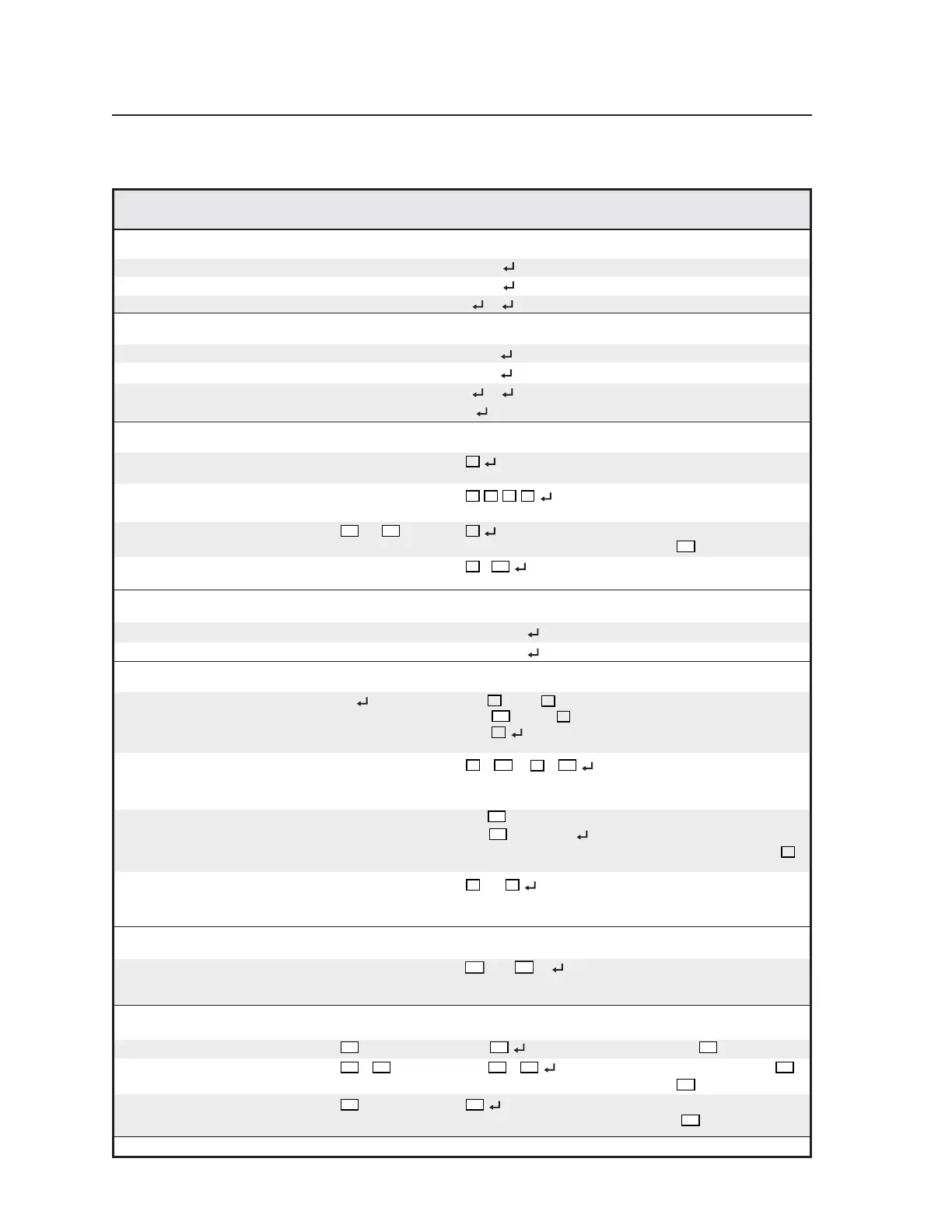
Command/response table for SIS commands
Command ASCII Command Response Additional description
(host to VTG) (VTG to host)
Power
Turn power on 1P/1p Pwr 1 Turn VTG 400 power on.
Turn power off 0P/0p Pwr 0
Turn VTG 400 power off.
View power status P/p 1
/0 = on/off Show power status.
Front panel security lockout (executive mode)
Enable executive mode 1X/1x Exe 1 Enable executive mode.
Disable executive mode 0X/0x Exe 0
Disable executive mode.
View executive mode status X/x 1
/0 = on/off View executive mode status.
Example:X0
Executive mode is disabled.
Query firmware version
General query Q/q
X1
Show the controller firmware
version.
Query all firmware 0Q/0q
X1
,
X1
,
X1
,
X1
Show the firmware versions for
all partitions.
Query specific firmware
X30
Q/
X30
q
X1
Show the firmware version for
partition
X30
.
View build number *Q/*q
X1
.
Show the firmware build
number.
Request part number
Request VTG 400 part number N/n 60-564-01 Show the VTG 400’s part #.
Request VTG 400D part number N/n 60-564-02
Show the VTG 400D’s part #.
Request information
Display information I/i Pat
X2
• Rte
X3
• Show test pattern, output rate,
Grp
• Tmo
X5
• scan rate group, timeout
Asq
X6
interval, auto-sequence
interval.
View variable pattern video levels 1i/1I
X2
*
...
X2
*
X33
View the list of video levels for
all variable-level test patterns
(excludes fixed-level patterns).
View all audio signal levels 2i/2I +/-
dBu (dBV) •... View the list of audio levels for
+/-
dBu (dBV) all signal types (“dBu” or
“dBV” expressed based on
X8
setting).
View “invertable” pattern list 3i/3I
X2
•...
X2
View the list of test patterns
that support “invert” or
special purpose functions.
View internal temperature
View internal temperature 20S
X75
F••
X76
C Show the temperature in
degrees Fahrenheit and
Celsius.
Quick select preset
Recall configuration
X21
. Rpr
Recall preset
X21
.
Save configuration
X22
*
X21
, Spr
*
X21
Save settings specified for
X22
to preset
X21
.
View preset type
X21
* .
X22
Show Quick Select Preset type
for preset
X21
.
Tel. 07131 911201
Fax 07131 911203



 To Next Page