3-15VTG 400/400D • Serial Communication
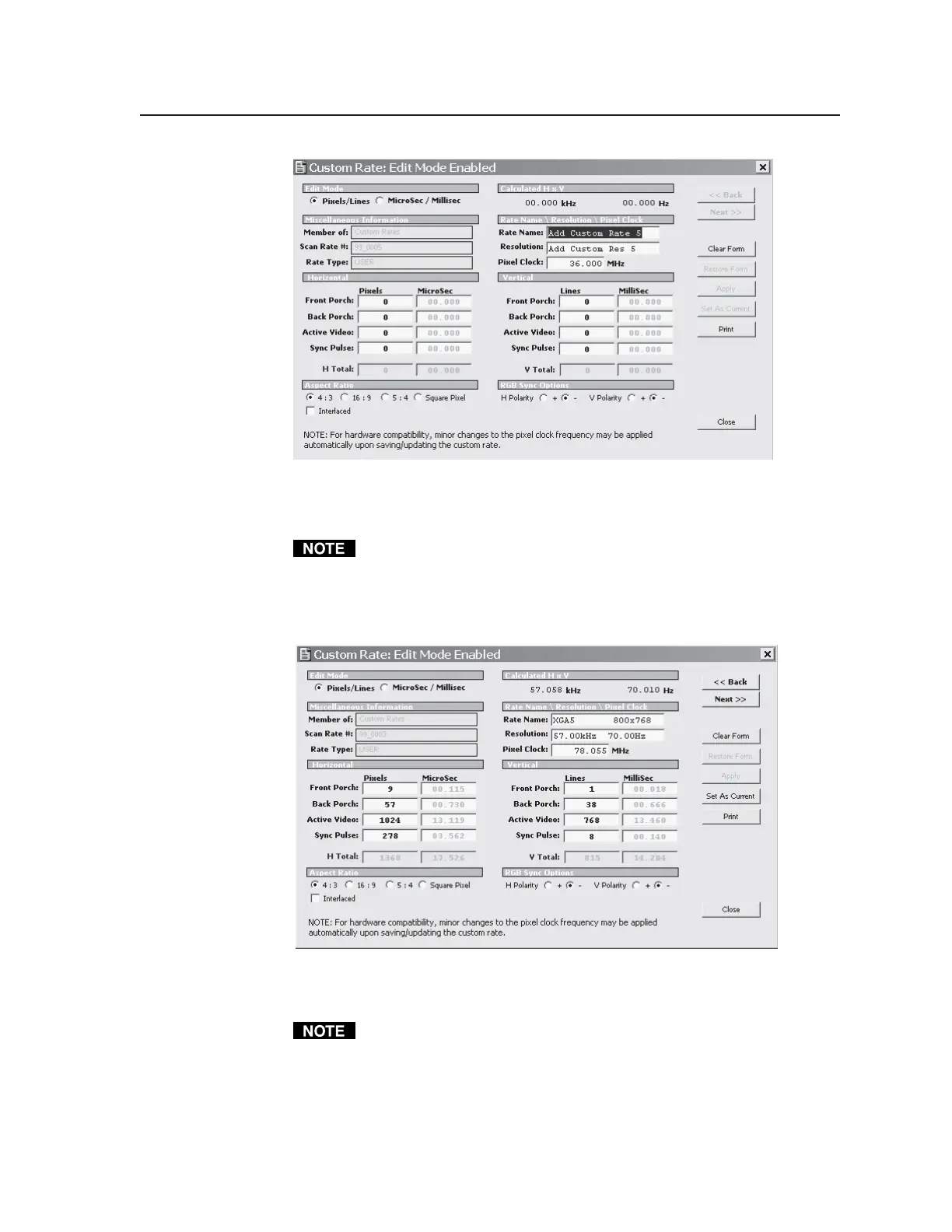
Enter the appropriate information in the above screen, including the horizontal
and vertical active video information, rate name and resolution. Select the Apply
button to add the new rate.
Click the Print button to print the screen image. The information is sent to
Internet Explorer where it can be viewed and printed.
View button — Selecting this button allows you to view the selected rate’s
details. If the selected rate is from the Custom Rates group, the values can
be edited and applied. See the following screen example.
Edit the appropriate information in the above screen. Click the Apply button to
save the changes made.
Select the Print button to print the screen.
Import button — Selecting this button allows you to import scan rates to the
Custom Rates scan group. See the following screen display. A previously
saved file of defined scan rates must first be opened via the Load File
button (see the following Export button description), and a scan rate
selected.
Tel. 07131 911201
Fax 07131 911203



 To Next Page