Serial Communication, cont’d
VTG 400/400D • Serial Communication3-16
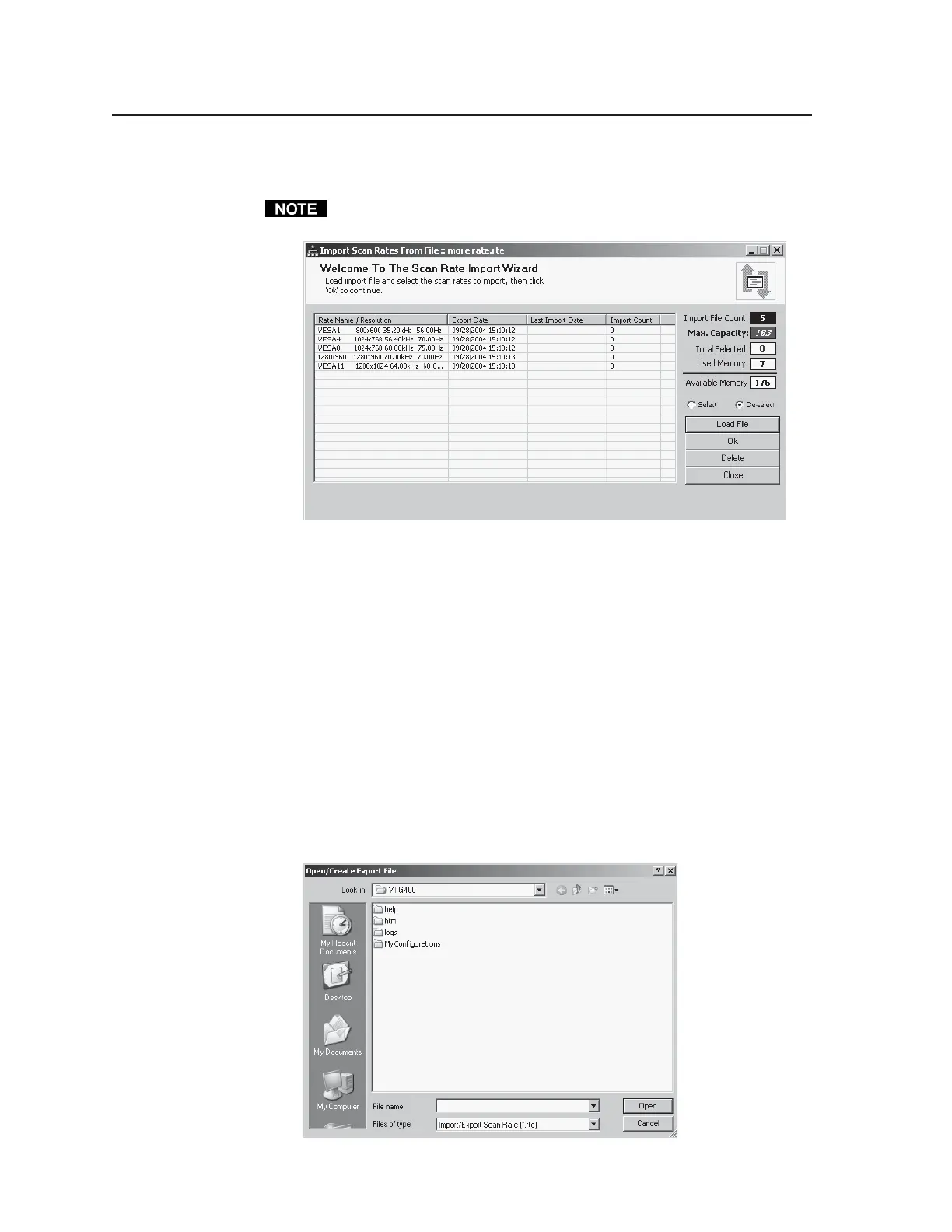
After selecting the previously saved *.rte file, open that file and click on the
desired rate(s).
The Select radio button selects all the rates in the file, and the De-select radio
button deselects all the rates.
• The Import File Count is the number of rates in the imported file.
• The Max. Capacity is the maximum number of Custom rates that
theVTG can store.
• The Total Selected is the number of rates selected in the imported file.
• Used Memory is the number of rates in the Custom Rates folder.
• Available Memory is the number of rates that can still be imported to the
Custom Rates folder.
• Select Load File to select another *.rte file.
• Select Ok to import the selected scan rate(s).
• Select Delete to delete the selected scan rate(s) from the *.rte file.
• Select Close to close the current window.
Export button — Selecting this button allows you to export or save a scan rate to
an export scan rate file. See the following screen example. The export file
of saved rates can later be used to add rates to the Custom Rates folder via
the previously mentioned Import button.
Tel. 07131 911201
Fax 07131 911203



 To Next Page