RESTRICTED USE ONLY FARGO Electronics, Inc.
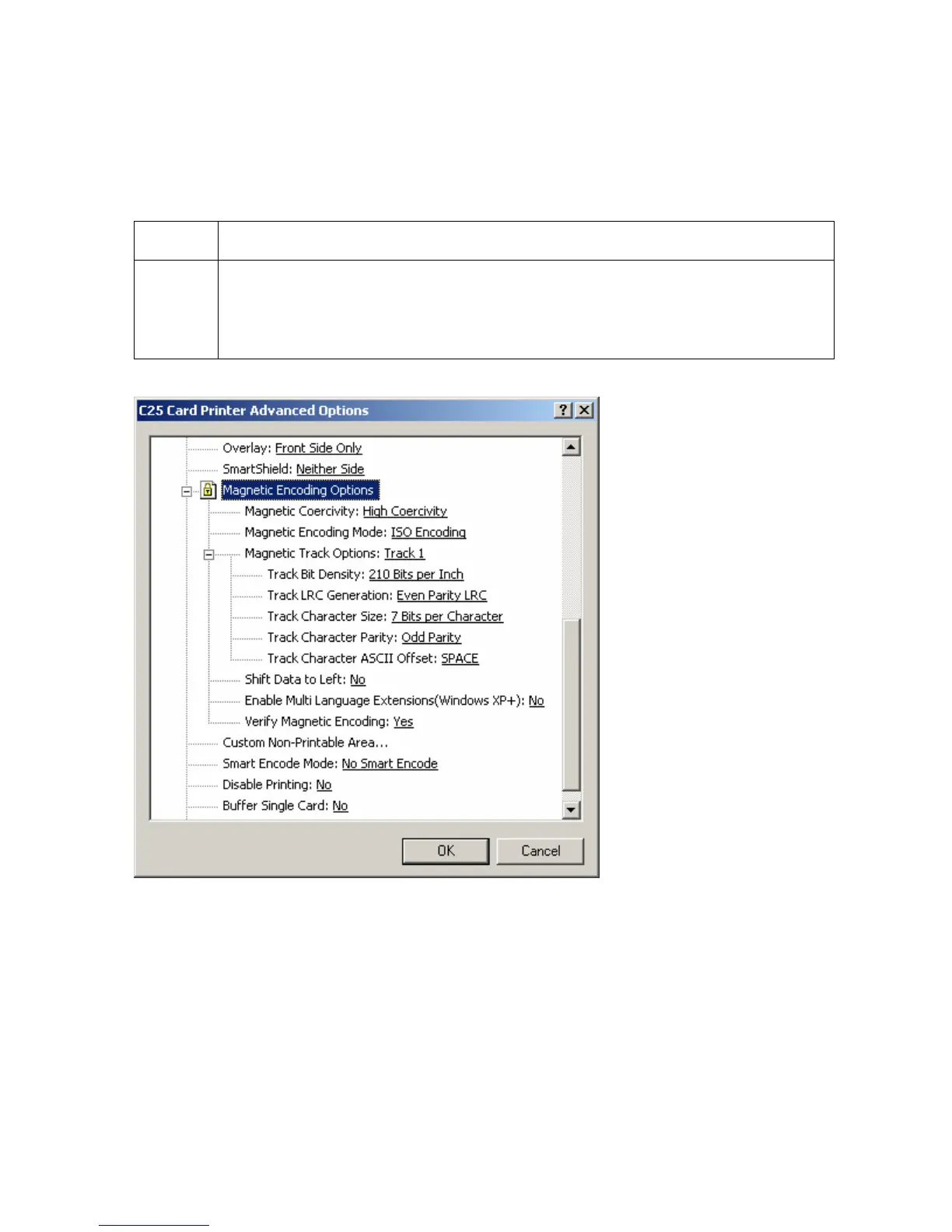
Using the Magnetic Encoding Options
Use this option only if the Printer has an optional Magnetic Stripe Encoding Module installed.
(Note: This section describes these options and the Printer's Magnetic Encoding process.)
Step Procedure
1 Select the Magnetic Encoding Options to change the encoding mode,
coercivity setting, or to modify the ISO Standards for Tracks 1, 2, and 3.
(Note: By default, the Printer Driver is set to encode according to ISO
Standards onto high-coercivity Magnetic Stripes.)
Continued on the next page
Persona® C25 Card Printer User Guide (Rev. 4.0)
104












 To Next Page