RESTRICTED USE ONLY FARGO Electronics, Inc.
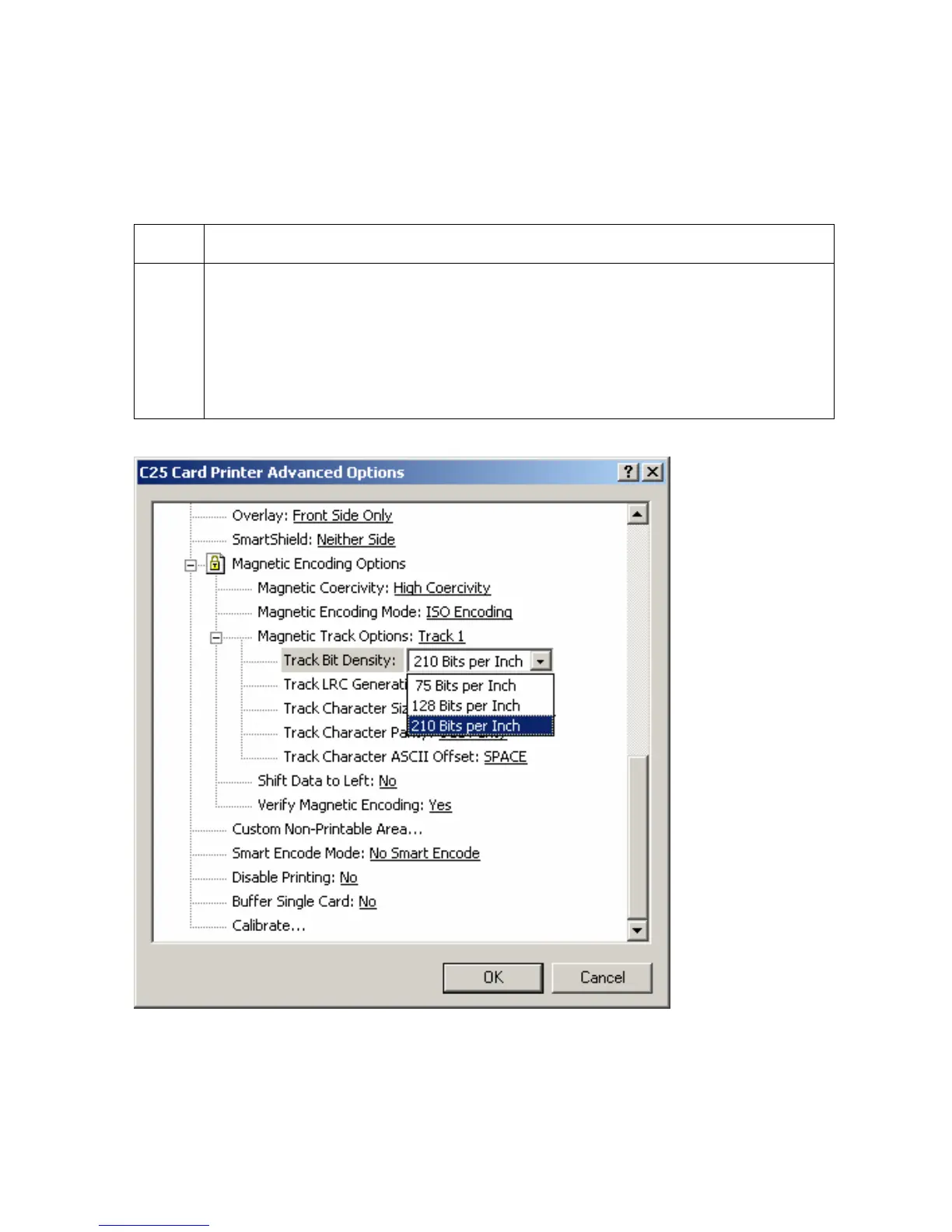
Selecting the Track Bit Density option
Use this option to customize the Bit Recording Density (Bits per Inch) used to encode the
magnetic data on the currently selected Track. (Note: The default ISO Standard selections
for this option are Track 1: 210 BPI, Track 2: 75 BPI, and Track 3: 210 BPI.)
Step Procedure
1 Select 75 BPI to change the bits per inch to 75 BPI.
OR
Select 128 BPI to change the bits per inch to 128 BPI.
OR
Select 210 BPI to change the bits per inch to 210 BPI.
Persona® C25 Card Printer User Guide (Rev. 4.0)
108












 To Next Page