RESTRICTED USE ONLY FARGO Electronics, Inc.
Controlling the Resin Heat
Step Procedure
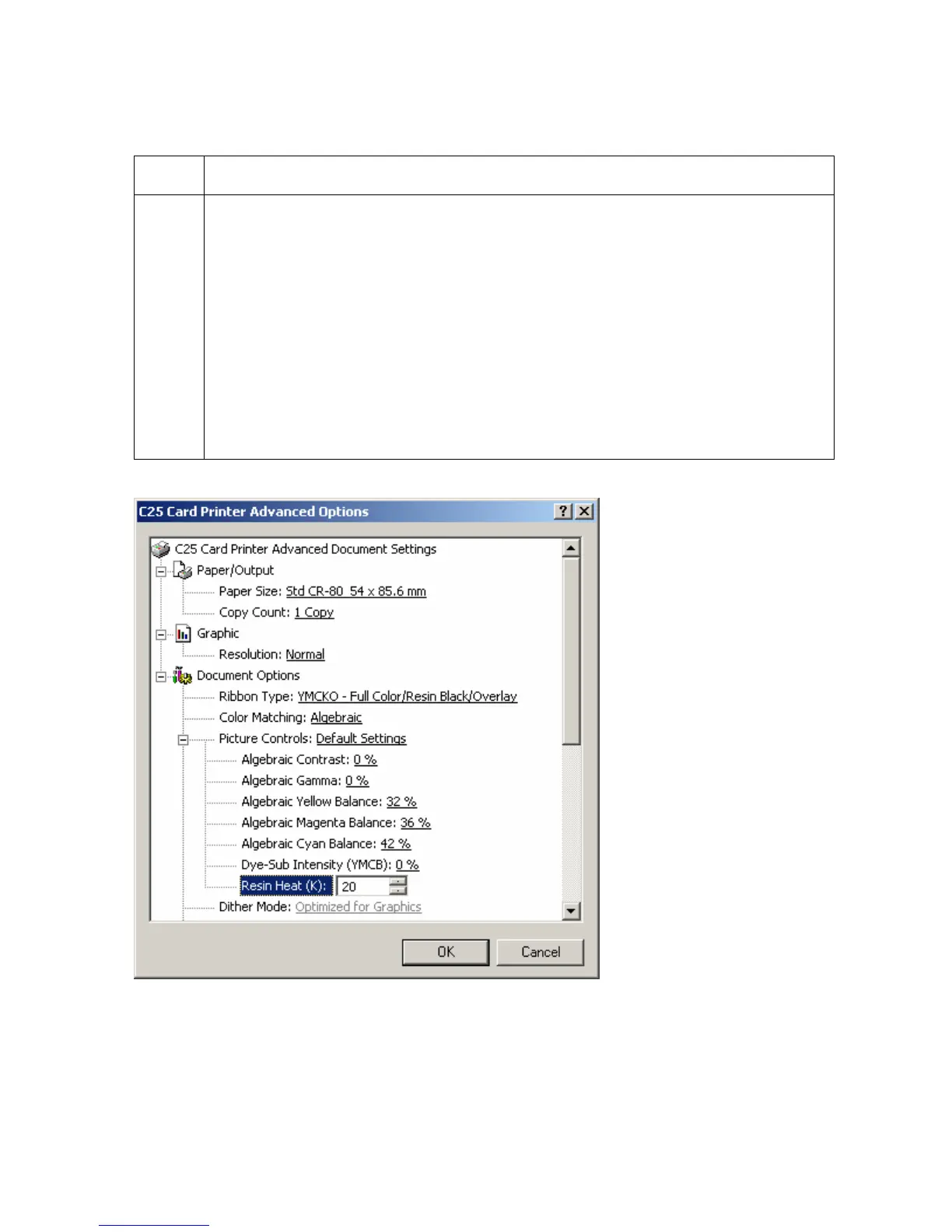
1 Control the amount of heat the Printer uses when printing with the resin black
panel(s) of a full-color ribbon or when printing with a resin-only ribbon by
adjusting the Resin Heat.
Note #1: This control can be helpful for fine-tuning the saturation of resin text
and bar codes.) Adjust the Resin Heat (K) setting (as needed), as shown below.
Note #2: This option only effects objects printed with a resin-only print ribbon or
those objects printed on the back side of a card with the resin black panel of a
YMCKO, YMCKOK, or YMCKK print ribbon.
Note #3: Use this option to control the amount of heat the Printer uses when
printing with the resin black panel(s) of a full-color ribbon or when printing with a
resin-only ribbon, adjust the Resin Heat slide.
Persona® C25 Card Printer User Guide (Rev. 4.0)
90












 To Next Page